

-
|
Hi, apologies if this is covered in the manual and I just haven't read it carefully enough.. I just attempted to "proofread" my first processed sheet of music with the Audiveris UI (running the development branch on Java 11, Xubuntu). I'm not sure how successful it was, since MuseScore was not entirely happy with the exported mxl.. I'll try to figure out why later but first some questions about the editor UI.
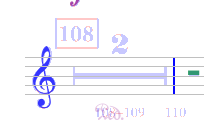
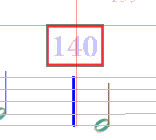
Two general points: drag-and-dropping symbols was somewhat tedious. For example, the engine had skipped quite a few quarter rests. I'd like to be able to "activate" the quarter note rest and click all the places it is missing. |

Beta Was this translation helpful? Give feedback.
Replies: 1 comment 2 replies

-
|
Audiveris UI does not compare with full-fledge music editors like MuseScore. Its purpose is merely is to help correct remaining errors of its OMR engine. Then, you can import the MusicXML data into MuseScore for example, and proceed to other modifications if you wish. Audiveris UI is improving release after release, and my advice would be to have a look at the draft of 5.2 Handbook available on https://audiveris.github.io/audiveris/_pages/index-5.2/ Now let's get to each of your questions (assuming you use 5.2 development version rather than the now old 5.1 master version): Endings: You can drag n' drop an ending from the shape palette to your start location. Once dropped, set this ending into "edit mode" (via a double-click on it, for example). This gives you handles that you can drag to extend the ending until your desired stop location. Tuplets: Similar to endings, but with more possibilities because more handles are provided. Multi-meter rests: Not yet supported. Rehearsal measure numbers: Not yet supported Repetitive inputs: Available (but not yet described in handbook draft). Basically, insert your first symbol, then press the button that looks like a green cross. After that, simply click on other locations and the same symbol will be inserted at each of these locations. To exit this "repetitive input" mode, press again on the green cross: That's all for today. Please do read the docs :-), |

Beta Was this translation helpful? Give feedback.

-
|
Thank you very much for the link to the updated docs, some of my confusion was perhaps reading the 5.1 docs and trying to understand how to use 5.2. I did search for "repetitive" and could not figure out how to use that button. Will be fun to test this further. I see some exceptions logged in the console while working - hard to tell if they break anything. If I figure out what actions reproduce a specific exception, would you like a bug report even if I'm not sure it breaks things? |
Beta Was this translation helpful? Give feedback.

-
|
Sure, they would be interesting provided they concern the (development) 5.2 version |
Beta Was this translation helpful? Give feedback.


Audiveris UI does not compare with full-fledge music editors like MuseScore. Its purpose is merely is to help correct remaining errors of its OMR engine. Then, you can import the MusicXML data into MuseScore for example, and proceed to other modifications if you wish.
Audiveris UI is improving release after release, and my advice would be to have a look at the draft of 5.2 Handbook available on https://audiveris.github.io/audiveris/_pages/index-5.2/
5.2 is to be released within the coming weeks, but you can already pull and build it from its "development" branch.
Simply use "git checkout development" command before launching the build with gradlew.
Now let's get to each of your questions …