Web application written in Ruby on Rails for a food company in Argentina. The application serves three primary functions:
- Be the company's Landing Page
- Allow users to buy products online (and then pick a date and time when the products are to be delivered)
- Let administrators update the content of the page and see the orders that were made by the users.
The page's language is Spanish. The page can be found at http://pranafactory.herokuapp.com/
- Ruby 2.1.5
- Rails 4.2.4
- Paperclip for uploading and managing images associated with products/categories
- Bootstrap 3
- Application hosted on Heroku
- Images hosted on Amazon S3
- Puma server
- PostgreSQL database
- Sendgrid used for sending emails
By logging in, administrators have access to two actions:
- Create, update and delete product data that is then shown to the user
- View orders that have been successfully issued by users (checkouts)
The Admin authentication system was built using Rails has_secure_password method
- Users can create, update and delete categories. Each category has products and packages in which the products are sold.
- Categories and products have names, descriptions and images associated to them.
- A combination of a product and a package within a category defines a sku (unit sold by the company). When a product or package is created, skus are automatically generated for every product or package that already exists within that category.
In "Nuestros Productos" page, users can see information about products and categories.
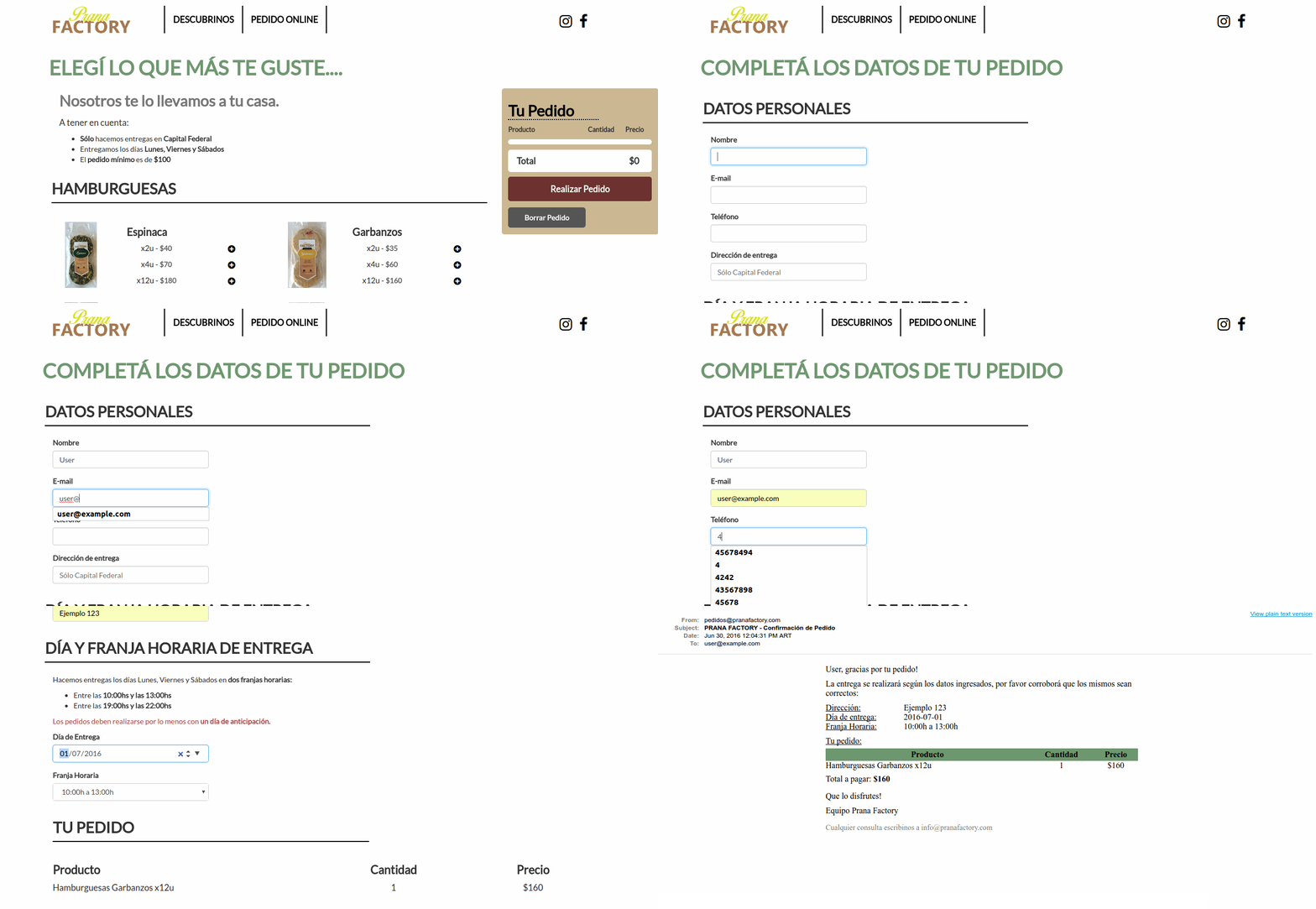
- By clicking the "Pedido Online" link, users can access a store where they add any of the existing sku to a cart.
- By submitting the order, and satisfying certain requirements such as a minimum order price, they are sent to a form page where they fill in information about the order (address, delivery date and time, etc).
- When valid data is submited to the form, confirmation emails are sent to the user and the administrator, and the order is stored in the database.
- Move logic in the controller to the model (Fat Model, Skinny Controller)
- Add additional tests (Mainly integration) for the Admin functionalities
- Make the creation of products/packages + skus transactional
- Add partial templates to the views in order to make the codo more abstract
- Improve the look and feel of admin pages (Format and Pagination)