
Replies: 66 comments 91 replies

-
|
Thanks for sharing. You can use typo: lenght -> length Previous Discussion: how to implement tab drawing in python? # 4366 |
Beta Was this translation helpful? Give feedback.

-
|
Thanks. I updated this. |
Beta Was this translation helpful? Give feedback.

-
|
@zzhaolei |
Beta Was this translation helpful? Give feedback.
-
|
@page-down I am sorry for the late reply. It's updated. |
Beta Was this translation helpful? Give feedback.

-
|
kitty.conftar_bar.pyfrom kitty.fast_data_types import Screen
from kitty.tab_bar import DrawData, ExtraData, TabBarData, draw_title
def draw_tab(
draw_data: DrawData, screen: Screen, tab: TabBarData,
before: int, max_title_length: int, index: int, is_last: bool,
extra_data: ExtraData
) -> int:
orig_fg = screen.cursor.fg
orig_bg = screen.cursor.bg
left_sep, right_sep = ('', '')
def draw_sep(which: str) -> None:
screen.cursor.bg = draw_data.default_bg
screen.cursor.fg = orig_bg
screen.draw(which)
screen.cursor.bg = orig_bg
screen.cursor.fg = orig_fg
if max_title_length <= 1:
screen.draw('…')
elif max_title_length == 2:
screen.draw('…|')
elif max_title_length < 6:
draw_sep(left_sep)
screen.draw((' ' if max_title_length == 5 else '') + '…' + (' ' if max_title_length >= 4 else ''))
draw_sep(right_sep)
else:
draw_sep(left_sep)
screen.draw(' ')
draw_title(draw_data, screen, tab, index)
extra = screen.cursor.x - before - max_title_length
print("extra:%d" %(extra))
if extra >= 0:
screen.cursor.x -= extra + 3
screen.draw('…')
elif extra == -1:
screen.cursor.x -= 2
screen.draw('…')
screen.draw(' ')
draw_sep(right_sep)
draw_sep(' ')
return screen.cursor.xDiff Relative to
|

Beta Was this translation helpful? Give feedback.
-
|
Are you using bash? Have you upgraded to the latest kitty version 0.24.2?
|
Beta Was this translation helpful? Give feedback.

-
I'm using Bash, yes, I'm on the latest version of Kitty. And if it helps to know, I'm using Ubuntu 20.04 (which comes with GNOME).
I'm aware of it & customised it as such: But it still doesn't serve what I'm looking for 😅 |

Beta Was this translation helpful? Give feedback.
-
|
Remove the line You need to make sure that the shell integration is loaded correctly, and if the source command is not automatically written to .bashrc, then you need to configure shell integration manually. All I can say is that I tried Ubuntu 20.04 new user .bashrc + starship 1.2.1 + kitty 0.24.2 and the title is working fine. kitty --config=NONE -o 'shell bash -il'If you want to disable shell integration and then set the title yourself, please see the following link. Suggest you troubleshoot your shell rc file to see where exactly the title is set (my guess is that it comes with ubuntu). Then you will find that the starship command duration is abnormal, see the following link for why. So far, that's all the advice I can give you. |
Beta Was this translation helpful? Give feedback.

-
|
you can do so by changing your ~/.bashrc to edit the title displayed on a window. the tab titles are simply reflecting the existing bash titles. |
Beta Was this translation helpful? Give feedback.

-
|
I don't know what's changed, but this stopped working for me. I started receiving this error message: I had to update the script: from kitty.fast_data_types import Screen
from kitty.tab_bar import DrawData, ExtraData, TabBarData, draw_title, as_rgb
from kitty.utils import color_as_int
def draw_tab(
draw_data: DrawData, screen: Screen, tab: TabBarData,
before: int, max_title_length: int, index: int, is_last: bool,
extra_data: ExtraData
) -> int:
orig_fg = screen.cursor.fg
orig_bg = screen.cursor.bg
left_sep, right_sep = ('', '')
def draw_sep(which: str) -> None:
screen.cursor.bg = as_rgb(color_as_int(draw_data.default_bg))
screen.cursor.fg = orig_bg
screen.draw(which)
screen.cursor.bg = orig_bg
screen.cursor.fg = orig_fg
if max_title_length <= 1:
screen.draw('…')
elif max_title_length == 2:
screen.draw('…|')
elif max_title_length < 6:
draw_sep(left_sep)
screen.draw((' ' if max_title_length == 5 else '') + '…' + (' ' if max_title_length >= 4 else ''))
draw_sep(right_sep)
else:
draw_sep(left_sep)
screen.draw(' ')
draw_title(draw_data, screen, tab, index)
extra = screen.cursor.x - before - max_title_length
print("extra:%d" %(extra))
if extra >= 0:
screen.cursor.x -= extra + 3
screen.draw('…')
elif extra == -1:
screen.cursor.x -= 2
screen.draw('…')
screen.draw(' ')
draw_sep(right_sep)
draw_sep(' ')
return screen.cursor.x |
Beta Was this translation helpful? Give feedback.

-
|
Hi, is there a way to update the time in the tab bar when there's no activity in the terminal ? |
Beta Was this translation helpful? Give feedback.

-
|
On Mon, Jan 10, 2022 at 06:40:53AM -0800, Pascal Hubrecht wrote:
Hi, is there a way to update the time in the tab bar when there's no activity in the terminal ?
The tab bar is redrawn only when a tab title is changed or the
number of tabs is changed. So in your custom python function you can use
add_timer to force a redraw of it.
the timer would need to call a function like
def redraw_tab_bar():
tm = get_boss().active_tab_manager
if tm is not None:
tm.mark_tab_bar_dirty()
|
Beta Was this translation helpful? Give feedback.

-
|
Thx a lot ! |
Beta Was this translation helpful? Give feedback.

-
|
I'm having a play with extending the tab bar to include some small status notifications on the right of the tab bar, and I'm trying to reuse the [Edit: Sorry, I just used you as a rubber duck! Now I have the screenshots side by side, I can clearly see that they are different fonts! The new Eg, the original powerline:
When rendered by my custom tab function:
See post below for my finished tab config. |


Beta Was this translation helpful? Give feedback.

-
|
That's very odd. I suggest you bisect your code and find the offending lines. |
Beta Was this translation helpful? Give feedback.

-
|
How can you get the that clock on the right side of the tab ?? |
Beta Was this translation helpful? Give feedback.
-
|
My tabs, based on powerline rounded:
The code: import datetime
import json
import subprocess
from collections import defaultdict
from kitty.boss import get_boss
from kitty.fast_data_types import Screen, add_timer
from kitty.tab_bar import (
DrawData,
ExtraData,
Formatter,
TabBarData,
as_rgb,
draw_attributed_string,
draw_tab_with_powerline,
)
timer_id = None
def draw_tab(
draw_data: DrawData,
screen: Screen,
tab: TabBarData,
before: int,
max_title_length: int,
index: int,
is_last: bool,
extra_data: ExtraData,
) -> int:
global timer_id
# if timer_id is None:
# timer_id = add_timer(_redraw_tab_bar, 2.0, True)
draw_tab_with_powerline(
draw_data, screen, tab, before, max_title_length, index, is_last, extra_data
)
if is_last:
draw_right_status(draw_data, screen)
return screen.cursor.x
def draw_right_status(draw_data: DrawData, screen: Screen) -> None:
# The tabs may have left some formats enabled. Disable them now.
draw_attributed_string(Formatter.reset, screen)
cells = create_cells()
# Drop cells that wont fit
while True:
if not cells:
return
padding = screen.columns - screen.cursor.x - sum(len(c) + 3 for c in cells)
if padding >= 0:
break
cells = cells[1:]
if padding:
screen.draw(" " * padding)
tab_bg = as_rgb(int(draw_data.inactive_bg))
tab_fg = as_rgb(int(draw_data.inactive_fg))
default_bg = as_rgb(int(draw_data.default_bg))
for cell in cells:
# Draw the separator
if cell == cells[0]:
screen.cursor.fg = tab_bg
screen.draw("")
else:
screen.cursor.fg = default_bg
screen.cursor.bg = tab_bg
screen.draw("")
screen.cursor.fg = tab_fg
screen.cursor.bg = tab_bg
screen.draw(f" {cell} ")
def create_cells() -> list[str]:
now = datetime.datetime.now()
return [
currently_playing(),
get_headphone_battery_status(),
now.strftime("%d %b"),
now.strftime("%H:%M"),
]
def get_headphone_battery_status():
try:
battery_pct = int(subprocess.getoutput("headsetcontrol -b -c"))
except Exception:
status = ""
else:
if battery_pct < 0:
status = ""
else:
status = f"{battery_pct}% {''[battery_pct // 10]}"
return f" {status}"
STATE = defaultdict(lambda: "", {"Paused": "", "Playing": ""})
def currently_playing():
# TODO: Work out how to add python libraries so that I can query dbus directly
# For now, implemented in a separate python project: dbus-player-status
status = " "
data = {}
try:
data = json.loads(subprocess.getoutput("dbus-player-status"))
except ValueError:
pass
if data:
if "state" in data:
status = f"{status} {STATE[data['state']]}"
if "title" in data:
status = f"{status} {data['title']}"
if "artist" in data:
status = f"{status} - {data['artist']}"
else:
status = ""
return status
def _redraw_tab_bar(timer_id):
for tm in get_boss().all_tab_managers:
tm.mark_tab_bar_dirty()
## Tab bar

tab_bar_edge bottom
tab_bar_margin_height 5.0 0.0
tab_bar_style custom
tab_powerline_style round
tab_bar_background #003747
tab_title_template "{fmt.fg.default}{index}"
|
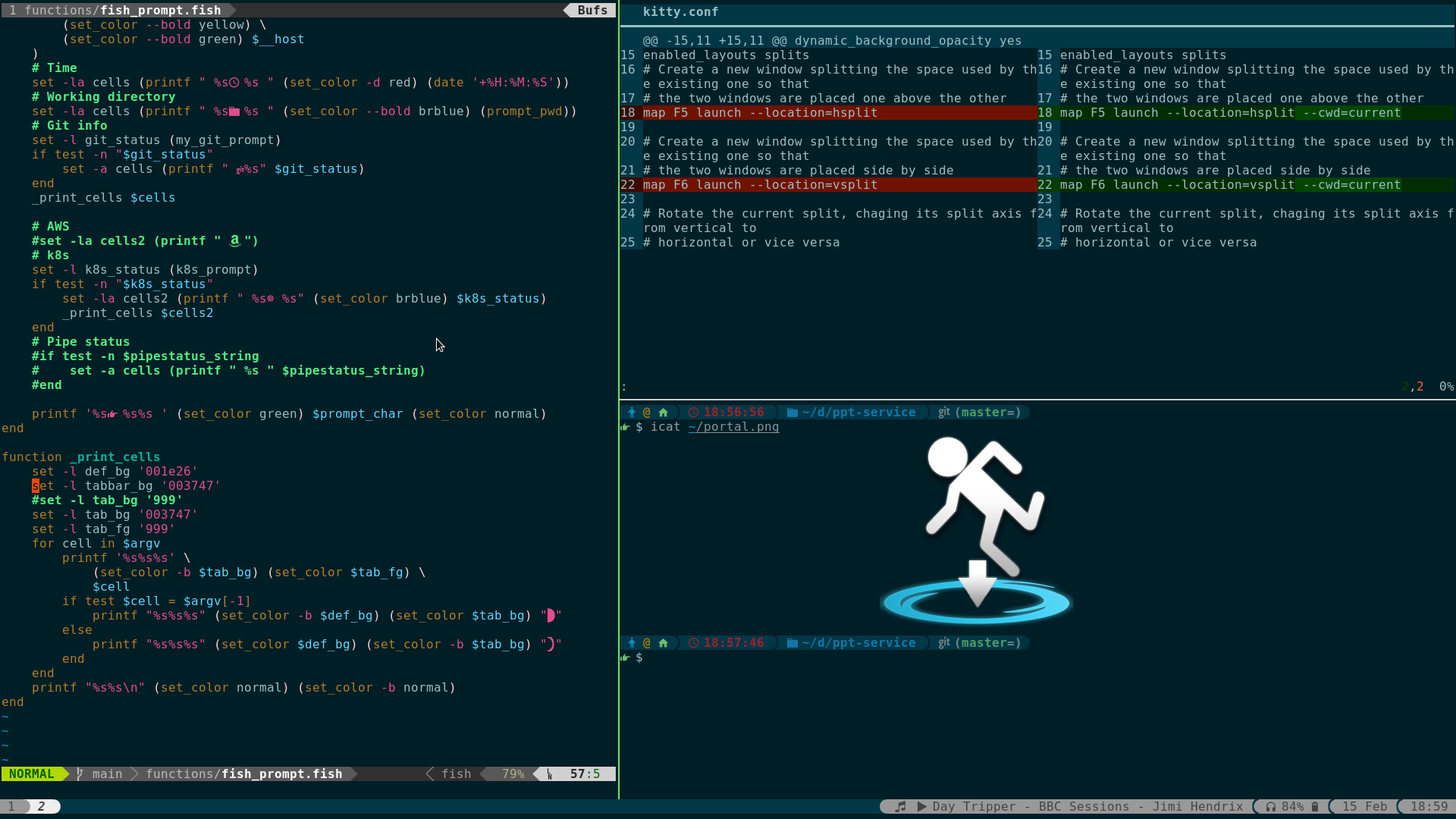
Beta Was this translation helpful? Give feedback.

-
|
is this a Solarized_Dark theme or any different theme? |
Beta Was this translation helpful? Give feedback.

-
|
Damn, some fancy tabs here, mine are pretty simple in comparison: |

Beta Was this translation helpful? Give feedback.

-
|
Taking some of the solid work by others, I'm replicating my tmux statusline configs and migrating to kitty (hoping to move to kitty and ditch tmux at some point). kitty (only) screenie: kitty + tmux screenie:
Here's my full kitty config: I'm definitely still working through a ton of stuff; really hoping to build out "sessions" of some sort to flip between (really they correspond to different projects that I'm working on for work or personal). In addition, I'm adding support for kitty overlays to a lot of my tmux-popup based fzf scripts (bin/ftm and bin/slack are the two main ones -- also for weechat, updating weechat-fzf to support kitty as well). |


Beta Was this translation helpful? Give feedback.

-
|
Updated mine, thanks to @ssnailed's amazing version.. Cleaned up the code considerably (again, thanks to @ssnailed): https://github.com/megalithic/dotfiles/blob/main/config/kitty/tab_bar.py
|

Beta Was this translation helpful? Give feedback.
-
|
A couple things to note; I'm still using tmux to share certain long running things; like tmux (and a couple other things for my scripts). that way multiple kitty "sessions" can just attach to that one tmux session to effectively share it and not have to open/close the kitty owned process. I'm still on the hunt for non-tmux multiplexing and session management. I'm investigating In addition, i have tried wezterm and love that it's config is lua-based, however, kitty still reigns in the area of performance (less observable lag), as well as more accurate rendering of colours and font-patched icons. |
Beta Was this translation helpful? Give feedback.
-
|
One thing I'm still curious about (@page-down or @kovidgoyal) is how to go about getting some "identifier" for an os_window (some string perhaps?) to be able to render into the tab_bar as some indicator. I'm presently using https://github.com/muchzill4/kitty-session to launch "sessions"; basically just a collection of "start_session" files that I"m treating as configuration for various projects I work on. I'd like to be able to "query" for that list of "active" sessions too (and if there was some identifying piece of info for an os_window, that'd be grand!) via fzf (and hammerspoon -- using it to to get me all of the windows for an app in various shapes/forms of data). |
Beta Was this translation helpful? Give feedback.

-
|
|

Beta Was this translation helpful? Give feedback.

-
|
Hi! I'm also looking into ditching tmux for kitty, been wondering how to keep persisting sessions. Do you need that aswell and if so how do you think to achieve persistency? Also have you figured out a way to cycle between kitty sessions? Also I noticed a line separator under you status line in tmux in screenshots, how do you that? Been looking for that for ages |
Beta Was this translation helpful? Give feedback.

-
|
Is it possible to get the current directory of a given tab in the tab_bar.py? The following doesn't work for a number of reasons. The title changes, based on what is open in the tab, though the cwd does show up in the title occasionally so it must be available def get_active_branch_name(tab: TabBarData):
...
return tab.title.split(...)[1].split(...) # This doesn't work obviouslyIs there something like Thanks for the work on Kitty and the previous posts examples of their tab bars! |
Beta Was this translation helpful? Give feedback.
-
You can use In the latest master (nightly release), you can enable shell integration (cwd reporting) and then use |
Beta Was this translation helpful? Give feedback.

-
|
Thank you for such a fast reply! I'm still trying to understand the tab_bar in general, I'm sure I am missing something, but how does Is this even the correct approach here? def draw_tab(
draw_data: DrawData, screen: Screen, tab: TabBarData,
before: int, max_title_length: int, index: int, is_last: bool,
extra_data: ExtraData
) -> int:
cwd = window.cwd_of_child # I can't figure out how to define window
screen.draw(cwd)
draw_title(draw_data, screen, tab, 5)
end = screen.cursor.x
return end |
Beta Was this translation helpful? Give feedback.
-
Something like this. from kitty.utils import log_error
def draw_tab(...):
# ...
tm = get_boss().active_tab_manager
if tm is not None:
w = tm.active_window
if w is not None:
cwd = w.cwd_of_child or ''
log_error(cwd) |
Beta Was this translation helpful? Give feedback.
-
|
Yes! That's it, thank you so much! |
Beta Was this translation helpful? Give feedback.

-
|
I've only done some basics tab bar rendering similar to those shared in this thread (adding a clock, etc). Is there any way to hook clicking in the tab bar? I'd like to create some nerd-font/emoji "widgets" or per-tab close/other action buttons. I seem to recall kitty being pretty hard wired for that, but this thread seems a good place to ask before diving in my own implementation or filing an enhancement Issue. |
Beta Was this translation helpful? Give feedback.
-
For now you can only customize mouse click actions through monkey patch. (with single tab_bar.py) It is indeed worth refactoring the mouse click handling on the tab bar to provide an interface for customization. |
Beta Was this translation helpful? Give feedback.

-
|
Replace |

Beta Was this translation helpful? Give feedback.

-
|
I had the idea of having the tab index on the left, the tabs in the center and a customized date on the right so tried to replicate this mockup I made because I liked the layout But this is as far as I got 🥲 And this is how the code looks like. I based on the code that zzhaolei wrote buuut not being a Python developer it is a bit frustrating but hey, you learn the hard way How could these 3 texts be better distributed? Maybe then I could have an idea and be able to continue trying hahahaha |


Beta Was this translation helpful? Give feedback.
-
|
I like your idea and tried to write a solution based on your example. It's not perfect, but hopefully it will give you some inspiration # pyright: reportMissingImports=false
# flake8:noqa
import datetime
from kitty.fast_data_types import Screen
from kitty.tab_bar import DrawData, ExtraData, TabBarData, as_rgb, draw_title
from kitty.utils import color_as_int
center: str = ""
class DrawTab:
""""""
left_length: int = 0
center_length: int = 0
right_length: int = 0
def __init__(self) -> None:
self.right_length = len(self.get_datetime())
def get_datetime(self) -> str:
now = datetime.datetime.now()
date = now.strftime(" %Y/%m/%d %H:%M:%S")
return date
def draw_left_status(self, screen: Screen, index: int) -> int:
text = f"index: {index}"
screen.draw(text)
screen.cursor.x = len(text)
self.left_length = len(text)
return screen.cursor.x
def draw_center_status(
self,
draw_data: DrawData,
screen: Screen,
tab: TabBarData,
before: int,
max_title_length: int,
index: int,
is_last: bool,
extra_data: ExtraData,
) -> int:
global center
if center:
center = center + " ┇ " + tab.title
else:
center = tab.title
self.center_length = len(center)
draw_spaces = screen.columns - screen.cursor.x - self.center_length
if draw_spaces < 0:
screen.draw(" " * draw_spaces)
screen.cursor.x = screen.columns // 2 - self.center_length // 2
screen.draw(center)
return screen.cursor.x
def draw_right_status(self, screen: Screen, is_last: bool) -> int:
"""draw right status"""
end = screen.cursor.x
if not is_last:
return end
draw_spaces = screen.columns - screen.cursor.x - self.right_length
if draw_spaces > 0:
screen.draw(" " * draw_spaces)
screen.draw(self.get_datetime())
if screen.columns - screen.cursor.x > self.right_length:
screen.cursor.x = screen.columns - self.right_length
return end
def draw_tab(
self,
draw_data: DrawData,
screen: Screen,
tab: TabBarData,
before: int,
max_title_length: int,
index: int,
is_last: bool,
extra_data: ExtraData,
) -> int:
""""""
global center
if index == 1:
center = ""
self.draw_left_status(screen, index)
self.draw_center_status(
draw_data,
screen,
tab,
before,
max_title_length,
index,
is_last,
extra_data,
)
if screen.cursor.x - (screen.columns - self.left_length - self.right_length - self.center_length) > 0:
return screen.cursor.x
self.draw_right_status(
screen,
is_last,
)
return screen.cursor.x
def draw_tab(*args) -> int:
return DrawTab().draw_tab(*args) |
Beta Was this translation helpful? Give feedback.

-
|
What I changedI began my tab_bar.py by copying @megalithic , but didn't like the fact that color values were hardcoded into the script. Instead, I now read colors directly from the kitty.conf file. How to configure this thingThe default configuration assumes that your terminal is configured to use Nerd Font patched fonts. The codeThis code assumes you have Kitty configured to use Nerd Fonts and have color16 set in your kitty.conf # pyright: reportMissingImports=false
from datetime import datetime
from kitty.boss import get_boss
from kitty.fast_data_types import Screen, add_timer, get_options
from kitty.utils import color_as_int
from kitty.tab_bar import (
DrawData,
ExtraData,
Formatter,
TabBarData,
as_rgb,
draw_attributed_string,
draw_title,
)
opts = get_options()
icon_fg = as_rgb(color_as_int(opts.color16))
icon_bg = as_rgb(color_as_int(opts.color8))
bat_text_color = as_rgb(color_as_int(opts.color15))
clock_color = as_rgb(color_as_int(opts.color15))
date_color = as_rgb(color_as_int(opts.color8))
SEPARATOR_SYMBOL, SOFT_SEPARATOR_SYMBOL = ("", "")
RIGHT_MARGIN = 1
REFRESH_TIME = 1
ICON = " "
UNPLUGGED_ICONS = {
10: "",
20: "",
30: "",
40: "",
50: "",
60: "",
70: "",
80: "",
90: "",
100: "",
}
PLUGGED_ICONS = {
1: "",
}
UNPLUGGED_COLORS = {
15: as_rgb(color_as_int(opts.color1)),
16: as_rgb(color_as_int(opts.color15)),
}
PLUGGED_COLORS = {
15: as_rgb(color_as_int(opts.color1)),
16: as_rgb(color_as_int(opts.color6)),
99: as_rgb(color_as_int(opts.color6)),
100: as_rgb(color_as_int(opts.color2)),
}
def _draw_icon(screen: Screen, index: int) -> int:
if index != 1:
return 0
fg, bg = screen.cursor.fg, screen.cursor.bg
screen.cursor.fg = icon_fg
screen.cursor.bg = icon_bg
screen.draw(ICON)
screen.cursor.fg, screen.cursor.bg = fg, bg
screen.cursor.x = len(ICON)
return screen.cursor.x
def _draw_left_status(
draw_data: DrawData,
screen: Screen,
tab: TabBarData,
before: int,
max_title_length: int,
index: int,
is_last: bool,
extra_data: ExtraData,
) -> int:
if screen.cursor.x >= screen.columns - right_status_length:
return screen.cursor.x
tab_bg = screen.cursor.bg
tab_fg = screen.cursor.fg
default_bg = as_rgb(int(draw_data.default_bg))
if extra_data.next_tab:
next_tab_bg = as_rgb(draw_data.tab_bg(extra_data.next_tab))
needs_soft_separator = next_tab_bg == tab_bg
else:
next_tab_bg = default_bg
needs_soft_separator = False
if screen.cursor.x <= len(ICON):
screen.cursor.x = len(ICON)
screen.draw(" ")
screen.cursor.bg = tab_bg
draw_title(draw_data, screen, tab, index)
if not needs_soft_separator:
screen.draw(" ")
screen.cursor.fg = tab_bg
screen.cursor.bg = next_tab_bg
screen.draw(SEPARATOR_SYMBOL)
else:
prev_fg = screen.cursor.fg
if tab_bg == tab_fg:
screen.cursor.fg = default_bg
elif tab_bg != default_bg:
c1 = draw_data.inactive_bg.contrast(draw_data.default_bg)
c2 = draw_data.inactive_bg.contrast(draw_data.inactive_fg)
if c1 < c2:
screen.cursor.fg = default_bg
screen.draw(" " + SOFT_SEPARATOR_SYMBOL)
screen.cursor.fg = prev_fg
end = screen.cursor.x
return end
def _draw_right_status(screen: Screen, is_last: bool, cells: list) -> int:
if not is_last:
return 0
draw_attributed_string(Formatter.reset, screen)
screen.cursor.x = screen.columns - right_status_length
screen.cursor.fg = 0
for color, status in cells:
screen.cursor.fg = color
screen.draw(status)
screen.cursor.bg = 0
return screen.cursor.x
def _redraw_tab_bar(_):
tm = get_boss().active_tab_manager
if tm is not None:
tm.mark_tab_bar_dirty()
def get_battery_cells() -> list:
try:
with open("/sys/class/power_supply/BAT0/status", "r") as f:
status = f.read()
with open("/sys/class/power_supply/BAT0/capacity", "r") as f:
percent = int(f.read())
if status == "Discharging\n":
# TODO: declare the lambda once and don't repeat the code
icon_color = UNPLUGGED_COLORS[
min(UNPLUGGED_COLORS.keys(), key=lambda x: abs(x - percent))
]
icon = UNPLUGGED_ICONS[
min(UNPLUGGED_ICONS.keys(), key=lambda x: abs(x - percent))
]
elif status == "Not charging\n":
icon_color = UNPLUGGED_COLORS[
min(UNPLUGGED_COLORS.keys(), key=lambda x: abs(x - percent))
]
icon = PLUGGED_ICONS[
min(PLUGGED_ICONS.keys(), key=lambda x: abs(x - percent))
]
else:
icon_color = PLUGGED_COLORS[
min(PLUGGED_COLORS.keys(), key=lambda x: abs(x - percent))
]
icon = PLUGGED_ICONS[
min(PLUGGED_ICONS.keys(), key=lambda x: abs(x - percent))
]
percent_cell = (bat_text_color, str(percent) + "% ")
icon_cell = (icon_color, icon)
return [percent_cell, icon_cell]
except FileNotFoundError:
return []
timer_id = None
right_status_length = -1
def draw_tab(
draw_data: DrawData,
screen: Screen,
tab: TabBarData,
before: int,
max_title_length: int,
index: int,
is_last: bool,
extra_data: ExtraData,
) -> int:
global timer_id
global right_status_length
if timer_id is None:
timer_id = add_timer(_redraw_tab_bar, REFRESH_TIME, True)
clock = datetime.now().strftime(" %H:%M")
date = datetime.now().strftime(" %d.%m.%Y")
cells = get_battery_cells()
cells.append((clock_color, clock))
cells.append((date_color, date))
right_status_length = RIGHT_MARGIN
for cell in cells:
right_status_length += len(str(cell[1]))
_draw_icon(screen, index)
_draw_left_status(
draw_data,
screen,
tab,
before,
max_title_length,
index,
is_last,
extra_data,
)
_draw_right_status(
screen,
is_last,
cells,
)
return screen.cursor.xRelevant kitty.conf changes |

Beta Was this translation helpful? Give feedback.
-
|
I knw we can define "hex" colors via |
Beta Was this translation helpful? Give feedback.

-
|
The color_as_int function actually converts color objects to a hex number. So to directly declare hex colors in tab_bar.py you can just write |
Beta Was this translation helpful? Give feedback.

-
|
I love this |
Beta Was this translation helpful? Give feedback.

-
|
How can I use it? I made tab_bar.py in ~/.config/kitty/ folder with your code in it. After that I added your configurations into the kitty.conf file. Then I restarted it. Nothing happened. (I am macOS user). |
Beta Was this translation helpful? Give feedback.

-
I faced the same issue while using Arch Linux with Hyprland. What fixed it The missing step was explicitly telling Kitty to use the custom draw script. Once I added this line to kitty.conf: |
Beta Was this translation helpful? Give feedback.

-
|
Wow... All of these looks so good. I am trying to implement equal width tabs on mine , but I have absolutely no idea how to even begin doing it .. anyone has any ideas on how i should go about doing it . Any help would be great... |
Beta Was this translation helpful? Give feedback.
-
|
I think this is what you want. |
Beta Was this translation helpful? Give feedback.

-
|
I am met with the error message: Errors in kitty.conf when trying to use the tab bar of @megalithic. I have put tab_bar.py in /home/user/.config/kitty. Am I supposed to move the file somewhere else, or am I doing something else wrong? |
Beta Was this translation helpful? Give feedback.
-
|
Sounds like you're using an older version of kitty which doesn't support custom tab bars yet. |
Beta Was this translation helpful? Give feedback.

-
|
Thank you for resolving my issue! What should have been the first thing to check was the last. It seems like the version of kitty included in my apt repositories was only 0.21, which is a tad unfortunate. |
Beta Was this translation helpful? Give feedback.
-
|
On Wed, Jan 15, 2025 at 12:38:41AM -0800, KH Soh wrote:
Hi. I am trying to implement tab_bar.py on MacOSX to print the cpu utilization. However, I found that executing subprocess.getoutput makes kitty very sluggish. Is there an alternative to using the subprocess module?
Write a background program that dumps the data you want as json to some
file. And in tab_bar.py open and read that file.
|
Beta Was this translation helpful? Give feedback.

-
|
Here is mine, base on @wochap one, discussed here. This syncs the tab bar background to the the current window background color. This is used to automatically sync it to current neovim colorscheme, using this fork of Chameleon.nvim tab.bar.demo.mov
import math
import os
from pathlib import Path
from kitty.boss import get_boss
from kitty.fast_data_types import Screen, get_options, Color
from kitty.tab_bar import (
DrawData,
ExtraData,
TabBarData,
as_rgb,
draw_title
)
def createLogDir():
xdg_state_home = os.getenv("XDG_STATE_HOME", Path.home() / ".local" / "state")
# Define the log directory path
log_dir = Path(xdg_state_home) / "kitty"
# Create the directory (if it doesn't exist)
log_dir.mkdir(parents=True, exist_ok=True)
return log_dir
opts = get_options()
lavender = as_rgb(int("B4BEFE", 16))
surface1 = as_rgb(int("45475A", 16))
base = as_rgb(int("1E1E2E", 16))
window_icon = ""
layout_icon = ""
active_tab_layout_name = ""
active_tab_num_windows = 1
left_status_length = 0
log_dir = createLogDir()
def draw_tab(
draw_data: DrawData,
screen: Screen,
tab: TabBarData,
before: int,
max_title_length: int,
index: int,
is_last: bool,
extra_data: ExtraData,
) -> int:
# Open the file in write mode
global base
global active_tab_layout_name
global active_tab_num_windows
try:
# active_tab_idx = get_boss().active_tab_manager.active_tab_idx
# curr_tab_id = tab.tab_id
output = get_boss().call_remote_control(None, ('get-colors', f'--match=recent:0'))
lines = output.split('\n')
background_value = None
for line in lines:
if line.startswith('background'):
background_value = line.split()[1]
break
base = int(background_value[1:], 16)
r,g,b = extract_rgb(base)
base_color = Color(r,g,b)
new_draw_data = draw_data._replace(inactive_bg=base_color)
draw_tab_with_separator(new_draw_data, screen, tab, before, max_title_length, index, is_last, extra_data, as_rgb(base))
except Exception as e:
with open(log_dir / "tab_bar.log", "a") as f:
f.write(f"Error: {e}\n")
return screen.cursor.x
def draw_tab_with_separator(
draw_data: DrawData, screen: Screen, tab: TabBarData,
before: int, max_tab_length: int, index: int, is_last: bool,
extra_data: ExtraData,
background: int
) -> int:
screen.cursor.bg = background
screen.cursor.fg = as_rgb(draw_data.active_fg.rgb)
screen.cursor.bold = screen.cursor.italic = False
if index==1:
screen.draw(draw_data.sep)
if tab.is_active:
screen.cursor.bg = background
screen.cursor.fg = as_rgb(draw_data.active_bg.rgb)
screen.draw('')
screen.cursor.bg = as_rgb(draw_data.active_bg.rgb)
screen.cursor.fg = as_rgb(draw_data.active_fg.rgb)
else:
screen.cursor.bg = as_rgb(draw_data.inactive_bg.rgb)
screen.cursor.fg = as_rgb(draw_data.inactive_fg.rgb)
draw_title(draw_data, screen, tab, index, max_tab_length)
if tab.is_active:
screen.cursor.bg = background
screen.cursor.fg = as_rgb(draw_data.active_bg.rgb)
screen.draw('')
screen.cursor.bg = background
screen.cursor.fg = as_rgb(draw_data.active_fg.rgb)
else:
screen.cursor.bg = background
screen.cursor.fg = as_rgb(draw_data.inactive_fg.rgb)
if not is_last:
screen.draw(draw_data.sep)
if is_last:
remaining_size = screen.columns - screen.cursor.x
cwd = truncate_str(get_cwd() + draw_data.sep , remaining_size)
screen.cursor.bg = background
screen.cursor.fg = as_rgb(draw_data.inactive_fg.rgb)
screen.cursor.bold = screen.cursor.italic = False
screen.draw(' ' * (remaining_size - len(cwd)))
screen.draw(cwd)
end = screen.cursor.x
return end
def truncate_str(input_str, max_length):
if len(input_str) > max_length:
half = max_length // 2
return input_str[:half] + "…" + input_str[-half:]
else:
return input_str
def get_cwd():
cwd = ""
tab_manager = get_boss().active_tab_manager
if tab_manager is not None:
window = tab_manager.active_window
if window is not None:
cwd = window.cwd_of_child
cwd_parts = list(Path(cwd).parts)
if len(cwd_parts) > 1:
if cwd_parts[1] == "home" or str(Path(*cwd_parts[:3])) == os.getenv("HOME") and len(cwd_parts) > 3:
# replace /home/{{username}}
cwd_parts = ["~"] + cwd_parts[3:]
if len(cwd_parts) > 1:
cwd_parts[0] = "~/"
else:
cwd_parts[0] = "/"
else:
cwd_parts[0] = "/"
max_length = 10
cwd = cwd_parts[0] + "/".join(
[
s if len(s) <= max_length else truncate_str(s, max_length)
for s in cwd_parts[1:]
]
)
return cwd
def extract_rgb(hex_color: int):
r = (hex_color >> 16) & 0xFF # Extracts the red component
g = (hex_color >> 8) & 0xFF # Extracts the green component
b = hex_color & 0xFF # Extracts the blue component
return r, g, b |
Beta Was this translation helpful? Give feedback.

-
|
First prototype, designed to match my neovim / tmux / zsh / ... fluoromachine theme, includes battery status based on nerdfont. Based on the tab bar posted earlier by @ssnailed. # pyright: reportMissingImports=false
import os
from datetime import datetime
from kitty.boss import get_boss
from kitty.fast_data_types import Screen, add_timer, get_options
from kitty.utils import color_as_int
from kitty.tab_bar import (
DrawData,
ExtraData,
Formatter,
TabBarData,
as_rgb,
draw_attributed_string,
draw_title,
)
# Battery Path (for Linux)
bat_path = "/sys/class/power_supply/BAT0"
# GLOBAL STATE!
timer_id = None
right_status_length = -1
has_battery = os.path.isdir(bat_path) # Enable battery icon only if the above path exists, only check on first load
opts = get_options()
ICON = "\uf489 "
icon_fg = as_rgb(color_as_int(opts.color0))
icon_bg = as_rgb(color_as_int(opts.color5))
CLOCK = " \uf017 %H:%M:%S "
clock_fg = as_rgb(color_as_int(opts.color13))
clock_bg = as_rgb(color_as_int(opts.color0))
DATE = " \uf073 %Y-%m-%d "
date_fg = as_rgb(color_as_int(opts.color13))
date_bg = as_rgb(color_as_int(opts.color8))
# Requires nerdfont: https://www.nerdfonts.com
SEPARATOR_SYMBOL_LEFT = "\ue0b0"
SOFT_SEPARATOR_SYMBOL_LEFT = "\ue0b1"
SEPARATOR_SYMBOL_RIGHT = "\ue0b2"
RIGHT_MARGIN = 0
REFRESH_TIME = 1
def _draw_icon(screen: Screen, index: int) -> int:
if index != 1:
return 0
fg, bg = screen.cursor.fg, screen.cursor.bg
screen.cursor.fg = icon_fg
screen.cursor.bg = icon_bg
screen.draw(ICON)
screen.cursor.fg = icon_bg
screen.cursor.bg = bg
screen.draw(SEPARATOR_SYMBOL_LEFT)
screen.cursor.fg = fg
screen.cursor.x = len(ICON) + len(SEPARATOR_SYMBOL_LEFT)
return screen.cursor.x
UNPLUGGED_ICONS = {
10: "",
20: "",
30: "",
40: "",
50: "",
60: "",
70: "",
80: "",
90: "",
100: "",
}
PLUGGED_ICONS = {
10: " ",
20: " ",
30: " ",
40: " ",
50: " ",
60: " ",
70: " ",
80: " ",
90: " ",
100: " "
}
ERROR_ICON = ""
UNPLUGGED_COLORS = {
15: as_rgb(color_as_int(opts.color1)),
16: as_rgb(color_as_int(opts.color3)),
80: as_rgb(color_as_int(opts.color3)),
100: as_rgb(color_as_int(opts.color2)),
}
PLUGGED_COLORS = {
15: as_rgb(color_as_int(opts.color1)),
16: as_rgb(color_as_int(opts.color6)),
80: as_rgb(color_as_int(opts.color6)),
100: as_rgb(color_as_int(opts.color2)),
}
bat_fg = as_rgb(color_as_int(opts.color0))
def _get_closest(dictionary, value):
keys = dictionary.keys()
def min_distance(x):
return abs(x - value)
closestIdx = min(keys, key=min_distance)
return dictionary[closestIdx]
def get_battery_cell():
try:
with open(os.path.join(bat_path, "status"), "r") as f:
status = f.read()
with open(os.path.join(bat_path, "capacity"), "r") as f:
percent = int(f.read())
if status == "Discharging\n":
bat_bg = _get_closest(UNPLUGGED_COLORS, percent)
icon = _get_closest(UNPLUGGED_ICONS, percent)
elif status == "Not charging\n":
bat_bg = _get_closest(UNPLUGGED_COLORS, percent)
icon = _get_closest(PLUGGED_ICONS, percent)
else:
bat_bg = _get_closest(PLUGGED_COLORS, percent)
icon = _get_closest(PLUGGED_ICONS, percent)
except FileNotFoundError:
percent = 0
bat_bg = _get_closest(UNPLUGGED_COLORS, percent)
icon = ERROR_ICON
battery_str = "%s%02i%% " % (icon, percent)
bat_cell = (battery_str, bat_fg, bat_bg)
return bat_cell
def _draw_left_status(
draw_data: DrawData,
screen: Screen,
tab: TabBarData,
before: int,
max_title_length: int,
index: int,
is_last: bool,
extra_data: ExtraData,
) -> int:
if screen.cursor.x >= screen.columns - right_status_length:
return screen.cursor.x
tab_bg = screen.cursor.bg
tab_fg = screen.cursor.fg
default_bg = as_rgb(int(draw_data.default_bg))
if extra_data.next_tab:
next_tab_bg = as_rgb(draw_data.tab_bg(extra_data.next_tab))
needs_soft_separator = next_tab_bg == tab_bg
else:
next_tab_bg = default_bg
needs_soft_separator = False
screen.draw(" ")
screen.cursor.bg = tab_bg
draw_title(draw_data, screen, tab, index)
if not needs_soft_separator:
screen.draw(" ")
screen.cursor.fg = tab_bg
screen.cursor.bg = next_tab_bg
screen.draw(SEPARATOR_SYMBOL_LEFT)
else:
prev_fg = screen.cursor.fg
if tab_bg == tab_fg:
screen.cursor.fg = default_bg
screen.draw(" " + SOFT_SEPARATOR_SYMBOL_LEFT)
screen.cursor.fg = prev_fg
end = screen.cursor.x
return end
def _draw_right_status(screen: Screen, is_last: bool, cells: list) -> int:
if not is_last:
return 0
draw_attributed_string(Formatter.reset, screen)
screen.cursor.x = screen.columns - right_status_length
screen.cursor.fg = 0
for status, color_fg, color_bg in cells:
screen.cursor.fg = color_bg
screen.draw(SEPARATOR_SYMBOL_RIGHT)
screen.cursor.fg = color_fg
screen.cursor.bg = color_bg
screen.draw(status)
screen.cursor.bg = 0
return screen.cursor.x
def _cell_length(cells):
right_status_length = RIGHT_MARGIN
for cell in cells:
right_status_length += len(str(cell[0])) + len(str(SEPARATOR_SYMBOL_RIGHT))
return right_status_length
def _redraw_tab_bar(_):
tm = get_boss().active_tab_manager
if tm is not None:
tm.mark_tab_bar_dirty()
def draw_tab(
draw_data: DrawData,
screen: Screen,
tab: TabBarData,
before: int,
max_title_length: int,
index: int,
is_last: bool,
extra_data: ExtraData,
) -> int:
global timer_id
global right_status_length
global has_battery
if timer_id is None:
timer_id = add_timer(_redraw_tab_bar, REFRESH_TIME, True)
now = datetime.now()
clock = now.strftime(CLOCK)
date = now.strftime(DATE)
cells = []
if has_battery:
cells.append(get_battery_cell())
cells.append((date, date_fg, date_bg))
cells.append((clock, clock_fg, clock_bg))
right_status_length = _cell_length(cells)
_draw_icon(screen, index)
_draw_left_status(
draw_data,
screen,
tab,
before,
max_title_length,
index,
is_last,
extra_data,
)
_draw_right_status(
screen,
is_last,
cells,
)
return screen.cursor.x |

Beta Was this translation helpful? Give feedback.

-
|
Thanks to @tevansuk for the inspiration! I built on his script and trimmed it down to my liking.
|

Beta Was this translation helpful? Give feedback.
-
|
On Mon, May 19, 2025 at 03:24:03PM -0700, Folk Frequency wrote:
is it possible to change font size regardless of terminals font size?
The tab bar is always one cell high and teh cell size is the same as
the cell size of the OS window in which the tab bar is contained. You
can make the actual text in the tab bar smaller if you like, using the
text-sizing protocol.
|
Beta Was this translation helpful? Give feedback.

-

kitty.conf: UPDATE: KITTY.conf (i think) |

Beta Was this translation helpful? Give feedback.

-
|
I have been fiddling with this based on a wezterm style I liked together with the catppuccin frappe style. I adapted some code in this thread. Would be cool if the kitty tab_bar API could be extended to make such things a little easier. For example, I had to go via the Boss to get the active tab. An inbuilt way to draw left and right status would also be nice. And API documentation would be lovely. 😁 Anyway, kitty is a great terminal emulator. Apologies for not polishing my code further. 
tab_bar.pyimport os
import socket
from kitty.boss import get_boss
from kitty.fast_data_types import Screen, add_timer
from kitty.tab_bar import (
DrawData,
ExtraData,
Formatter,
TabBarData,
TabAccessor,
as_rgb,
draw_attributed_string,
draw_tab_with_separator,
)
def draw_tab(
draw_data: DrawData,
screen: Screen,
tab: TabBarData,
before: int,
max_title_length: int,
index: int,
is_last: bool,
extra_data: ExtraData,
) -> int:
active_id = get_boss().active_tab.id
active_tab = TabAccessor(active_id)
# Draw the application cell on the far left for the first tab
old_fg = screen.cursor.fg
old_bg = screen.cursor.bg
if index == 1:
title = active_tab.active_oldest_exe
screen.cursor.italic = False
screen.cursor.bold = False
screen.cursor.fg = as_rgb(0x81C8BE)
screen.cursor.bg = as_rgb(0x232634)
cell = f" {title}"
screen.draw(cell)
if tab.is_active:
screen.cursor.fg = as_rgb(int(draw_data.active_bg))
screen.cursor.bg = as_rgb(int(draw_data.inactive_bg))
screen.draw(" ▐█")
elif extra_data.prev_tab is None or extra_data.prev_tab.tab_id != active_id:
screen.cursor.bg = as_rgb(int(draw_data.inactive_bg))
screen.cursor.fg = as_rgb(int(0x626880))
screen.draw(" │ ")
screen.cursor.fg = old_fg
screen.cursor.bg = old_bg
# Tab title: <tab index> -> <application>
draw_tab_with_separator(
draw_data,
screen,
tab,
before,
max_title_length,
index,
is_last,
extra_data,
)
if tab.is_active:
screen.cursor.fg = as_rgb(int(draw_data.active_bg))
screen.cursor.bg = as_rgb(int(draw_data.inactive_bg))
screen.draw("█▌ ")
if is_last:
draw_right_status(draw_data, screen, active_tab)
return screen.cursor.x
def draw_right_status(
draw_data: DrawData, screen: Screen, active_tab: TabAccessor
) -> None:
"""
Draw the cells on the rhs.
"""
# The tabs may have left some formats enabled. Disable them now.
draw_attributed_string(Formatter.reset, screen)
cells = create_cells(active_tab)
# Drop cells that wont fit
while True:
if not cells:
return
padding = (
screen.columns
- screen.cursor.x
- sum(len(c[0]) + len(c[1]) + 5 for c in cells)
- max(len(cells) - 1, 0)
)
if padding >= 0:
break
cells = cells[1:]
if padding:
screen.draw(" " * padding)
screen.cursor.bg = as_rgb(int(draw_data.inactive_bg))
symbol_fg = as_rgb(int(0x626880))
for cell in cells:
title, symbol, color = cell
# Draw the separator
if cell != cells[0]:
screen.cursor.fg = symbol_fg
screen.draw("│")
screen.cursor.fg = as_rgb(color)
screen.draw(f" {title}")
screen.cursor.fg = symbol_fg
screen.draw(f" ⟵ {symbol} ")
def create_cells(active_tab: TabAccessor) -> list[tuple[str, str]]:
"""
Create cells to display on the rhs.
"""
username = os.environ.get("USER") or os.environ.get("USERNAME") or "?"
hostname = os.environ.get("HOSTNAME") or socket.gethostname() or "?"
cwd = active_tab.active_oldest_wd or "?"
if cwd and isinstance(cwd, str):
home = os.path.expanduser("~")
if cwd.startswith(home):
cwd = "~" + cwd[len(home) :]
if len(cwd) > 30:
last_component = os.path.basename(cwd.rstrip("/"))
if len(last_component) > 30:
cwd = last_component[:30] + "…"
else:
cwd = last_component
return [
(username, "", 0xF4B8E4),
(hostname, "", 0xB5BFE2),
(cwd, "", 0x8CAAEE),
]kitty.conf |
Beta Was this translation helpful? Give feedback.

-
|
Nice work. I come from WezTerm as well and this looks very similar to the bar style I had on it. |
Beta Was this translation helpful? Give feedback.

-
|
Is there a way to identify which OS window the tab bar is drawn for? Background: I'm on an adventure to eliminate multiplexer from my setup and using OS window's If I have two kitty OS windows side by side, I can't rely on "currently focussed window", because the same Snippet from my `tab_bar.py`def is_same_tab(drawn_tab: TabBarData, os_window_tab: TabDict) -> bool:
return (
os_window_tab["id"] == drawn_tab.tab_id
and os_window_tab["title"] == drawn_tab.title
)
# This is a bit jank, but it seems kitty doesn't expose the information about what os window we're drawing the tab bar for.
# So, the only way to identify the os window the tab bar is drawn for is to compare its tabs.
# Here, I'm only using the last tab to find a matching os window.
def find_matching_os_window(last_tab: TabBarData) -> OSWindowDict:
boss = get_boss()
os_windows = boss.list_os_windows()
for os_window in os_windows:
last_os_window_tab = os_window["tabs"][-1]
if is_same_tab(last_tab, last_os_window_tab):
return os_window
def draw_right_status(
last_tab: TabBarData,
screen: Screen,
):
os_window = find_matching_os_window(last_tab)
right_status = f"{os_window['wm_name']} "
right_status_length = len(right_status)
screen.cursor.x = max(screen.cursor.x, screen.columns - right_status_length)
screen.cursor.bg = 0
screen.cursor.bold = False
screen.draw(right_status) |
Beta Was this translation helpful? Give feedback.
-
|
On Thu, Jul 31, 2025 at 01:33:38AM -0700, Bartek Mucha wrote:
Is there a way to identify which OS window the tab bar is drawn for?
You have the tab_id in tab_bar_data. Do something like:
```py
for os_window_id, tm in get_boss().os_window_map.items():
for tab in tm:
if tab.id == tab_bar_data.tab_id:
# your OS Window id is os_window_id
```
|
Beta Was this translation helpful? Give feedback.

-
|
Nice, thanks for confirming this is the way to do this. 👍 |
Beta Was this translation helpful? Give feedback.

-

EDIT: Apparently the way I code is messing with the formatting..... I saw a few good ones here (I can't remember their names and it's 0130 here so I'm too tired to look rn), so i labored for a while trying to mesh them all together. Here's what I ended up with! tab_bar.py` kitty.conf` ` Thinking about moving the tab titles (really just circles) to the center but I'm not sure yet. We'll see. |
Beta Was this translation helpful? Give feedback.

-
|
nothing fancy, here we go! 
|
Beta Was this translation helpful? Give feedback.

-


Gitlab Snippet: https://gitlab.com/-/snippets/4911428 tab_bar.pyfrom os import getlogin, uname
import re
import subprocess
from datetime import datetime
from kitty.boss import get_boss
from kitty.fast_data_types import Screen, get_options
from kitty.utils import color_as_int
from kitty.tab_bar import (
DrawData,
ExtraData,
Formatter,
TabBarData,
as_rgb,
draw_attributed_string,
draw_title,
)
"""
ABOUT

Custom Kitty tab bar with three sections:
  - Left status
  - Tab Bar (with overflow indicators)
  - Right status

Left status:
  - Kitty emoji (😺)
  - Powerline separator

Tab Bar:
  - Individual tabs with:
    - Tab number
    - Title (rewritten to icons: 🏠 for home, 🗑️ for /tmp, ⚡ for ssh)
    - Window count (⊞ N) if multiple windows
    - Powerline separators
  - Overflow handling:
    - » (right) indicator when tabs are hidden after visible range
    - Smart overflow: active tab always visible, other tabs hidden when space runs out
  - Dynamic width calculation: adjusts tab width based on terminal size and tab count

Right status (fixed position):
  - Git branch ( branchname, if in git repository, with clock on same background)
  - Clock (🕐 HH:MM)
  - User (👨 username)
  - Host (🖥️ hostname)
  - Proper emoji width handling with wcwidth
"""
opts = get_options()
# Use background color as tab_background color if none is set by the theme
if opts.tab_bar_background is None:
opts.tab_bar_background = opts.background
# don't trust themes
# opts.tab_bar_background = Color(0, 0, 0)
# opts.tab_bar_background = Color(237, 28, 36) # red
# opts.tab_bar_background = Color(229, 192, 123) # yellowish
config = {"tab_width": 25, "rewrite_title": True}
colors = {
"fg": as_rgb(color_as_int(opts.inactive_tab_foreground)),
"bg": as_rgb(color_as_int(opts.inactive_tab_background)),
"active_fg": as_rgb(color_as_int(opts.active_tab_foreground)),
"active_bg": as_rgb(color_as_int(opts.active_tab_background)),
"bar_bg": as_rgb(color_as_int(opts.tab_bar_background)),
"accent": as_rgb(color_as_int(opts.selection_background)),
"background": as_rgb(color_as_int(opts.background)),
}
symbols = {"separator_right": "", "separator_left": "", "truncation": "»", "overflow_left": "«", "overflow_right": "»"}
icons = {
"kitty": "😺",
"window": " ⊞", # alt: 🪟
"tab": "📑",
"host": "🖥️",
"user": "👨",
"home": "🏠",
"root": "🌳",
"trash": "🗑️",
"ssh": "⚡",
"git": "",
"clock": "🕐",
}
_overflow_state = {
"total_tabs": 0,
"active_tab": 1,
"visible_start": 1,
"visible_end": 0,
"right_width": 0,
"tab_area_start": 0,
"tab_area_end": 0,
"overflow_triggered": False,
"tab_width": 0,
"num_tabs": 1
}
def _draw_window_count(screen: Screen, num_window_groups: int) -> bool:
if num_window_groups > 1:
screen.draw(icons["window"] + str(num_window_groups))
return True
def _get_git_branch() -> str:
tab_manager = get_boss().active_tab_manager
if not tab_manager or not tab_manager.active_window:
return ""
cwd = tab_manager.active_window.cwd_of_child
if not cwd:
return ""
try:
result = subprocess.run(
["git", "-C", cwd, "rev-parse", "--abbrev-ref", "HEAD"],
capture_output=True,
text=True,
timeout=0.1
)
if result.returncode == 0:
branch = result.stdout.strip()
return f" {branch}" if branch else ""
except (subprocess.TimeoutExpired, FileNotFoundError):
pass
return ""
def _draw_git_branch(screen: Screen) -> int:
branch = _get_git_branch()
if branch:
screen.cursor.fg = colors["fg"]
screen.cursor.bg = colors["bg"]
screen.draw(icons["git"] + branch)
return screen.cursor.x
def _draw_left(screen: Screen) -> int:
screen.cursor.bg = colors["bg"]
screen.draw(icons["kitty"])
screen.cursor.x = len(icons["kitty"]) + 1
screen.cursor.fg = colors["bg"]
screen.cursor.bg = colors["bar_bg"]
screen.draw(symbols["separator_right"] + " ")
return screen.cursor.x
def _calculate_tab_width(screen: Screen, num_tabs: int) -> int:
left_width = 25
right_width = 38
available_width = screen.columns - left_width - right_width
if num_tabs > 0:
dynamic_width = available_width // num_tabs
min_width = 15
max_width = config["tab_width"]
return max(min_width, min(max_width, dynamic_width))
return config["tab_width"]
def _rewrite_title(title: str) -> str:
new_title = ""
if "~" in title:
new_title = icons["home"]
elif "/tmp" in title:
new_title = icons["trash"]
elif title.startswith("ssh") or "@" in title:
# Handle both "ssh hostname" and "user@hostname" formats
pattern = re.compile(r"^ssh (\w+)")
match = re.search(pattern, title)
if match:
new_title = icons["ssh"] + " " + match.group(1)
else:
# Extract hostname from "user@hostname" format
at_pattern = re.compile(r"@([\w\.-]+)")
at_match = re.search(at_pattern, title)
if at_match:
new_title = icons["ssh"] + " " + at_match.group(1)
else:
return title
else:
return title
return new_title
def _get_tab_metadata():
try:
tab_manager = get_boss().active_tab_manager
if tab_manager:
num_tabs = len(tab_manager.tabs)
for i, t in enumerate(tab_manager.tabs, 1):
if t.id == tab_manager.active_tab.id:
return num_tabs, i
return 1, 1
except:
return 1, 1
def _draw_tabbar(
draw_data: DrawData,
screen: Screen,
tab: TabBarData,
index: int,
extra_data: ExtraData,
) -> int:
if tab.is_active:
tab_fg = colors["active_fg"]
tab_bg = colors["active_bg"]
else:
tab_fg = colors["fg"]
tab_bg = colors["bg"]
bar_bg = colors["bar_bg"]
screen.cursor.fg, screen.cursor.bg = tab_bg, bar_bg
screen.draw(symbols["separator_left"])
screen.cursor.fg, screen.cursor.bg = tab_fg, tab_bg
screen.draw(f"{index} ")
dynamic_width = _overflow_state["tab_width"]
if dynamic_width and len(tab.title) > dynamic_width:
title_length = dynamic_width - 2
tab = tab._replace(title=f"{tab.title:^{dynamic_width}.{title_length}}")
if config["rewrite_title"]:
new_title = _rewrite_title(tab.title)
tab = tab._replace(title=new_title)
draw_title(draw_data, screen, tab, index)
_draw_window_count(screen, tab.num_window_groups)
screen.cursor.fg, screen.cursor.bg = tab_bg, bar_bg
screen.draw(symbols["separator_right"])
screen.draw(opts.tab_separator)
return screen.cursor.x
def _draw_overflow_left(screen: Screen) -> int:
screen.cursor.fg = colors["fg"]
screen.cursor.bg = colors["bar_bg"]
screen.draw(" " + symbols["overflow_left"])
return screen.cursor.x
def _draw_overflow_right(screen: Screen) -> int:
screen.cursor.fg = colors["fg"]
screen.cursor.bg = colors["bar_bg"]
screen.draw(symbols["overflow_right"] + " ")
return screen.cursor.x
def _should_skip_tab(index: int, screen_x: int, tab_area_end: int, total_tabs: int, active_tab: int) -> bool:
overflow_indicator_width = 3
space_needed = overflow_indicator_width if index < total_tabs else 0
estimated_tab_width = 12
would_overflow = (screen_x + estimated_tab_width + space_needed) > tab_area_end
if would_overflow:
return index != active_tab
return False
def _get_right_status_data():
branch = _get_git_branch()
time_str = icons["clock"] + datetime.now().strftime("%H:%M")
user = icons["user"] + getlogin()
host = icons["host"] + uname()[1]
return branch, time_str, user, host
def _calculate_right_width() -> int:
import wcwidth
branch, time_str, user, host = _get_right_status_data()
cells = [symbols["separator_left"]]
if branch:
cells.extend([
icons["git"] + branch,
" " + time_str
])
else:
cells.append(time_str)
cells.extend([symbols["separator_left"], user, symbols["separator_left"], host])
width = 1
for cell in cells:
width += wcwidth.wcswidth(str(cell))
return width + 1
def _draw_right(screen: Screen, is_last: bool, right_width: int = None) -> int:
if not is_last:
return screen.cursor.x
draw_attributed_string(Formatter.reset, screen)
branch, time_str, user, host = _get_right_status_data()
cells = [
(colors["bg"], colors["bar_bg"], symbols["separator_left"]),
]
if branch:
cells.extend([
(colors["fg"], colors["bg"], icons["git"] + branch),
(colors["fg"], colors["bg"], " " + time_str),
])
else:
cells.append((colors["fg"], colors["bg"], time_str))
cells.extend([
(colors["bg"], colors["bg"], symbols["separator_left"]),
(colors["fg"], colors["bg"], user),
(colors["bg"], colors["bg"], symbols["separator_left"]),
(colors["fg"], colors["bg"], host)
])
if right_width is None:
right_width = _calculate_right_width()
target_x = screen.columns - right_width
if screen.cursor.x < target_x:
screen.cursor.bg = colors["bar_bg"]
screen.draw(" " * (target_x - screen.cursor.x))
for fg, bg, content in cells:
screen.cursor.fg = fg
screen.cursor.bg = bg
screen.draw(content)
remaining = screen.columns - screen.cursor.x
if remaining > 0:
screen.cursor.bg = colors["bg"]
screen.draw(" " * remaining)
return screen.cursor.x
def _initialize_state(screen: Screen):
_draw_left(screen)
_overflow_state["tab_area_start"] = screen.cursor.x
_overflow_state["current_width"] = 0
_overflow_state["overflow_triggered"] = False
_overflow_state["visible_end"] = 0
_overflow_state["visible_start"] = 1
_overflow_state["right_width"] = _calculate_right_width()
_overflow_state["tab_area_end"] = screen.columns - _overflow_state["right_width"]
num_tabs, active_tab = _get_tab_metadata()
_overflow_state["num_tabs"] = num_tabs
_overflow_state["total_tabs"] = num_tabs
_overflow_state["active_tab"] = active_tab
_overflow_state["tab_width"] = _calculate_tab_width(screen, num_tabs)
def draw_tab(
draw_data: DrawData,
screen: Screen,
tab: TabBarData,
before: int,
max_title_length: int,
index: int,
is_last: bool,
extra_data: ExtraData,
) -> int:
global _overflow_state
if index == 1:
_initialize_state(screen)
if index < _overflow_state["visible_start"]:
if is_last:
_draw_right(screen, is_last, _overflow_state["right_width"])
return screen.cursor.x
if index == _overflow_state["visible_start"] and _overflow_state["visible_start"] > 1:
_draw_overflow_left(screen)
skip = _should_skip_tab(
index,
screen.cursor.x,
_overflow_state["tab_area_end"],
_overflow_state["total_tabs"],
_overflow_state["active_tab"]
)
if skip:
if not _overflow_state["overflow_triggered"]:
_overflow_state["overflow_triggered"] = True
_overflow_state["visible_end"] = index - 1
_draw_overflow_right(screen)
if is_last:
_draw_right(screen, is_last, _overflow_state["right_width"])
return screen.cursor.x
if _overflow_state["visible_end"] < index:
_overflow_state["visible_end"] = index
pos_before = screen.cursor.x
_draw_tabbar(draw_data, screen, tab, index, extra_data)
pos_after = screen.cursor.x
_overflow_state["current_width"] += (pos_after - pos_before)
if is_last:
if _overflow_state["visible_end"] < _overflow_state["total_tabs"] and not _overflow_state["overflow_triggered"]:
_draw_overflow_right(screen)
_draw_right(screen, is_last, _overflow_state["right_width"])
return screen.cursor.x |
Beta Was this translation helpful? Give feedback.

-
|
I really like this configuration, but I can't access your configuration |
Beta Was this translation helpful? Give feedback.

-
|
Thanks, fixed the link. And pasted the whole tab_bar.py into the comment. |
Beta Was this translation helpful? Give feedback.

-
|
I made tab bar with a central bar and some automatic rescaling capabilities 


bar_tap.py (btw the code is a complete mess, but it gets the job done) |
Beta Was this translation helpful? Give feedback.

-
|
I found writing the I did not want anything crazy, just the corresponding Nerd Font glyph for the current layout and
My from kitty.fast_data_types import Screen
from kitty.tab_bar import (DrawData,
TabBarData,
ExtraData,
draw_tab_with_powerline,
)
def draw_tab(
draw_data: DrawData, screen: Screen, tab: TabBarData,
before: int, max_title_length: int, index: int, is_last: bool,
extra_data: ExtraData,
) -> int:
"""
Kitty's DrawData is defined here:
https://github.com/kovidgoyal/kitty/blob/master/kitty/tab_bar.py#L58
Strat is to edit title_template and active_title_template
and call the original draw_tab_with_* function.
"""
layout_icon = "?"
if tab.layout_name == "tall":
layout_icon = " "
elif tab.layout_name == "vertical":
layout_icon = " "
elif tab.layout_name == "horizontal":
layout_icon = " "
elif tab.layout_name == "stack":
layout_icon = " "
new_draw_data = draw_data._replace(
title_template="{fmt.fg.red}{bell_symbol}{activity_symbol}{fmt.fg.tab}"
+ "{sup.index} "
+ layout_icon
+ "{sub.num_windows}"
+ " "
+ " {tab.active_wd.rsplit('/', 1)[-1] or '/'}"
+ " "
+ " {tab.active_exe}"
# active_title_template inherits title_template if nil
)
return draw_tab_with_powerline(
new_draw_data, screen, tab,
before, max_title_length, index, is_last,
extra_data)In |

Beta Was this translation helpful? Give feedback.

-

silly dracula tab_bar.pyfrom functools import lru_cache
from pathlib import Path
import os
from kitty.fast_data_types import Screen
from kitty.tab_bar import (DrawData,
TabBarData,
ExtraData,
TabAccessor,
draw_tab_with_powerline,
)
# -----------------------------------------------------------------------------
# DRACULA COLOR PALETTES
# -----------------------------------------------------------------------------
# Palette for INACTIVE tabs (Dark Background -> Bright Text)
RAINBOW_INACTIVE = [
"#ff5555", # Red
"#ffb86c", # Orange
"#f1fa8c", # Yellow
"#50fa7b", # Green
"#8be9fd", # Cyan
"#ff79c6", # Pink
"#bd93f9", # Purple
]
# Palette for ACTIVE tabs (Yellow Background -> Dark/Contrast Text)
RAINBOW_ACTIVE = [
"#282a36", # Dracula Background (Dark)
"#44475a", # Dracula Selection (Dark Grey)
"#6272a4", # Dracula Comment (Blue Grey)
"#ff5555", # Red
"#bd93f9", # Purple
"#282a36", # Dark
]
_home = os.path.expanduser("~")
@lru_cache(maxsize=32)
def get_short_path(cwd: str) -> tuple[str, ...]:
global _home
if cwd.startswith(_home):
cwd = "~" + cwd[len(_home):]
if cwd.startswith("~/projects"):
cwd = "~/p" + cwd[10:]
parts = cwd.strip("/").split("/")
if len(parts) > 3:
return tuple([".."] + parts[-3:])
return tuple(parts)
@lru_cache(maxsize=128)
def colorize_path(parts: tuple[str, ...], tab_index: int, is_active: bool) -> str:
colored_parts = []
# Select the appropriate palette
if is_active:
palette = RAINBOW_ACTIVE
else:
palette = RAINBOW_INACTIVE
for i, part in enumerate(parts):
color_idx = (tab_index + i) % len(palette)
color_hex = palette[color_idx]
kitty_color = f"_{color_hex.lstrip('#')}"
colored_parts.append(f"{{fmt.fg.{kitty_color}}}{part}")
sep = "{fmt.fg.tab}/"
return sep.join(colored_parts) + "{fmt.fg.tab}"
@lru_cache(maxsize=1)
def load_icons():
"""Load icons from nerd-font-icons.yml file (Cached)"""
icons = {}
config_path = Path.home() / ".dotfiles/kitty/nerd-font-icons.yml"
if not config_path.exists():
return {}
try:
with open(config_path, 'r', encoding='utf-8') as f:
in_icons_section = False
for line in f:
stripped = line.strip()
if stripped == 'icons:':
in_icons_section = True
continue
if in_icons_section and stripped and not line.startswith(' ') and ':' in stripped:
break
if in_icons_section and ':' in stripped:
parts = stripped.split(':', 1)
if len(parts) == 2:
key = parts[0].strip().strip('"\'')
value = parts[1].strip().strip('"\'')
if key and value:
icons[key] = value
return icons
except Exception:
return {}
@lru_cache(maxsize=32)
def int_to_khmer_number(i: int) -> str:
# 0=០, 1=១, 2=២, 3=៣, 4=៤, 5=៥, 6=៦, 7=៧, 8=៨, 9=៩
khmer_digits = "០១២៣៤៥៦៧៨៩"
return "".join(khmer_digits[int(d)] for d in str(i))
def draw_tab(
draw_data: DrawData, screen: Screen, tab: TabBarData,
before: int, max_title_length: int, index: int, is_last: bool,
extra_data: ExtraData,
) -> int:
ta = TabAccessor(tab.tab_id)
path_tuple = get_short_path(ta.active_wd)
pwd = colorize_path(path_tuple, index, tab.is_active)
icons = load_icons()
icon = icons.get(ta.active_exe, ta.active_exe)
khmer_index = int_to_khmer_number(index)
new_draw_data = draw_data._replace(
title_template="{fmt.fg.red}{bell_symbol}{activity_symbol}{fmt.fg.tab}"
+ khmer_index + " "
+ pwd + " "
+ icon
)
return draw_tab_with_powerline(
new_draw_data, screen, tab,
before, max_title_length, index, is_last,
extra_data)kitty-custom-tabs.conf |
Beta Was this translation helpful? Give feedback.


 and others
Uh oh!
There was an error while loading. Please reload this page.
Uh oh!
There was an error while loading. Please reload this page.
-
This is my 👇
screenshot:

kitty.conf:
tar_bar.py:
Old
detail
This is my 👇screenshot:
kitty.conf:
tar_bar.py:
Beta Was this translation helpful? Give feedback.
All reactions