
Replies: 1 comment 3 replies

-
|
I did a fresh OS PayPal plugin install to try to reproduce this error but was unable to. Just to eliminate any chance it's permissions related... Can you verify your installation has it's IIS app pool identity privileges set up with at least Modify rights on the root directory of your DNN installation? You can see a little bit more about it at the bottom of the page https://www.dnnsoftware.com/docs/developers/setup/set-up-iis.html |
Beta Was this translation helpful? Give feedback.

-
|
I think that DNN won't run at all without proper app pool permissions. I updated them again to make sure permissions propagated all child objects. I have three other sites in the same instance and they were not exhibiting this error. I'll keep poking at this to see if I can figure it out. Thanks |
Beta Was this translation helpful? Give feedback.
-
|
Something to do with the plugin configuration in the Back Office>Admin>Plugins I removed and then added both Manual payment and OS Paypal plugins. Cache clear, restart dnn and refresh app pool - the error went away. |
Beta Was this translation helpful? Give feedback.

-
|
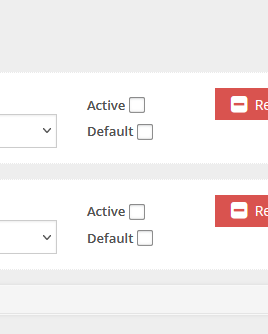
I had a problem with the MANUAL payment plugin, as well as the PAYPAL payment plugin being displayed on the Payment page. I tried cache, restart, history, etc. Nothing seemed to hide them, leaving only the STRIPE plugin on the payment page. After unchecking the plugin option 'ACTIVE' (bottom right of the interfaces configuration for the plugin) then saving the settings, cache, etc. then the plugins were hidden as we wanted.
|
Beta Was this translation helpful? Give feedback.


Uh oh!
There was an error while loading. Please reload this page.
-
DNN 9.10.2
Open Store 4.16
OSPayPal payment provider 1.20
(All updated in past few days)
Error showing on Payment Page:
Error - Razor Template Not Found: Config. Error - Razor Template Not Found: Config.
Error appears immediately above the Payment by PayPal title
I have removed and replaced the Payment Module on payment page.
ClassicAjax Payment.cshtml in Payment Settings for module.
Have cleared cache, restarted app pool and restarted DNN and the error Message persists.
I have the exact same module set on another store in same installation and it works fine, no error message.
The module works fine, now that I've fixed the send mail in DNN. I think there is a debug messages somewhere that needs to be cleared?
Beta Was this translation helpful? Give feedback.
All reactions