$ yarn add react-native-background-fetch$ npm install --save react-native-background-fetch>= 1.10+:
$ pod --version
// if < 1.10.0
$ sudo gem install cocoapods
$ cd ios
$ pod install-
Select the root of your project. Select Capabilities tab. Enable Background Modes and enable the following mode:
-
Background fetch
-
Background processing (:new: iOS 13+; Only if you intend to use
BackgroundFetch.scheduleTask)
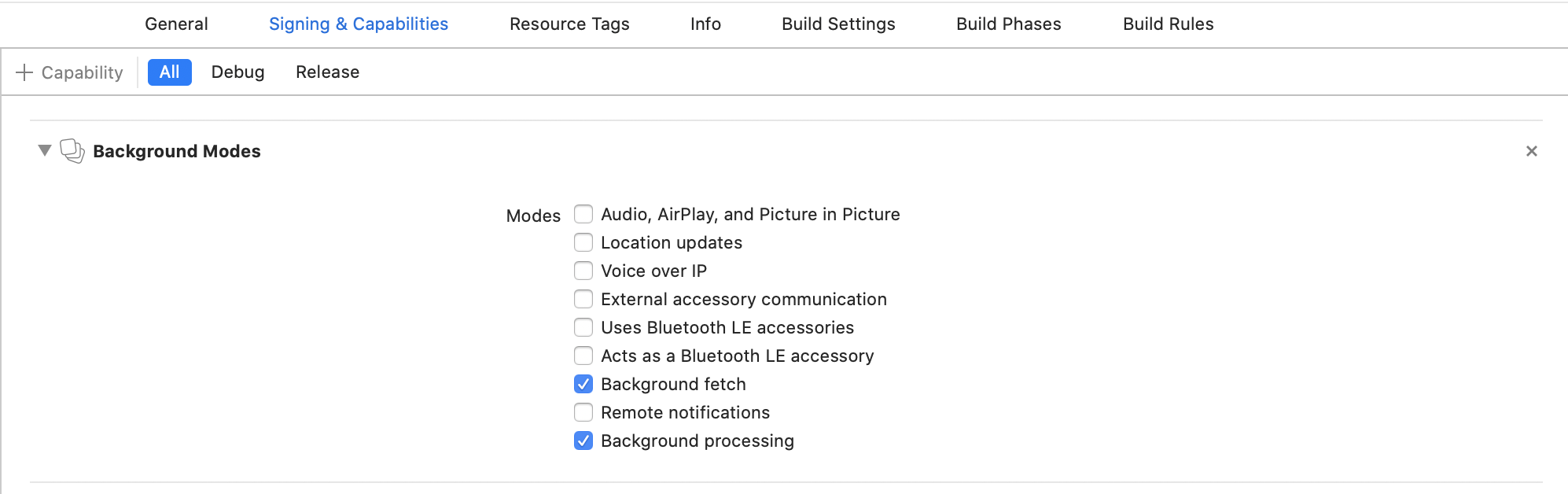
- Open your
Info.plistand add the key "Permitted background task scheduler identifiers"
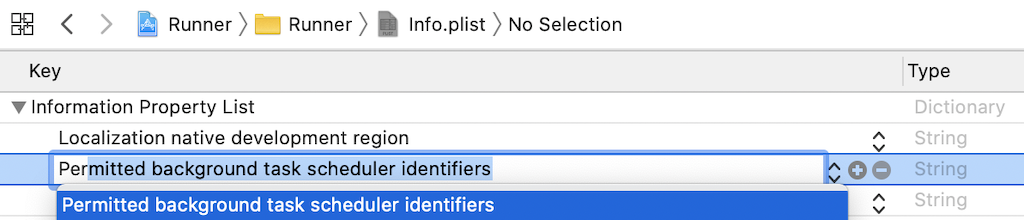
- Add the required identifier
com.transistorsoft.fetch.

- If you intend to execute your own custom tasks via
BackgroundFetch.scheduleTask, you must add those custom identifiers as well. For example, if you intend to execute a customtaskId: 'com.transistorsoft.customtask', you must add the identifiercom.transistorsoft.customtaskto your "Permitted background task scheduler identifiers", as well.
com.transistorsoft. — In the future, the com.transistorsoft prefix may become required.
BackgroundFetch.scheduleTask({
  taskId: 'com.transistorsoft.customtask',
  delay: 60 * 60 * 1000  //  In one hour (milliseconds)
});Apple now requires apps provide a Privacy Manifest for "sensitive" APIs which could be abused for "fingerprinting" a user for malicious marketing activity.
If your app does not yet have a Privacy Manifest (PrivacyInfo.xcprivacy), create one now:
ℹ️ Click here for detailed instructions...
- In XCode,
File -> New -> File...:
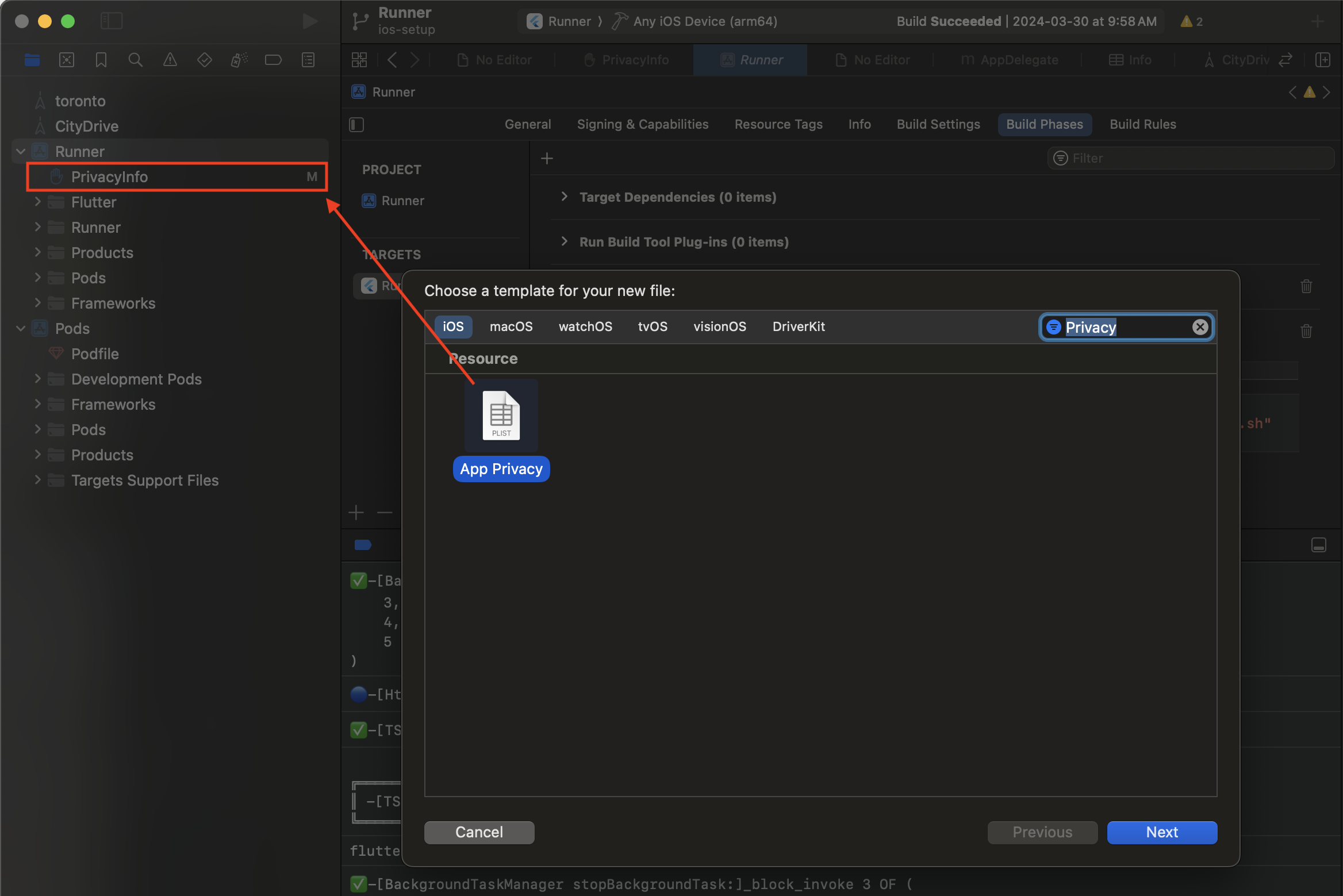
- Be sure to enable your
Targets: [x] YourApp:
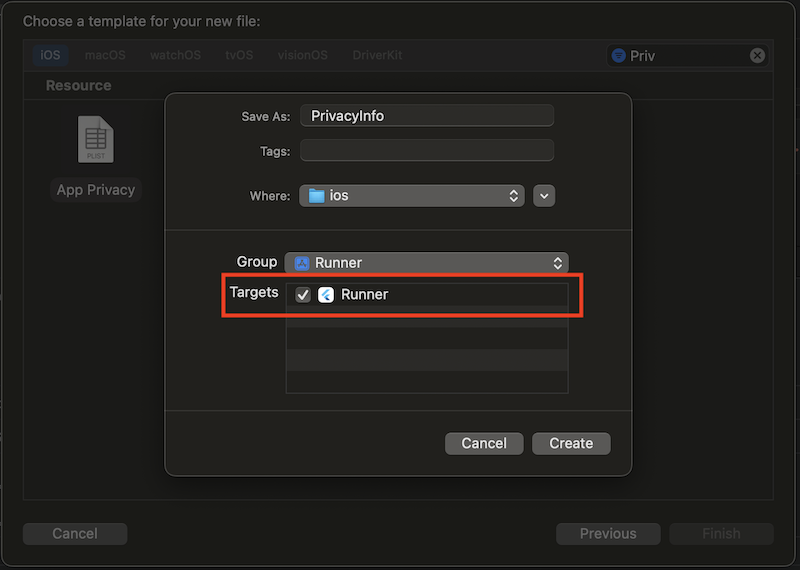
It's best to edit this file's XML manually.
- 📂
ios/PrivacyInfo.xcprivacy - Add the following block within the
NSPrivacyAccessedAPITypes<array>container:
<?xml version="1.0" encoding="UTF-8"?>
<!DOCTYPE plist PUBLIC "-//Apple//DTD PLIST 1.0//EN" "http://www.apple.com/DTDs/PropertyList-1.0.dtd">

<plist version="1.0">
<dict>
    <key>NSPrivacyAccessedAPITypes</key>
    <array>
        <!-- [1] background_fetch: UserDefaults -->
        <dict>
            <key>NSPrivacyAccessedAPIType</key>
            <string>NSPrivacyAccessedAPICategoryUserDefaults</string>

            <key>NSPrivacyAccessedAPITypeReasons</key>
            <array>
                <string>CA92.1</string>
            </array>
        </dict>
    </array>
</dict>
</plist>📂 AppDelegate.m
#import "AppDelegate.h"

#import <React/RCTBridge.h>
#import <React/RCTBundleURLProvider.h>
#import <React/RCTRootView.h>

// IMPORTANT:  Paste import ABOVE the DEBUG macro
+#import <TSBackgroundFetch/TSBackgroundFetch.h>

#if DEBUG
.
. ///////////////////////////////////////////////////////////////////////////////////
. // IMPORTANT:  DO NOT paste import within DEBUG macro or archiving will fail!!!
. ///////////////////////////////////////////////////////////////////////////////////
.
#endif

@implementation AppDelegate

(BOOL)application:(UIApplication *)application didFinishLaunchingWithOptions:(NSDictionary *)launchOptions {
  .
  .
  .
+ // [REQUIRED] Register BackgroundFetch
+ [[TSBackgroundFetch sharedInstance] didFinishLaunching];

  return YES;
}📂 AppDelegate.swift:
import Foundation
import UIKit
+import TSBackgroundFetch

@UIApplicationMain
class AppDelegate: RCTAppDelegate {

  func application(application: UIApplication, didFinishLaunchingWithOptions launchOptions: [UIApplication.LaunchOptionsKey: Any]?) -> Bool {
    .
    .
    .
+   // [REQUIRED] Register BackgroundFetch
+   TSBackgroundFetch.sharedInstance().didFinishLaunching();
    return self.application(application, didFinishLaunchingWithOptions: launchOptions);
  }
}< iOS 13.
BackgroundFetch implements an AppDelegate method didPerformFetchWithCompletionHandler. You must manually add this file to the same folder where your AppDelegate.m lives:
- In the XCode's
Project navigator, right click on project's name ➜Add Files to <...>. node_modules/react-native-background-fetch/ios/RNBackgroundFetch/RNBackgroundFetch+AppDelegate.m.

node_modules/react-native-background-fetch/ios/RNBackgroundFetch/RNBackgroundFetch+AppDelegate.m
