Releases: trevordevore/bakers-assistant
0.2.1.16

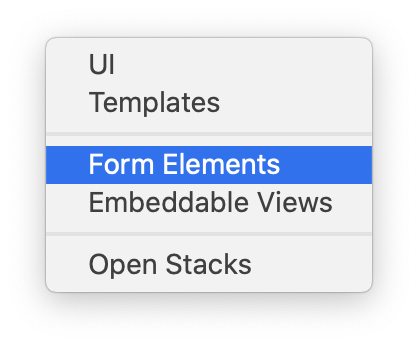
- Show all registered ui components in the UI Stacks Type menu. PR #9
- Updated levure and dataview submodules
To install, load an application that uses the Levure framework into the LiveCode IDE and issue the following code in the Multi Lines pane of the Message Box:
go stack url "https://raw.githubusercontent.com/trevordevore/bakers-assistant/master/builds/release/0.2.1-16/bakers_assistant_plugin.livecode"
palette stack "levureBakersAssistant"
0.2.0 build 15
- Display version # in plugin stack title.
- Paste control after group if group is collapsed. Previously group was always pasted as first child.
- mouseDoubleUp while option/alt key is pressed toggles visibility of control.
- When expanding a stack, card, or group with a single stack, card, or group as a child expand the child as well.
- Display contextual menus in mouseUp on non-macOS platforms.
- Update stack names so as to avoid name conflicts with developer stacks.
- Don’t try to create preview of non-existent control.
- Update preview when refreshing rows after a
cut. - Display "Control no longer exists" in tree for controls that have been deleted. Action menu is disabled as well.
- Display groups that act as custom controls in lighter color.
- Displayer helper.yml contents for selected helper.
- Version # is now displayed in stack title.
To install, load an application that uses the Levure framework into the LiveCode IDE and issue the following code in the Multi Lines pane of the Message Box:
go stack url "https://raw.githubusercontent.com/trevordevore/bakers-assistant/master/builds/release/0.2.0-15/bakers_assistant_plugin.livecode"
palette stack "levureBakersAssistant"
0.1.5.9
- Fixes a bug in the Action menu introduced in 0.1.5.8.
To install, load an application that uses the Levure framework into the LiveCode IDE and issue the following code in the Multi Lines pane of the Message Box:
go stack url "https://raw.githubusercontent.com/trevordevore/bakers-assistant/master/builds/release/0.1.5-9/bakers_assistant_plugin.livecode"
palette stack "levureBakersAssistant"
0.1.5.8
- Trees now include lines showing hierarchy and relationships.
- The action menu for tree nodes in the UI stacks tab now include "Copy Name", "Show/Hide Control", and "Open Embeddable View".
- The preview of the selected control is now rendered in time so that clicks in the tree are more responsive.
- The default font is now "(Message)" and the font has been hard coded at 13.
To install, load an application that uses the Levure framework into the LiveCode IDE and issue the following code in the Multi Lines pane of the Message Box:
go stack url "https://raw.githubusercontent.com/trevordevore/bakers-assistant/master/builds/release/0.1.5-8/bakers_assistant_plugin.livecode"
palette stack "levureBakersAssistant"
0.1.4.7
- Fix target when pasting control onto stack or card.
- Pass name to embedViewCreateViewInstance.
To install, load an application that uses the Levure framework into the LiveCode IDE and issue the following code in the Multi Lines pane of the Message Box:
go stack url "https://raw.githubusercontent.com/trevordevore/bakers-assistant/master/builds/release/0.1.4-7/bakers_assistant_plugin.livecode"
palette stack "levureBakersAssistant"
0.1.4.6
- Add "Open Stacks" view to UI menu.
- Gracefully handle controls that have been deleted.
- Add menu option for inserting embeddable views in the selected group.
To install, load an application that uses the Levure framework into the LiveCode IDE and issue the following code in the Multi Lines pane of the Message Box:
go stack url "https://raw.githubusercontent.com/trevordevore/bakers-assistant/master/builds/release/0.1.4-6/bakers_assistant_plugin.livecode"
palette stack "levureBakersAssistant"
0.1.4.5
- Adds a single action menu for each row. Menu includes actions such as:
- open stack or card or select control
- open property inspector for control
- copy/cut control
- copy long id of control to clipboard
- paste object from clipboard
- refresh children in tree for stacks, cards, and groups
- refresh parent children in tree for controls
- move control up or down in layering within parent
- Added dataview and dataview tree as submodules
0.1.3.3
- Double-clicking on a control in the tree will select it after navigating to the card.
- Preview image is now rendered more clearly.
- Preview image now resizes properly when resizing the stack.
- Tooltips in UI Stacks pane now contains long name, id, and behaviors of the control.
- Groups acting as embeddable views will have [embedded view] next to their name in the tree.