Objective-C and Swift
With Code snippets you can code more fastly, this feature works like a shortcurt typing abbreviations.
These snippets can be created by you, but here are some mostly common samples that I've used during my carrer as iOS developer.
First, follow these steps:
- Open Finder
- Choose the menu option Go
- Select Go to Folder
- Paste that path:
~/Library/Developer/Xcode/UserData/
If you don't have any snippets created yet, copy the folder CodeSnippets, or can just move the .codesnippet files to this folder.
mt: Main
bt: Background
after: Delayed
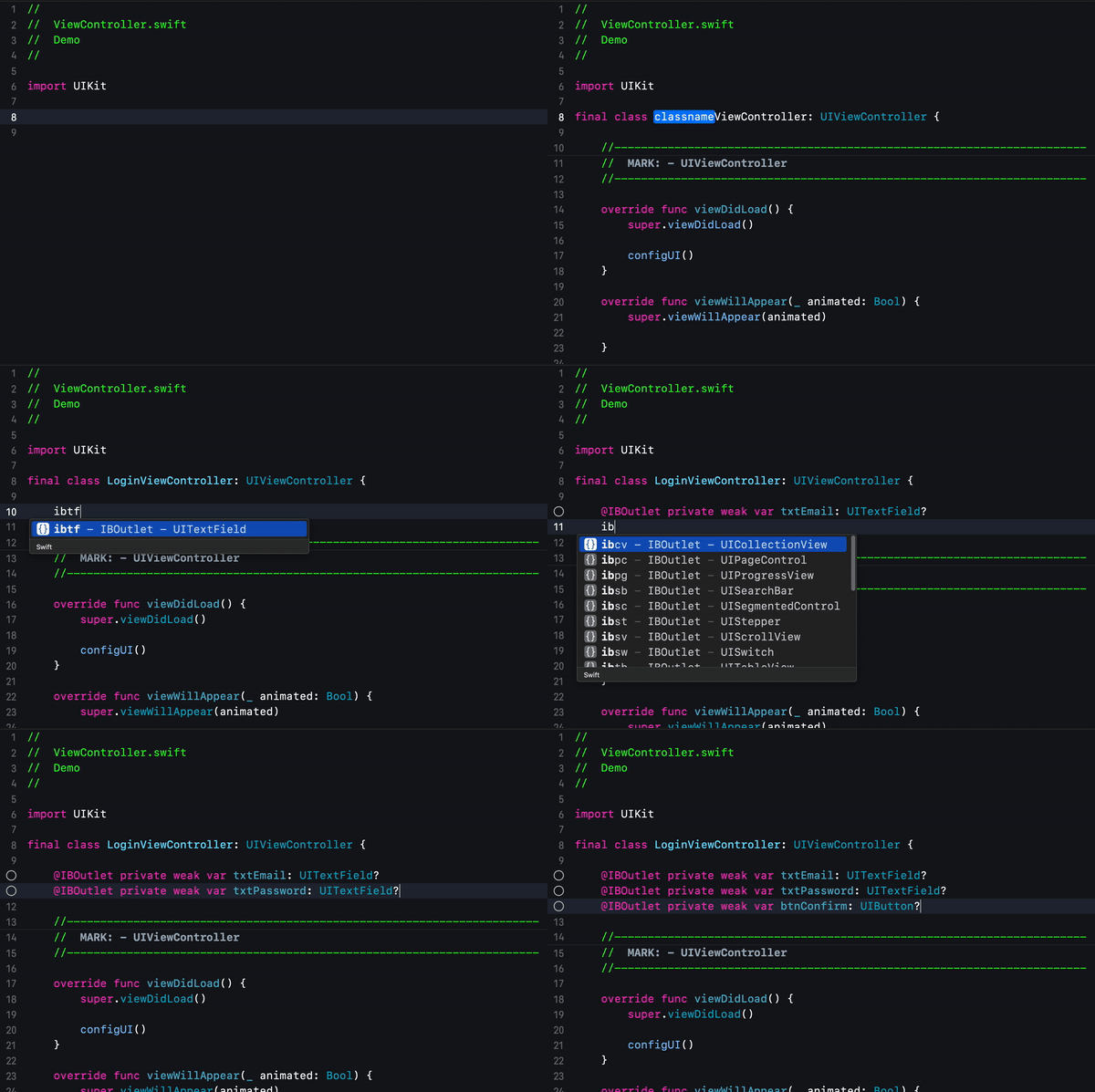
All IBOutlets can be instantiate with the ib prefix, like that:
ibsv: UIScrollView
ibcv: UICollectionView
ibtb: UITableView
ibtv: UITextView
ibtf: UITextField
ibvw: UIView
ibwv: UIWebView
ibsw: UISwitch
ibst: UIStepper
ibpc: UIPageControl
ibpg: UIProgressView
ibsc: UISegmentedControl
ibsb: UISearchBar
iblbl: UILabel
ibbtn: UIButton
ibimg: UIImageView
ibact: UIActivityIndicatorView
ibmap: MKMapView
ibwkv: WKWebView
Functions/methods snippets has var type name initials and sufix m (methods):
vcm: UIViewController
tvm: UITableView
cvm: UICollectionView
svm: UIScrollView
wvm: UIWebView
sbm: UISearchBar
txtvm: UITextView
custom: Custom methods
Classes snippets are implementations with delegate/datasource and custom methods:
tbclass: UViewController + UITableView
cvclass: UIViewController + UICollectionView
svclass: UIViewController + UIScrollView

vccontroller: UIViewController
tbcontroller: UITableViewController
cvcontroller: UICollectionViewController