A multi-platform companion app for Eve Online players available on Windows, Linux, macOS and Android.

&replace=%241&label=Fyne&cacheSeconds=https%3A%2F%2Fgithub.com%2Ffyne-io%2Ffyne)





- Description
- Features
- Screenshots
- Installing
- Updating
- Uninstalling
- Support
- FAQ
- External web sites
- Credits
EVE Buddy is a multi-platform companion app for Eve Online players. It provides the following key features:
- Character monitor: Check current information about each of your characters, e.g. inspect the training queue of a character or browse it's assets.
- Corporation monitor: Check current information about each of your corporations: e.g. check corporation wallets or see all current members.
- Overviews: Keep track of and get unique insights about all your characters and corporations with consolidated views, e.g. find assets across of your characters or see which character has manufacturing slots available.
- Notifications: Get notified on your desktop or mobile about new EVE communications and other important updates, e.g. a structure was attacked or a training queue became empty.
- New Eden search: Search live on the game server, similar to in-game search bar, e.g. search for characters, corporations solar systems.
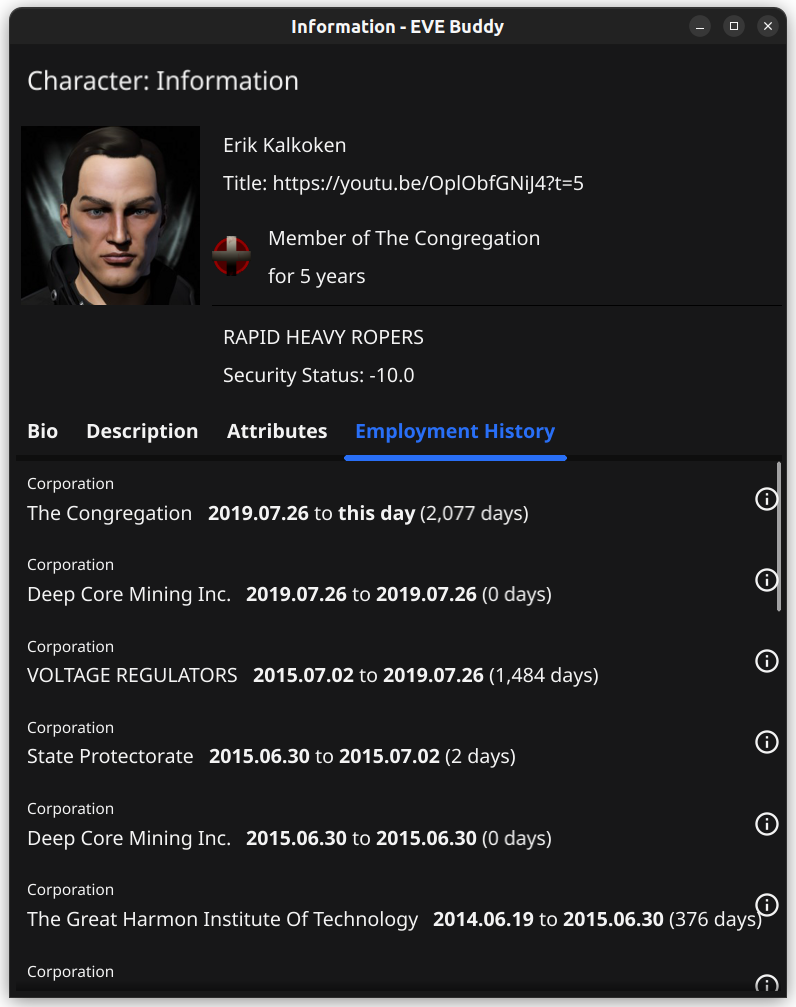
- Information windows: Show additional information for most objects on screen, similar to in-game information windows, e.g. sender of a mail:
- Mail client: Send and receive EVE mails for all your characters
- Run in Background: The app can run in the background and continue to notify you while you are doing something else, e.g. play Eve Online
- Customizable UI: UI can be customized, e.g. dark and light color theme
EVE Buddy is available for Windows, Linux, macOS and Android.
Note
We are proud to have been mentioned twice in Eve Online's official Community Beat newsletter:
Important
We would very much appreciate your feedback. If you encounter any problems or have a question please feel free to open an issue or come chat with us on our Discord server in the support channel #evebuddy.
EVE Buddy is in-development and we are constantly adding new features and improving the app further. If you are missing a feature that would make EVE Buddy more useful for you, please feel free to open a feature request.
Tip
Help wanted! We would very much appreciate any contribution. If you like to provide a fix or add a feature please feel free top open a PR. Or if you have any questions please contact us on Discord.
The following is a detailed list of EVE Buddy's features. Most features are available for both desktop and mobile:
-
Overviews: Keep track of and get unique insights about all your characters and corporations with consolidated views:
- Assets: Search assets across all characters
- Clones: Overview of all current clones and search nearest available jump clones across all characters
- Colonies: Browse PI colonies across all characters
- Contracts: Browse contracts of all characters
- Industry: Browse industry jobs for all characters and related corporations
- Location: Browse the location of all characters and their current ships
- Training: Keep track of the training status for all characters
- Wealth: Charts showing wealth distribution across all characters
-
Character monitor: Check current information about each of your characters:
- Assets: Browse through your assets at all your locations
- Clones: Current augmentations, jump clones & jump cooldown timer
- Mails: Browser through all mails
- Communications: Browse through all communications
- Skills: Training queue, catalogue of all trained skills and what ships can be flown
- Wallet: Wallet and market Transactions
-
Corporation monitor: Check current information about each of your corporations: (depending on their roles)
- Members: List of current corporation members
- Industry: See running and historic indy jobs
- Structures: List of all corporation structures with current fuel status, state and potential timers
- Wallets: Wallet, market transactions and balances for corporation wallets
-
Notifications: Get notified on your desktop or mobile about new EVE communications and other important updates:
- Training queue became empty
- Contract status changed
- PI extraction went offline
- New EVE communication received (e.g. structure attacked)
- New EVE mail received
-
New Eden search: Search live on the game server, similar to in-game search bar:
- Search for: Agents, Alliances, Characters, Constellations, Corporations, Factions, Regions, Stations, Systems, Types
- Simple or advanced search with filters
- Search history
-
Information windows: Show additional information for most objects on screen, similar to in-game information windows:
- Alliances
- Characters
- Constellations
- Corporations
- Factions
- Locations (i.e. structure or station)
- Regions
- Systems
- Types
-
Mail client: Full mail client for receiving and sending Eve mails
-
Run in Background: The app can run in the background and continue to notify you while you are doing something else (e.g. play Eve Online)
- Desktop: Can minimize to system tray and show an indicator for new EVE mail
- Mobile: Will continue running in the background after switching to another app
-
Customizable UI: The UI can be customized:
- Color theme: Dark or Light theme
- UI scaling: Custom scaling of the whole UI (desktop only)
You can search for assets across all characters.

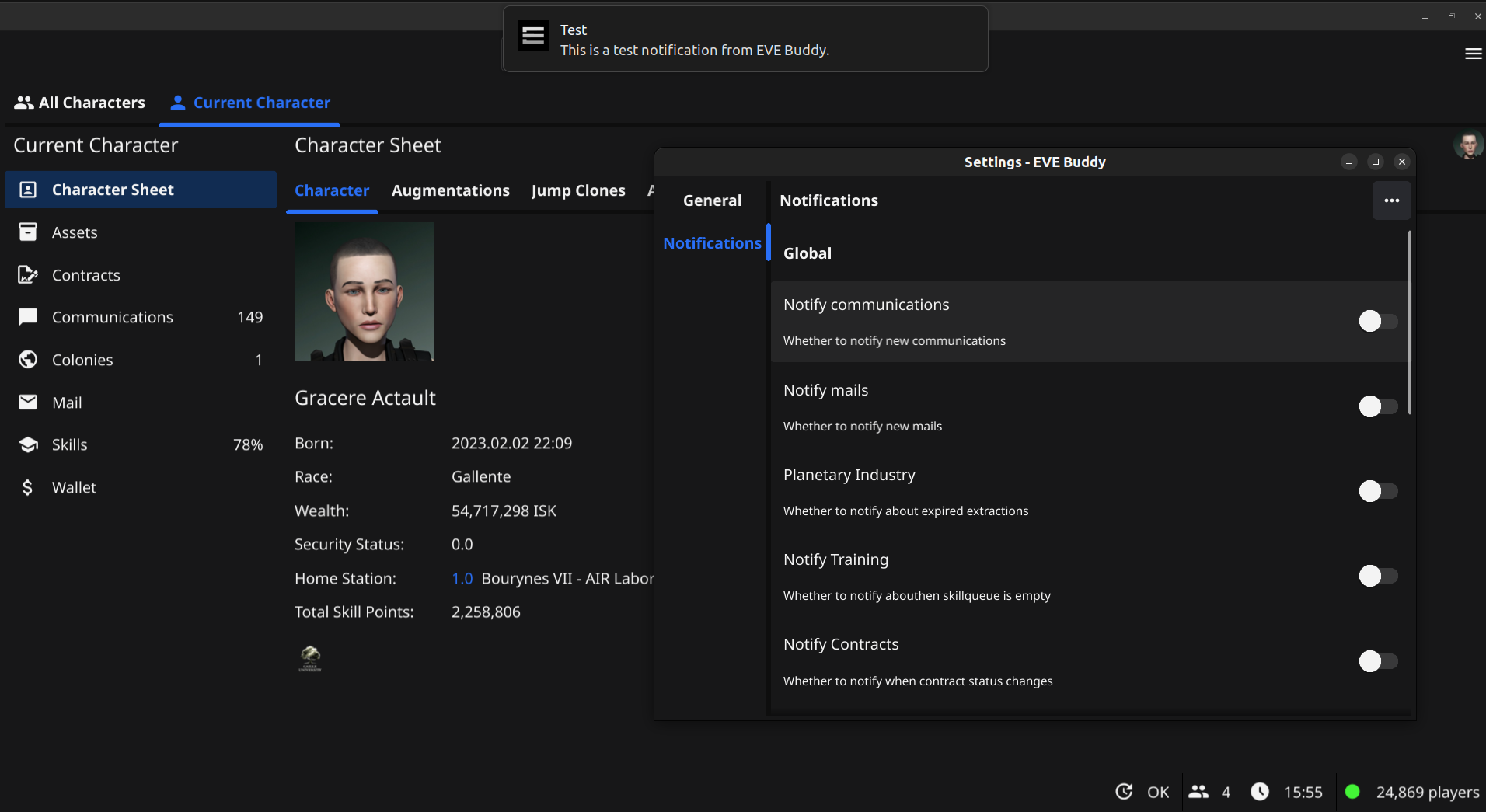
EVE Buddy can send notifications on your local device to notify about new communications, mails, expired training queues and more.
See active industry jobs and the history of industry jobs for all characters in one combined view.

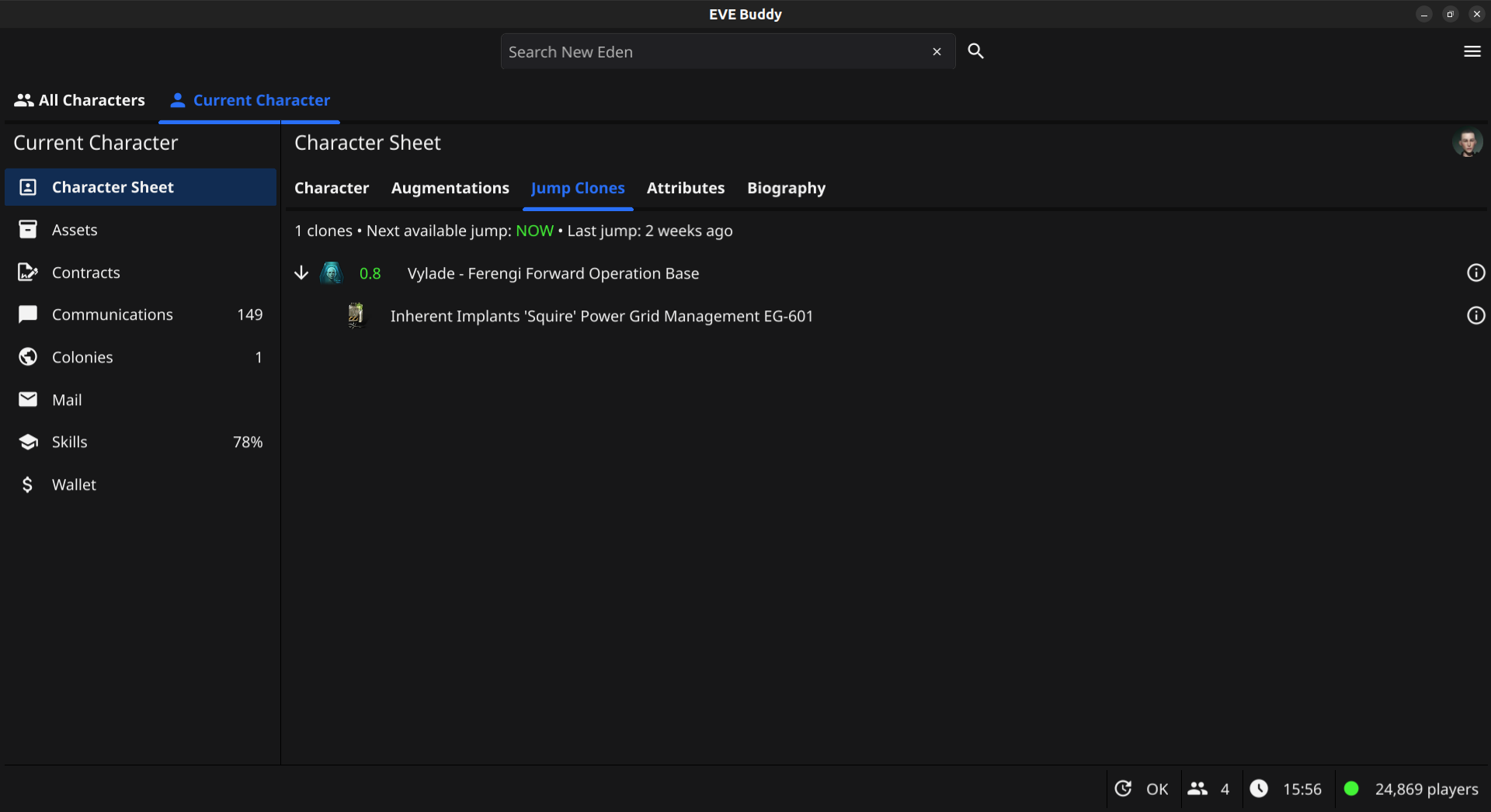
See available jump clones and when the next clone jump is available for a character:
You search the live game server for entities, similar to the in-game search bar:

Access additional information about many entities (e.g. characters, corporations, solar systems):
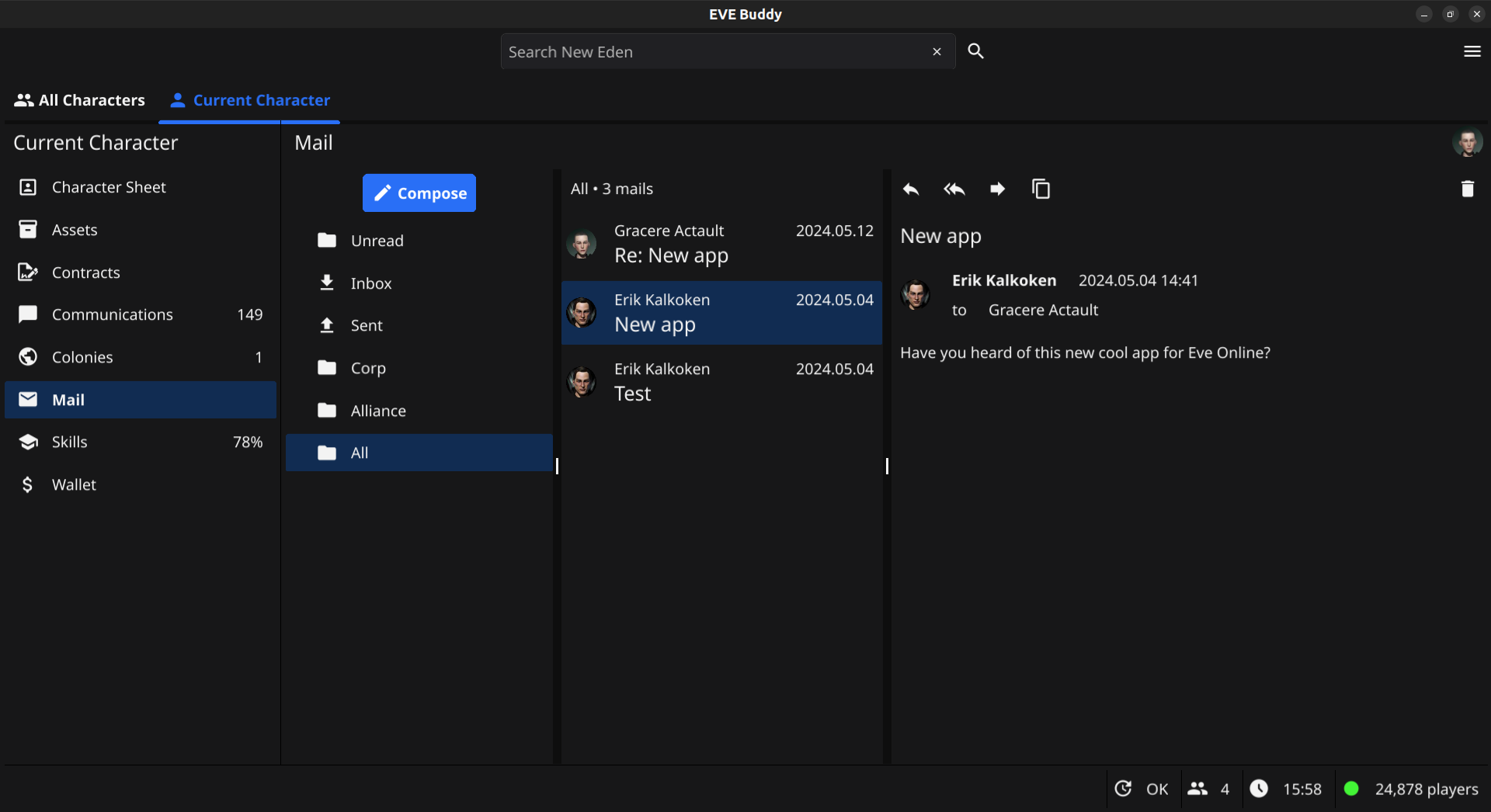
You can receive, send and delete eve mails. Similar to the in-game mail client.
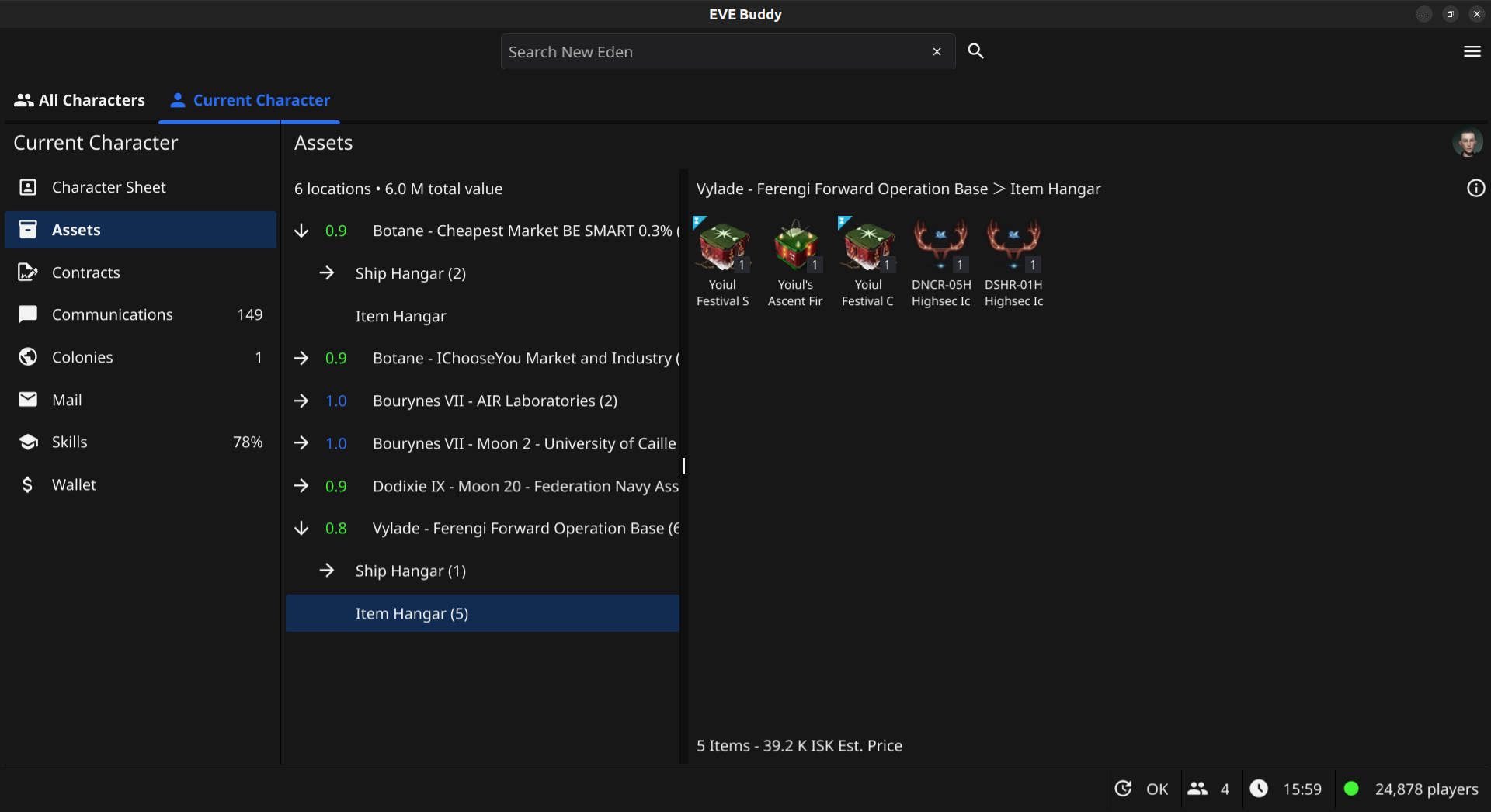
You can browse the assets of a character by location. The view by location is similar to the in-game view when docked.
You can see all colonies used for planetary industry from all your characters at a glance.

EVE Buddy also works on Android and has a mobile friendly navigation:
| Home navigation | Training overview | Communications |
|---|---|---|
 |
 |
 |
To install EVE buddy just download the latest release from the releases page to your computer or mobile. The app ships as a single executable file that can be run directly. When you run the app for the first time it will automatically install itself for the current user (i.e. by creating folders in the home folder for the current user).
You find the latest packages for download on the releases page.
- Download the windows zip file from the latest release on Github.
- Unzip the file into a directory of your choice and run the .exe file to start the app.
Tip
Windows defender (and similar programs) may report EVE Buddy incorrectly as containing a trojan. This is usually a false positive and caused by a known issue with programs made with the Go programming language. Each EVE Buddy release is build from scratch on a fresh Windows container provided by Github, so it is highly unlikely to be infected. If this happens to you, please exclude EVE Buddy's executable from Windows defender (and similar programs) to proceed.
- Download the darwin zip file from the latest release on Github for your respective platform (arm or intel).
- Unzip the file into a directory of your choice.
- Run the .app file to start the app.
Tip
MacOS may report EVE Buddy incorrectly as "damaged", because it is not signed with an Apple certificate. You can remove this error by opening a terminal and running the following command. For more information please see Fyne Troubleshooting:
sudo xattr -r -d com.apple.quarantine "EVE Buddy.app"
We are providing two variants for installing on Linux desktop:
- AppImage: The AppImage variant allows you to run the app directly from the executable without requiring installation or root access.
- Tarball: The tar file requires installation, but also allows you to integrate the app into your desktop environment. The tarball also has wider compatibility among different Linux versions.
Note
The app is shipped in the AppImage format, so it can be used without requiring installation and run on many different Linux distributions.
- Download the latest AppImage file from the releases page
- Make the AppImage file executable
- Execute the AppImage file to start the app
Tip
Should you get the following error: AppImages require FUSE to run., you need to first install FUSE on your system. Thi s is a library required by all AppImages to function. Please see this page for details.
- Download the latest tar file from the releases page
- Decompress the tar file, for example with:
tar xf evebuddy-0.33.0-linux-amd64.tar.xz - Run
make user-installto install the app for the current user or runsudo make installto install the app on the system
You should now have a shortcut in your desktop environment's launcher for starting the app.
To uninstall the app again run either: make user-uninstall or sudo make uninstall depending on how you installed it.
Note
Please note that the app can currently be only installed from the release page and is currently not available in any of the Android app stores.
Important
EVE Buddy needs unrestricted background usage in order to function probably. The reason is that Android otherwise automatically suspends apps when you switch to another app. Then you can no longer add new characters, because it requires you to switch to your browser app, but EVE Buddy needs to keep running for the process to work. Also EVE Buddy needs to keep running in order to pick up events for notifications. Please also make sure you do not have Power saving mode enabled (e.g. on Samsung Galaxy), which would also restrict background app usage.
Here is how to install EVE Buddy on your Android phone:
- Make sure you have enabled in settings that you can install from your web browser (For detailed instructions please see How to install Unknown Sources applications in Android)
- Navigate to the github releases page in your mobile browser
- Select to download the latest EVE_Buddy.apk file from the release page (this can take a minute)
- When prompted choose to install the file / open the file with the default installer
- In case you get a security warning from Google Play Protect:
- Select "More details"
- Select "Install anyway"
- Enable unrestricted background usage for EVE Buddy in the Android Settings app. Please see here for a step-by-step guide.
- Optional: Enable notifications for EVE BUddy. Please see here for a step-by-step guide.
Here is how to enable notifications for EVE Buddy on your Android phone:
- Go to settings and enable what kind of notifications you want to receive (e.g. mails)
- Send a test notification (via menu in settings)
- When asked: Allow EVE buddy to send Android notifications
You should now see a test notification.
Here is how to enable unrestricted background usage for EVE Buddy on your Android phone:
-
Open the Settings app.
-
Go to Apps and choose EVE Buddy. You should now see a screen like this:

- Choose "App battery usage". You should now see a screen like this:

- Click on "Allow background usage". You should now see a screen like this:

- Make sure the "Unrestricted" option is selected. That's it.
The app will inform you when there is a new version available for download. To update your app just download and install the newest version for your platform from the releases page.
If you no longer want to use the app you can uninstall it.
The desktop versions has an special app for removing our data:
First start the delete app for removing your user data:
./evebuddy --delete-dataThis command will ask for confirmation and then delete user data from your computer like characters, log files, etc.
Then delete the file itself:
rm evebuddyOn Android you can uninstall the app via the system's Settings app. This will also remove all data.
Important
For bugs and feature requests please open an issue in the GitHub repository.
Tip
For support and any other questions please join us on in our channel #eve-buddy on this Discord server.
The following is an overview of common issues with solutions:
The app has an application log and a crash file that can help with trouble shooting. The location of the logs follows the standard of each platform:
| Platform | Path |
|---|---|
| Android | Export only |
| Linux | /home/{username}/.local/share/evebuddy/log |
| macOS | /Users/{username}/Library/Application Support/evebuddy/log' |
| Windows | C:\Users\{username}\AppData\Local\evebuddy\evebuddy\log |
On desktop you can view the location of your log files on the User Data dialog, which you find in the main menu.
On both desktop and mobile you can export both logs from the Settings menu in the General section.
To view the exported logs on mobile you might want to install another app. While there are many decent apps for viewing log and text files on the Google Play store, we can recommend the following two apps:
- For viewing log files: LogLog
- For viewing txt files: Text Viewer
EVE Buddy is designed to protect your data and tokens and has implemented the following safety measures:
-
All data and tokens retrieved from CCP's servers are stored on your local computer only. Your data is therefore safe as long as you prevent any unauthorized access to the data on your computer.
-
EVE Buddy also does not log any tokens (they are replaced with the text
REDACTED). It is therefore safe to share your logs with maintainers for troubleshooting. -
EVE Buddy is fully compliant with the requirements for OAuth 2.0 for Mobile or Desktop Applications from CCP.
-
In case you need to switch computers you can remove your data with the delete app.
Some of your data from the game server might not be visible in EVE Buddy due to technical limitations of the game server API (ESI) or missing permissions.
When I try to add a character the app redirect to localhost. Should it not redirect to an CCP server?
No, the redirect to locahost is correct. This connects to EVE Buddy's own web server, which is needed for implementing CCP's authorization process called SSO. For more information please see the EVE Developer Documentation / SSO.
CCP's servers have limitations on how far back some character data can be retrieved.
Here is an overview of some limitations:
- Wallet journal: 30 days, 2.500 entries
- Wallet transaction: 2.500 entries
However, EVE Buddy will keep all historic data once retrieved. For example: If you allow EVE Buddy to update on a regular basis, it will be able to keep a record of your wallet transactions over many months and years.
A special case are Upwell structures. Access to structures depends on in-game docking rights. Unfortunately, it is not possible to later retrieve the name or location of a structure, which the character no longer has access to. For example character assets might be displayed in an "unknown structure".
You can find EVE Buddy mentions on other web sites:
"EVE", "EVE Online", "CCP", and all related logos and images are trademarks or registered trademarks of CCP hf.

![@dependabot[bot]](https://avatars.githubusercontent.com/in/29110?s=64&v=4)


