
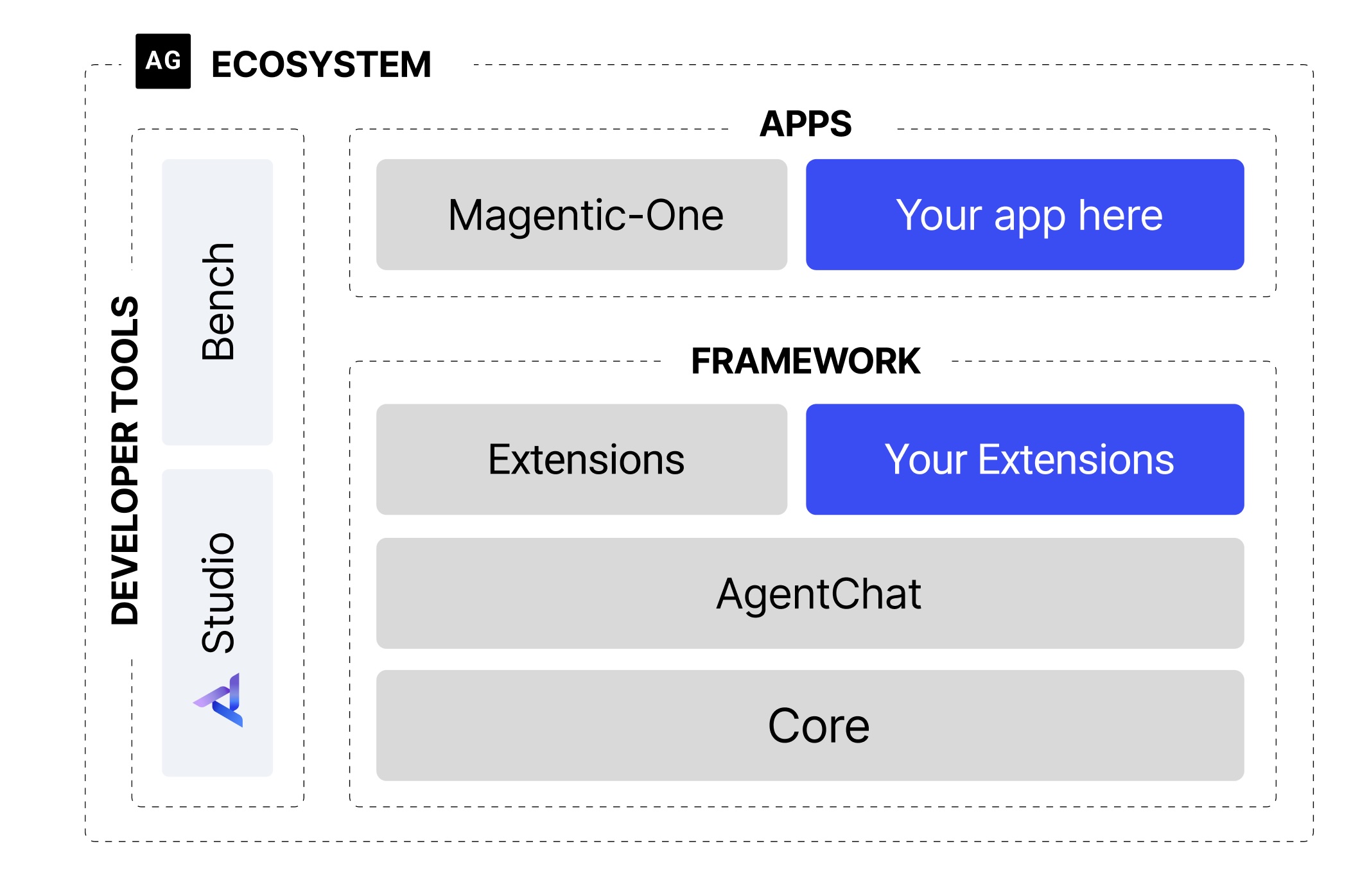
Unlock unparalleled automation and human-AI collaboration with a curated suite of specialized agents, tools, and configurations for AutoGen Studio 0.4. This collection extends default capabilities with powerful components for enhanced human-in-loop conversations and complex task automation.
- Diverse Agent Types: Includes specialized agents like virtual assistants, chatbots, configuration experts, and more.
- Extended Model Support: Configurations for various large language models including GPT-4o mini, Llama3.1, DeepSeek Coder, and others.
- Comprehensive Toolset: Over 15 robust tools ranging from calculators to API integration and workflow automation, empowering agents to interact with the real world.
- Flexible Termination Conditions: Multiple termination strategies for fine-grained conversation control and efficient task completion.
- Human-in-Loop Teams: Pre-configured teams for seamless collaborative human-AI interaction, ensuring oversight and intelligent intervention.
human_in_loop_team: A pre-configured team designed for collaborative human-AI interaction, allowing for guided workflows and critical decision points.llama3_agent: An versatile assistant powered by Ollama's Llama3.1 model, ideal for general conversational tasks.virtual_assistant: Specialized for booking appointments, making reservations, and managing schedules.chatbot: A natural language conversational agent for engaging and responsive dialogue.config_expert: An agent focused on validating and modifying configurations for agents, models, and tools.model_config: Manages and optimizes various model configurations, ensuring agents use the right intelligence for the task.tool_config: Manages and optimizes tool configurations, ensuring efficient and accurate tool execution.
- GPT-4o mini
- Llama3.1
- DeepSeek Coder v2
- Qwen2.5 Coder
- Dolphin-Llama3
- CodeLlama 13b
- Basic Tools:
calculator: Performs mathematical operations.website_fetcher: Retrieves content from web pages.
- Advanced Tools:
task_parser: Breaks down complex prompts into manageable sub-tasks.domain_knowledge_base: Accesses and queries specialized knowledge sources.model_trainer: Facilitates training or fine-tuning of machine learning models.workflow_automation: Automates multi-step processes and orchestrates agent actions.api_integration: Connects to external APIs for enhanced capabilities.error_handling: Provides mechanisms for identifying and gracefully managing errors.data_visualization: Generates visual representations of data.
- Clone this repository:
git clone [https://github.com/MiguelAutomate/AutoGenStudio-Custom-Agents.git](https://github.com/MiguelAutomate/AutoGenStudio-Custom-Agents.git) cd AutoGenStudio-Custom-Agents - Follow setup instructions: Refer to the
SETUP.mdfile in the cloned repository for detailed instructions on setting up your AutoGen Studio environment and importing these custom components.
Here are a few ways to leverage these custom agents and tools in your AutoGen Studio projects:
Let's say you've defined a new agent and want to ensure its configuration is valid.
# In your AutoGen Studio environment or script
from autogen.agentchat.contrib.agent_builder import AgentBuilder

# Assuming you have an agent config dictionary named 'my_new_agent_config'
# e.g., my_new_agent_config = {"name": "TestAgent", "llm_config": {"config_list": [{"model": "gpt-4o-mini"}]}}

# Load the config_expert agent (assuming it's loaded in your AGS instance)
config_expert = autogen.get_agent_by_name("config_expert") # Or initialize directly if not loaded

user_proxy.initiate_chat(
    config_expert,
    message=f"Validate this agent configuration for me: {my_new_agent_config}"
)