A template project integrating Flutter with Unity as a Library, featuring Niantic Lightship ARDK.
This project has been tested on the following platforms:
- Android
- iOS
- flutter-unity-widget
- fvm
- flavorizr
- Unity 6.0 LTS (tested on 6000.0.59f2)
- ARFoundation 6.0.6
- ARKit/ARCore 6.0.6
- Lightship ARDK 3.16.0
You can set up the Flutter environment using the make command:
make setupFor other commands, refer to docs/HOWTOUSE.md.
Open the project via Unity Hub.
The Unity project is located at:
Please refer to the Lightship documentation.
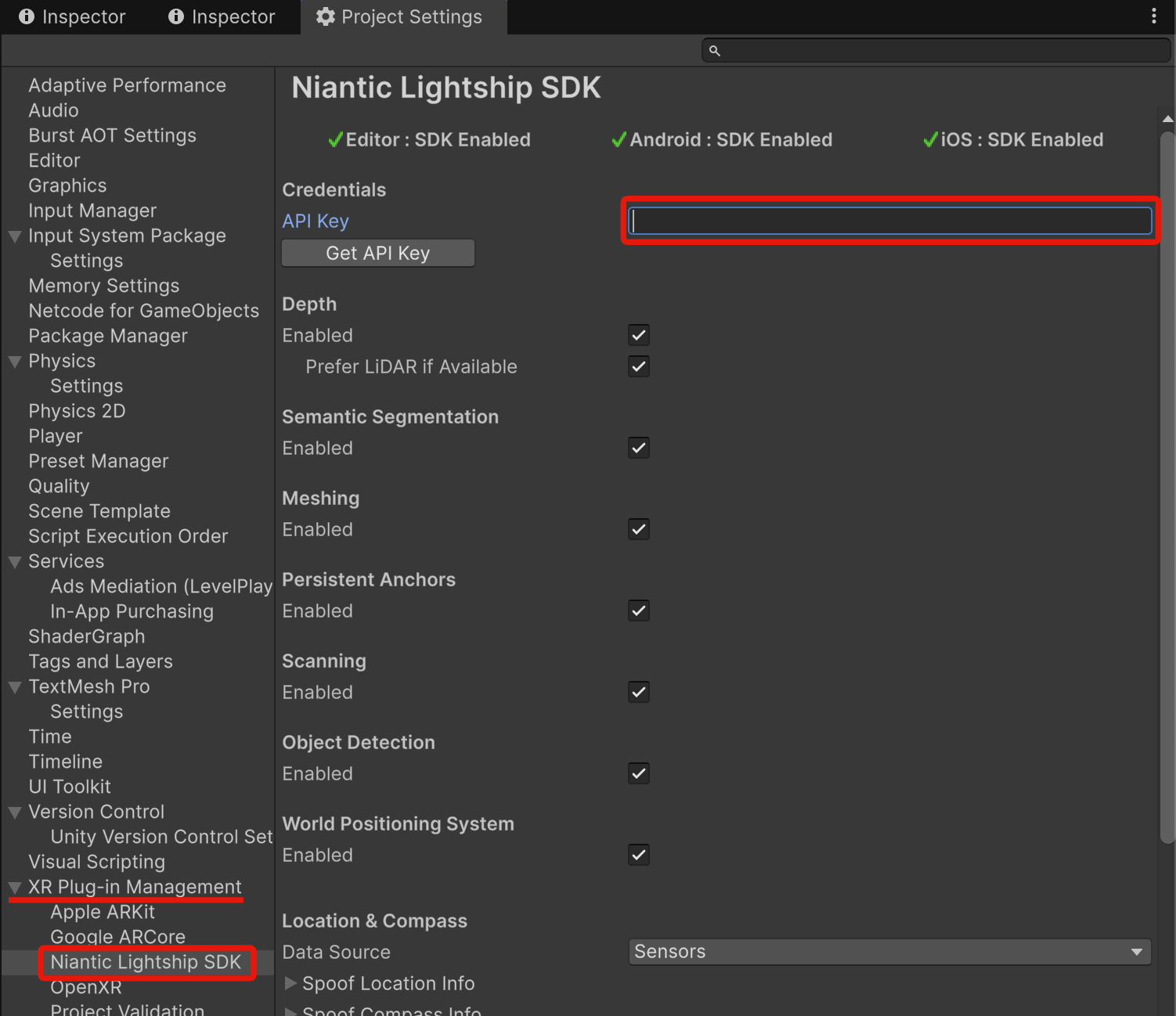
Navigate to ProjectSettings/XR Plugin Management/Niantic Lightship SDK:
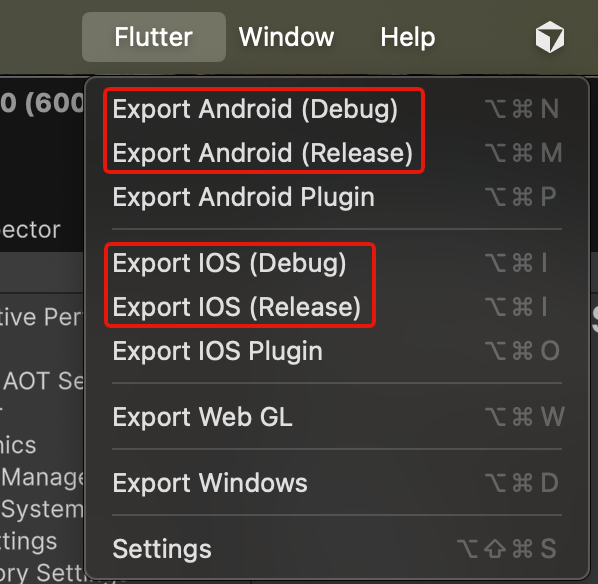
Use Flutter/Export XXX to build the Unity project:
No known issues at this time.
-
(Editor) "State comes from an incompatible keyword space Expected: From shader: 'Simulation/Standard Lit', Incompatible keyword states"
- This is a Unity bug. Please refer to the IssueTracker.
-
(Editor) "The following asset(s) located in immutable packages were unexpectedly altered."
- This is an ARFoundation bug. Please refer to the IssueTracker.
-
(Editor) "User ID is missing. Please set a unique ID using PrivacyData.UserId for data management purposes."
- For more information, see forum.