


A Flutter package for logging API requests (Http Requests & GraphQL) requests.
- Log your
Http request,GraphQLandWebSockets. - Intercept your requests and responses for testing.
- Share request details as json,
cURL, orHARfile to re-run it again (ex.Postman).
And more and more
-
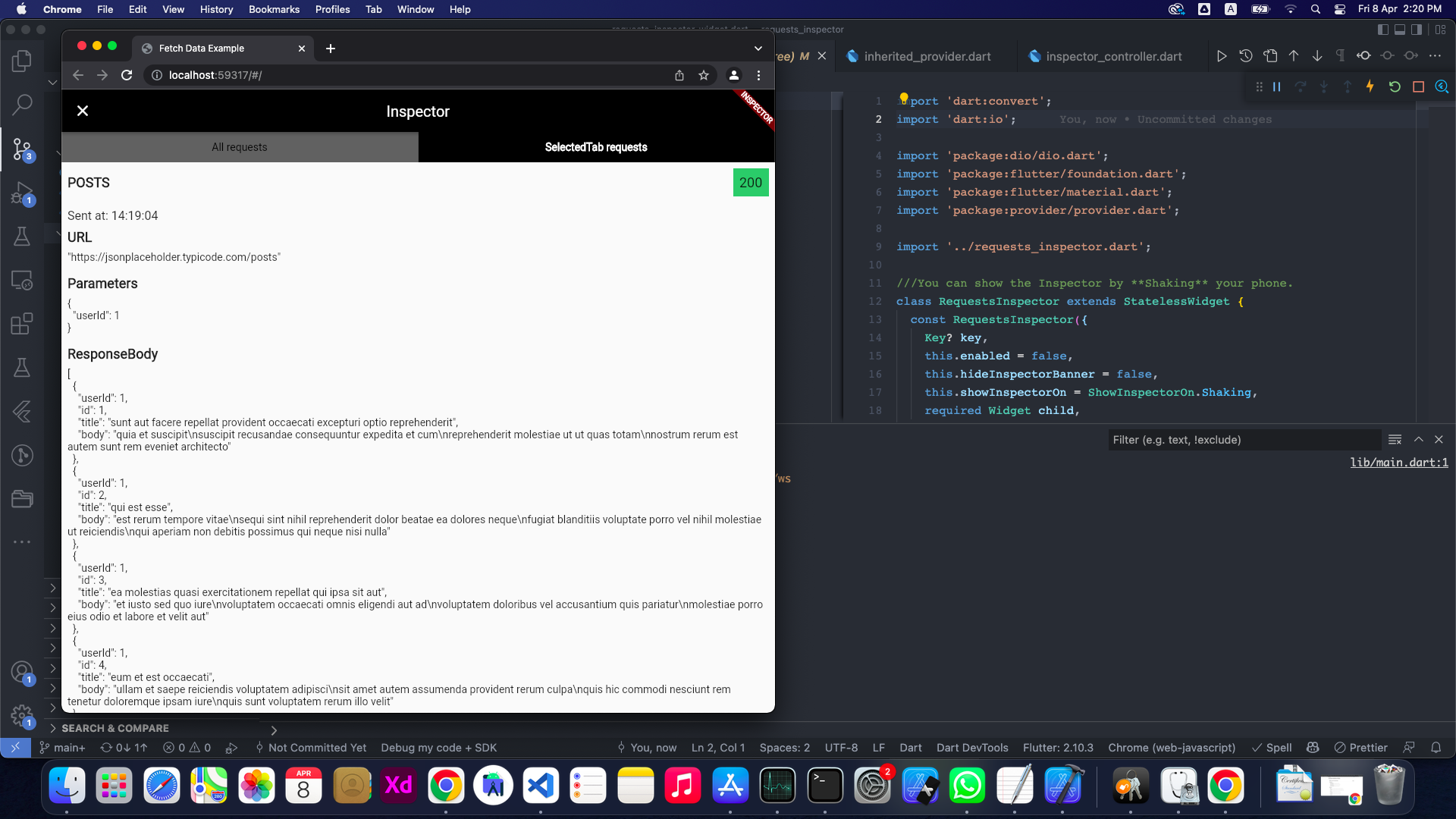
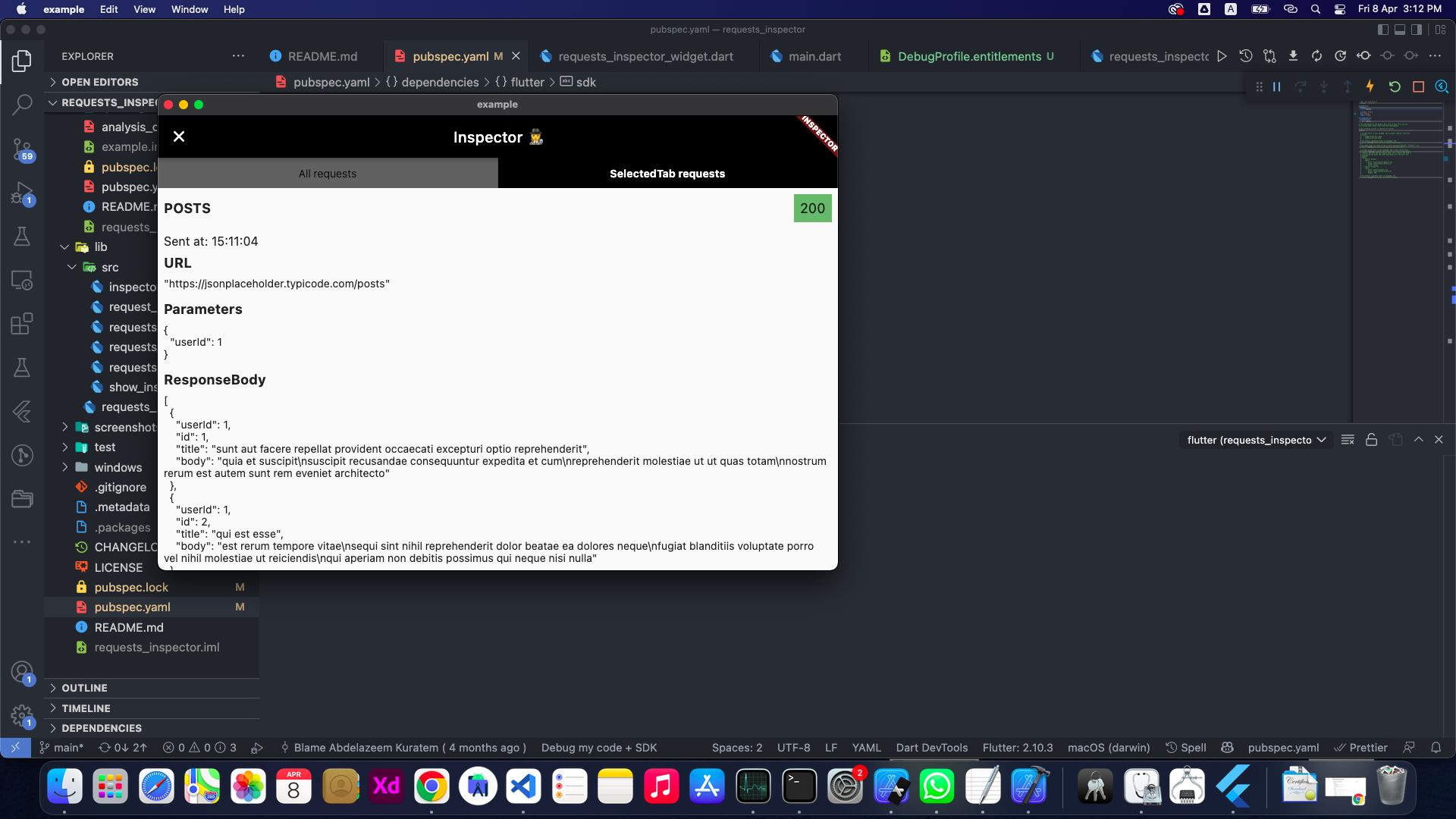
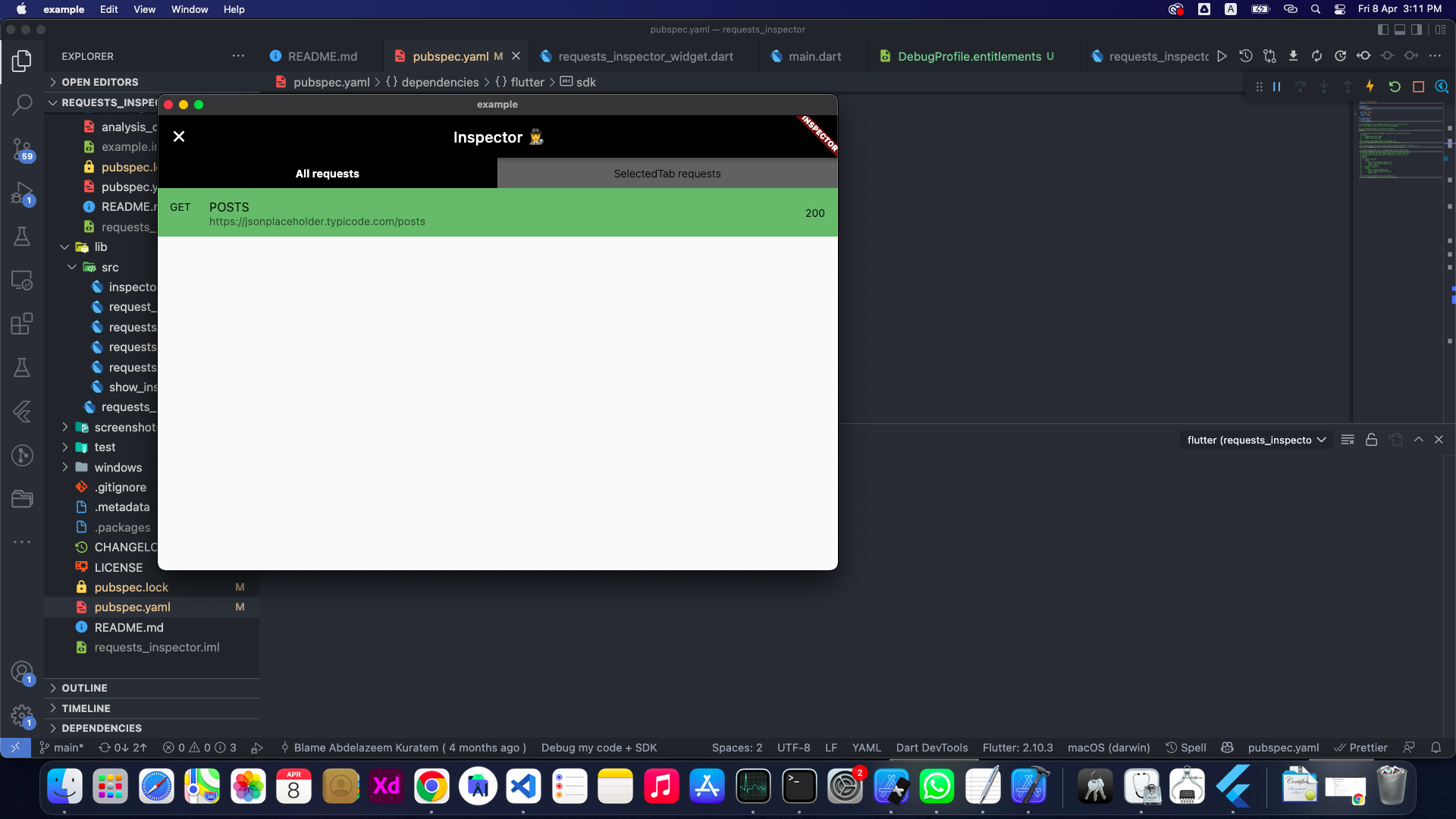
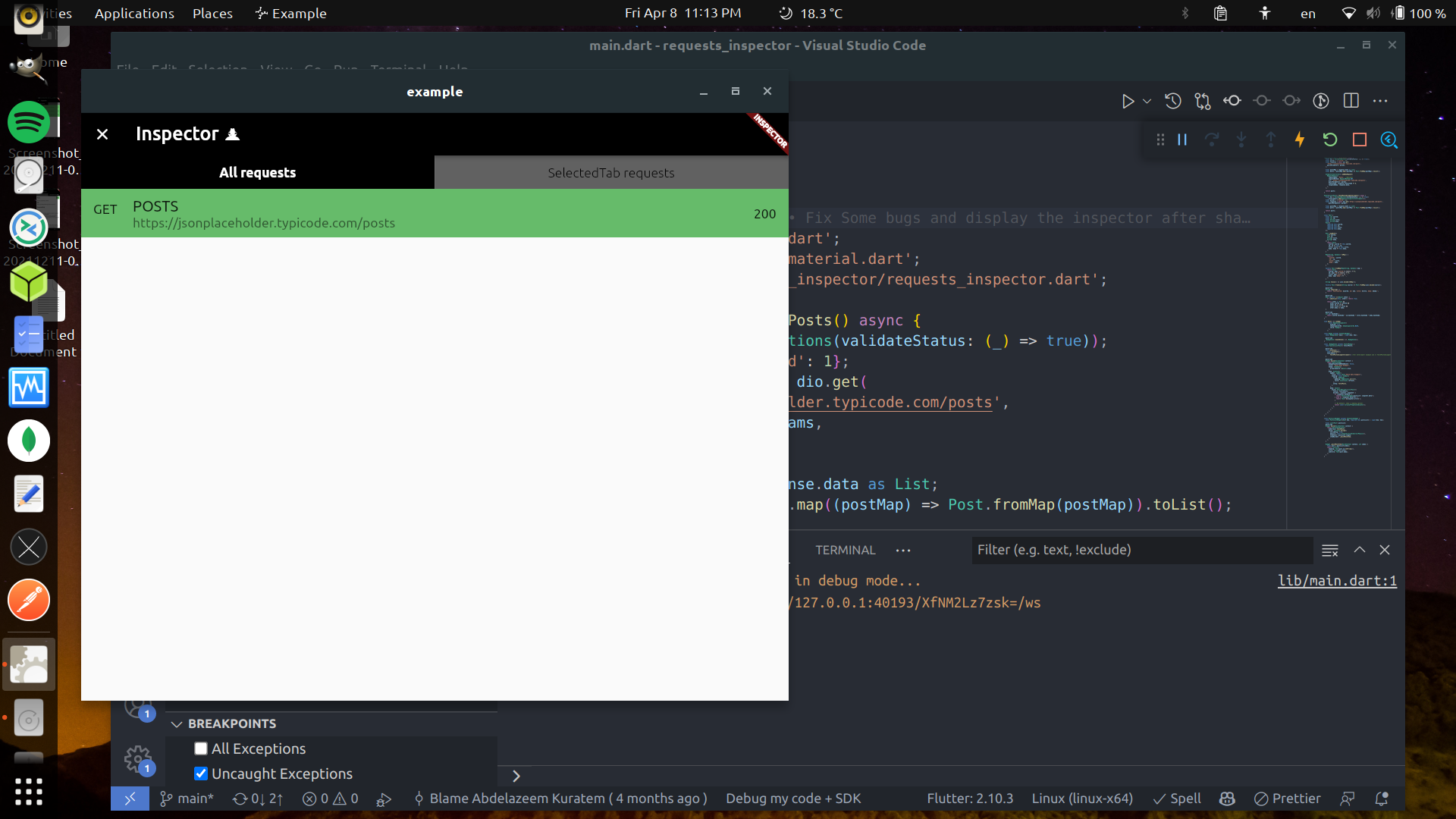
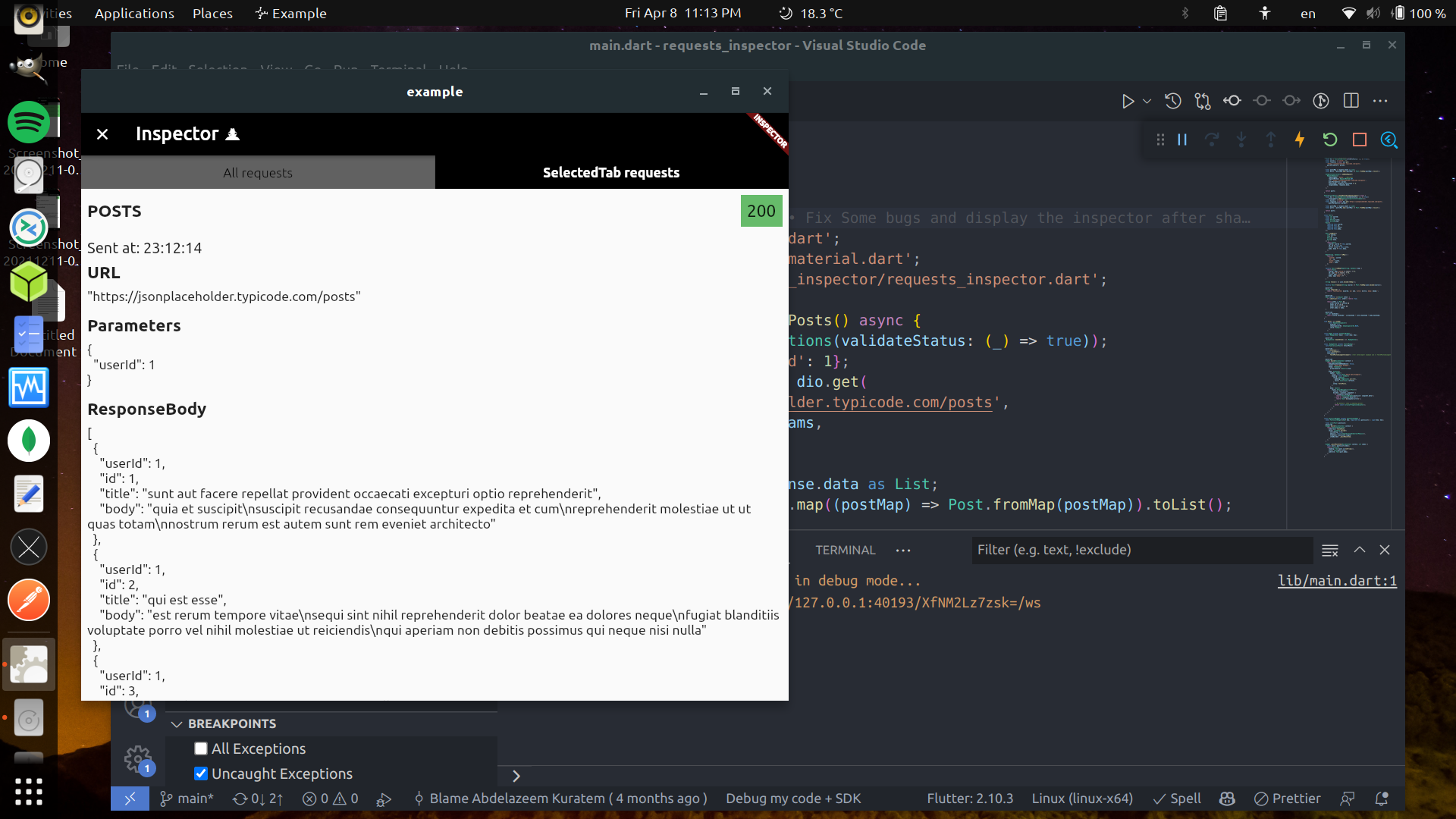
📱💃 : Shake your phone.
-
📱👈 : Long-Press on any free space on the screen.
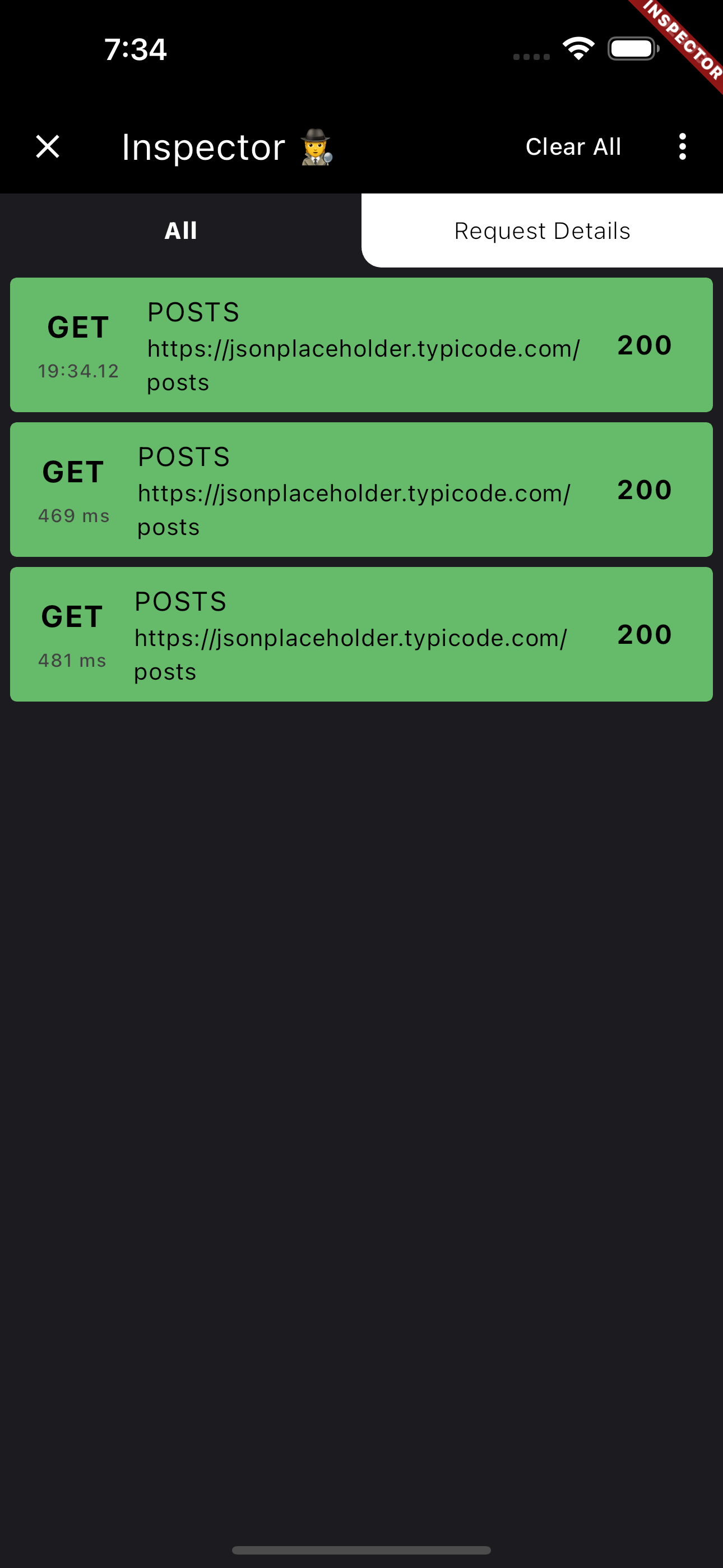
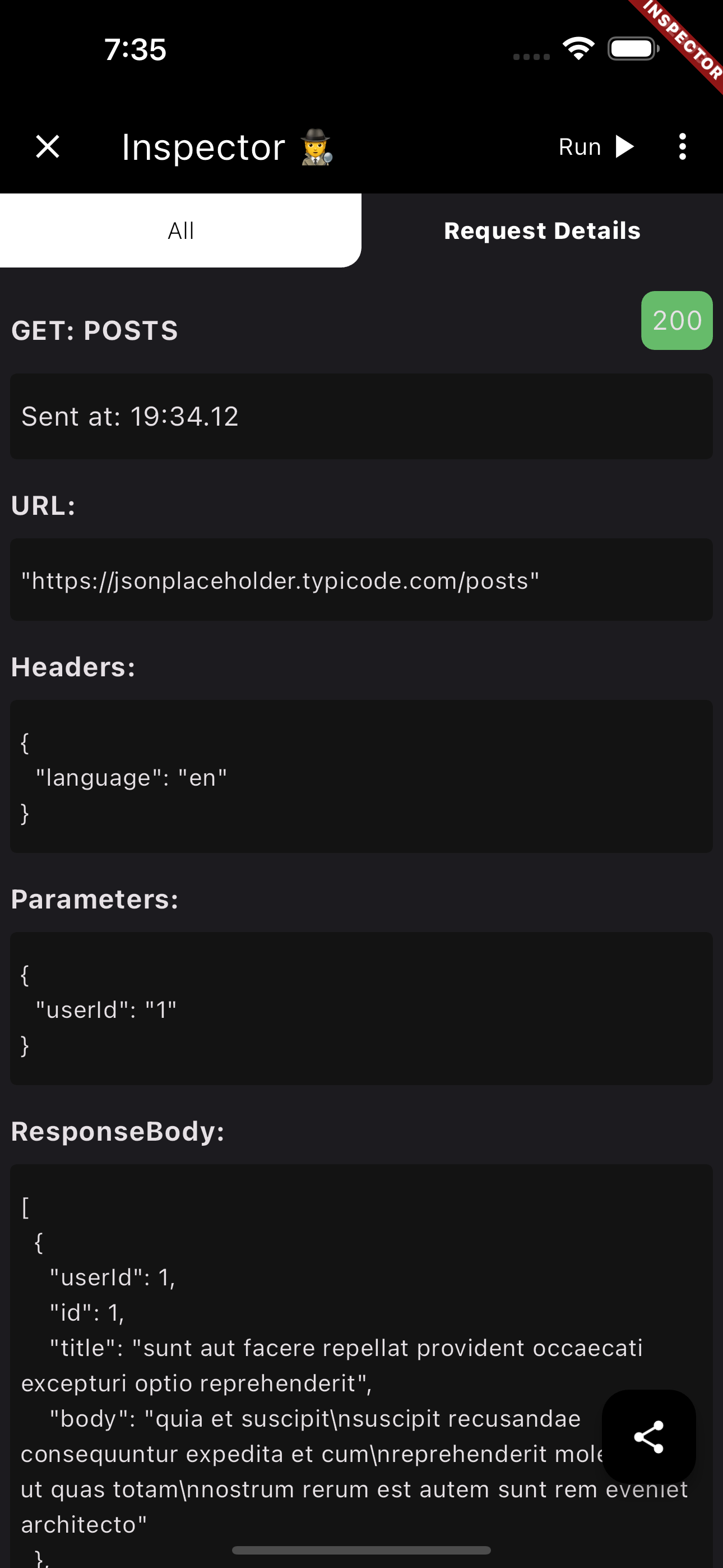
Also you can share the request details as (Log, cURL command, or HAR file) with your team to help them debug the API requests.
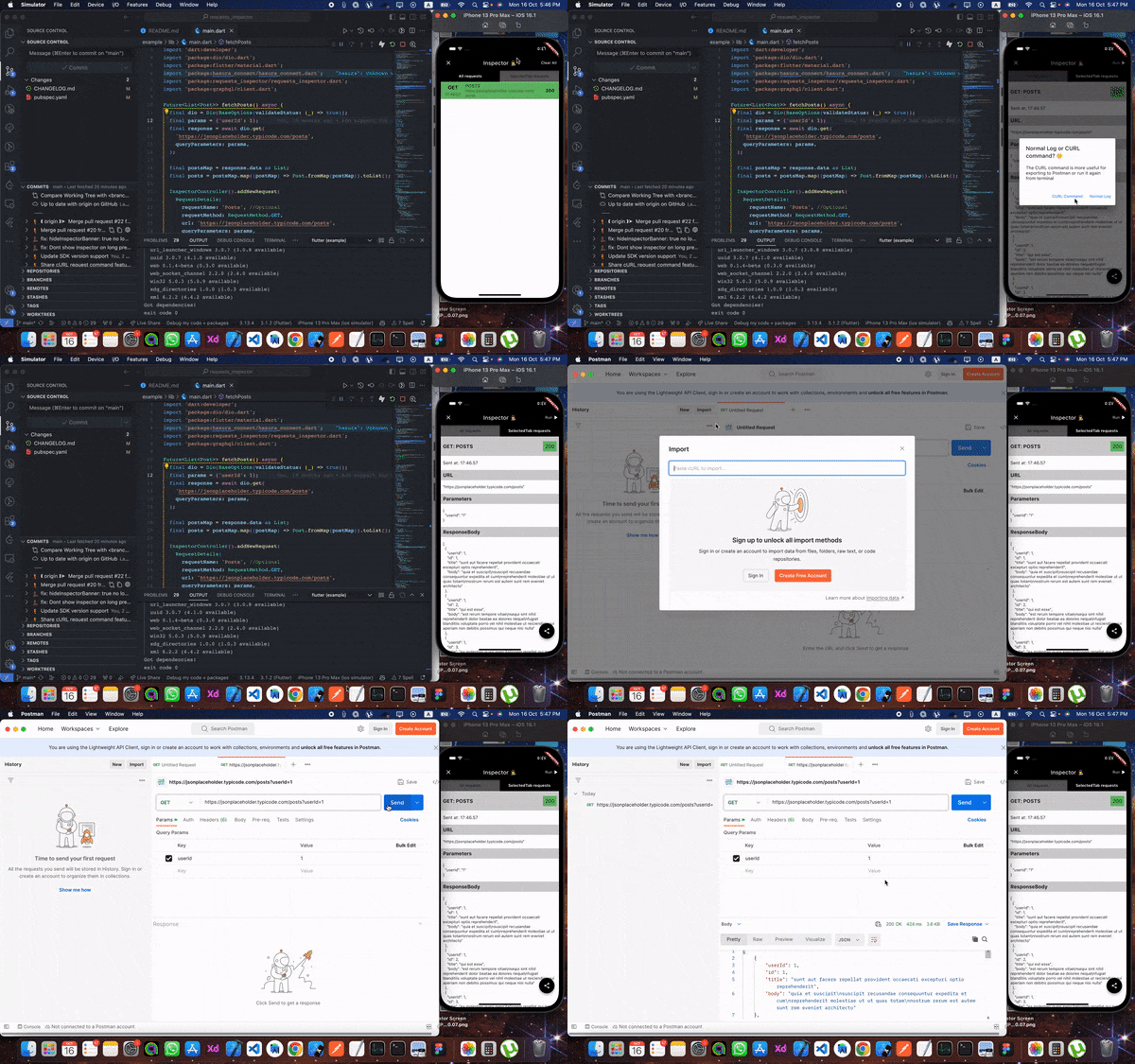
From Inspector to Postman 🧡 🎉️
Now you can extract cURL command from the inspector to send the request again from your terminal or Postman 💪💪
HAR File Support 📦 🎉️ You can now share requests as HAR (HTTP Archive) files! HAR files are a standard format that can be imported into various tools like Postman, Proxyman, or any HAR-compatible tool for debugging and analysis. You can share HAR files in two formats:
- HAR text: Copy the HAR content as text
- HAR file (.har): Share as a downloadable
.harfile
The HAR format includes complete request/response details, headers, timing information, and more, making it perfect for comprehensive API debugging and sharing with your team.
First, add it at the top of your MaterialApp with enabled: true.
void main() {
  runApp(const RequestsInspector(
    child: MyApp(),
  ));
}final dio = Dio()..interceptors.add(RequestsInspectorInterceptor());In your API request just add a new RequestDetails using RequestInspectorController filled with the API data.
InspectorController().addNewRequest(
    RequestDetails(
        requestName: requestName,
        requestMethod: RequestMethod.GET,
        url: apiUrl,
        queryParameters: params,
        statusCode: responseStatusCode,
        responseBody: responseData,
        ),
);a. Normal InspectorController().addNewRequest.
Future<List<Post>> fetchPosts() async {
  final dio = Dio();
  final params = {'userId': 1};

  final response = await dio.get(
    '[https://jsonplaceholder.typicode.com/posts](https://jsonplaceholder.typicode.com/posts)',
    queryParameters: params,
  );

  final postsMap = response.data as List;
  final posts = postsMap.map((postMap) => Post.fromMap(postMap)).toList();

  InspectorController().addNewRequest(
    RequestDetails(
      requestName: 'Posts',
      requestMethod: RequestMethod.GET,
      url: '[https://jsonplaceholder.typicode.com/posts](https://jsonplaceholder.typicode.com/posts)',
      queryParameters: params,
      statusCode: response.statusCode ?? 0,
      responseBody: response.data,
    ),
  );

  return posts;
}
b. Using RequestsInspectorInterceptor.
Future<List<Post>> fetchPosts() async {
  final dio = Dio()..interceptors.add(RequestsInspectorInterceptor());
  final response = await dio.get('[https://jsonplaceholder.typicode.com/posts](https://jsonplaceholder.typicode.com/posts)');

  final postsMap = response.data as List;
  final posts = postsMap.map((postMap) => Post.fromMap(postMap)).toList();

  return posts;
}<img src = "https://raw.githubusercontent.com/Abdelazeem777/requests\_inspector/main/images/mobile\_list.jpg" width ="280" /> <img src = "https://raw.githubusercontent.com/Abdelazeem777/requests\_inspector/main/images/mobile\_request.jpg" width ="280" />


To use requests_inspector with graphql_flutter library.
you jus need to wrap your normal HttpLink with our GraphQLInspectorLink and we are done.
Example:
 Future<List<Post>> fetchPostsGraphQlUsingGraphQLFlutterInterceptor() async {
 Future<List<Post>> fetchPostsGraphQlUsingGraphQLFlutterInterceptor() async {
  final client = GraphQLClient(
    cache: GraphQLCache(),
    link: Link.split(
      (request) => request.isSubscription,
      GraphQLInspectorLink(WebSocketLink('ws://graphqlzero.almansi.me/api')),
      GraphQLInspectorLink(HttpLink('[https://graphqlzero.almansi.me/api](https://graphqlzero.almansi.me/api)')),
    ),
  );
  const query = r'''query {
    post(id: 1) {
      id
      title
      body
    }
    }''';

  final options = QueryOptions(document: gql(query));
  final result = await client.query(options);
  if (result.hasException) {
    log(result.exception.toString());
  } else {
    log(result.data.toString());
  }
  var post = Post.fromMap(result.data?['post']);
  return [post];
}requests_inspector (Stopper) enables your to stop and edit requests (before sending it to server) and responses (before receiving it inside the app).
- First, you need to add navigatorKey to your
MaterialAppthen pass it toRequestsInspectorto show Stopper dialogs.
final navigatorKey = GlobalKey<NavigatorState>();

void main() => runApp(
  RequestsInspector(
    // Add your `navigatorKey` to enable `Stopper` feature
    navigatorKey: navigatorKey,
    child: const MyApp(),
  ),
);

// ...

@override
Widget build(BuildContext context) {
  return MaterialApp(
    navigatorKey: navigatorKey, // <== Here!
// ...- Second, just enable it from Inspector and it will stop all your requests and responses.
<img src="https://raw.githubusercontent.com/Abdelazeem777/requests\_inspector/main/images/stopper\_feature.gif" width="280"/>

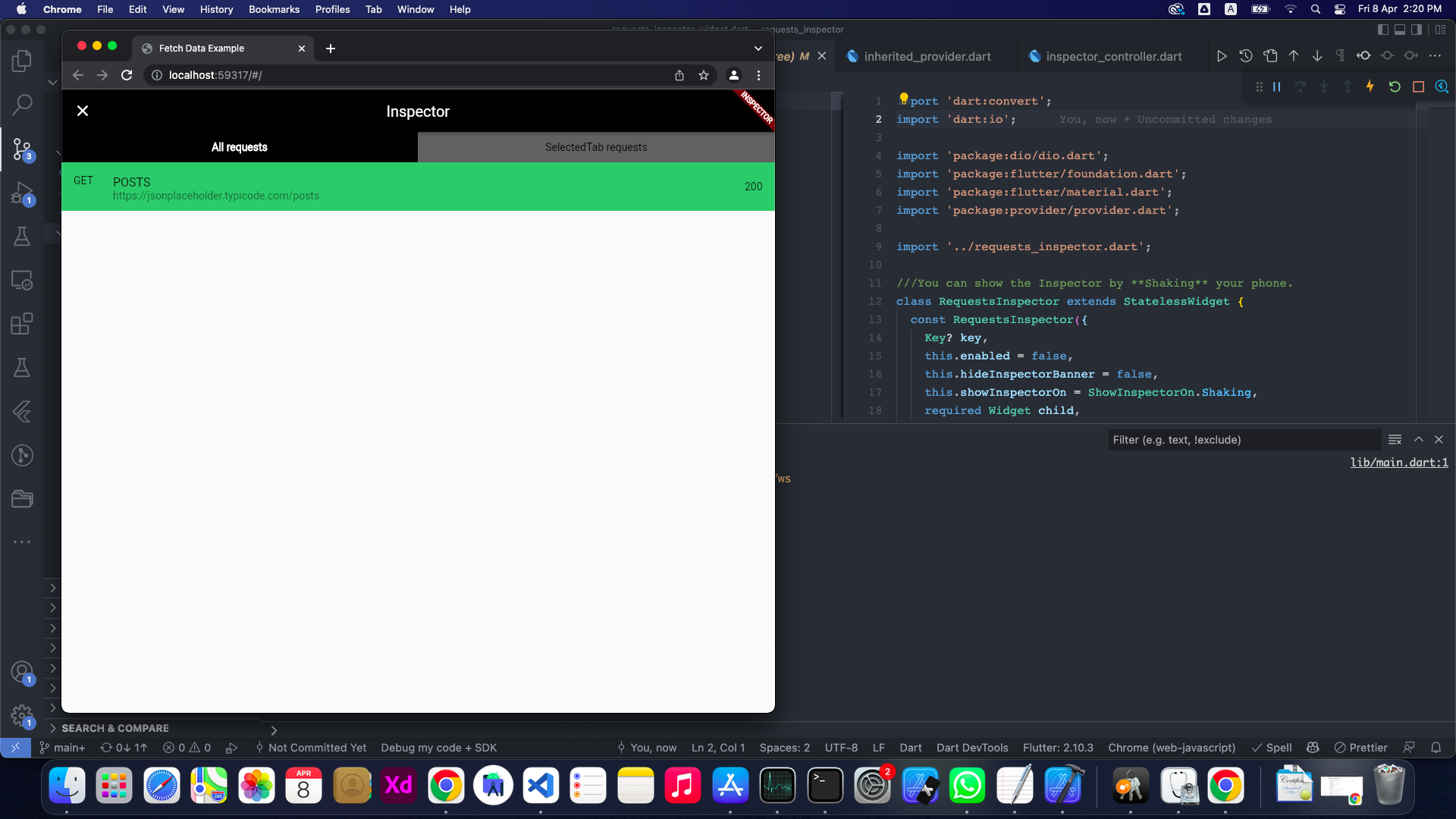
Obviously, The shaking won't be good enough for those platforms 😅
So you can specify showInspectorOn with ShowInspectorOn.LongPress.
void main() {
  runApp(const RequestsInspector(
    enabled: true,
    showInspectorOn: ShowInspectorOn.LongPress
    child: MyApp(),
  ));
}
OR, you can just pass ShowInspectorOn.Both to open the Inspector with Shaking or with LongPress.
void main() {
  runApp(const RequestsInspector(
    enabled: true,
    showInspectorOn: ShowInspectorOn.Both,
    child: MyApp(),
  ));
}
Contributors helping improve requests_inspector: 💻🎨📖🚧
 Abdelazeem |
 Belal |
 Mostafa |
 Abdelrahman |
 Anthony |
 M Hussein |
 Vadym |
 M Gawdat |
 Anas |
 Moaz |
 Michelle |
 Abdullah |
 Ahmed |
 Nourhan |
 Anthony |
We welcome contributions from everyone! Here's how you can help:
- Report Issues: Found a bug or have a feature request? Open an issue
- Submit Pull Requests: Have a fix or improvement? We'd love to review your PR!
- Improve Documentation: Help us make the docs clearer and more comprehensive
- Share Feedback: Let us know how you're using the package and what could be better
To add yourself as a contributor, simply follow the contribution guidelines and your efforts will be recognized here!
- Add support for
GraphQL. - Enhance the
GraphQLrequest and response displaying structure. - Improve the request tab UI and add expand/collapse for each data block.
- Better UI.
- Support Dark/Light Modes.
- Powerful JSON Tree View.
- Collapsable separated sections.
- Click to Copy Content of each section.
- Add search inside the request details page.
- Add Http Interceptor.
- 'WillPopScope' is deprecated and shouldn't be used. Use PopScope instead. The Android predictive back feature will not work with WillPopScope.
This project is licensed under the MIT License - see the LICENSE file for details.