


PayPal is a global online payment platform enabling individuals and businesses to securely send and receive money, process transactions, and access merchant services across multiple currencies.
The ballerinax/paypal.payments package provides a Ballerina connector for interacting with the PayPal Payments API v2, allowing you to authorize payments, capture authorized payments, refund captured payments, void authorizations, and reauthorize expired authorizations in your Ballerina applications.
To use the PayPal Payments connector, you must have access to a PayPal Developer account.
-
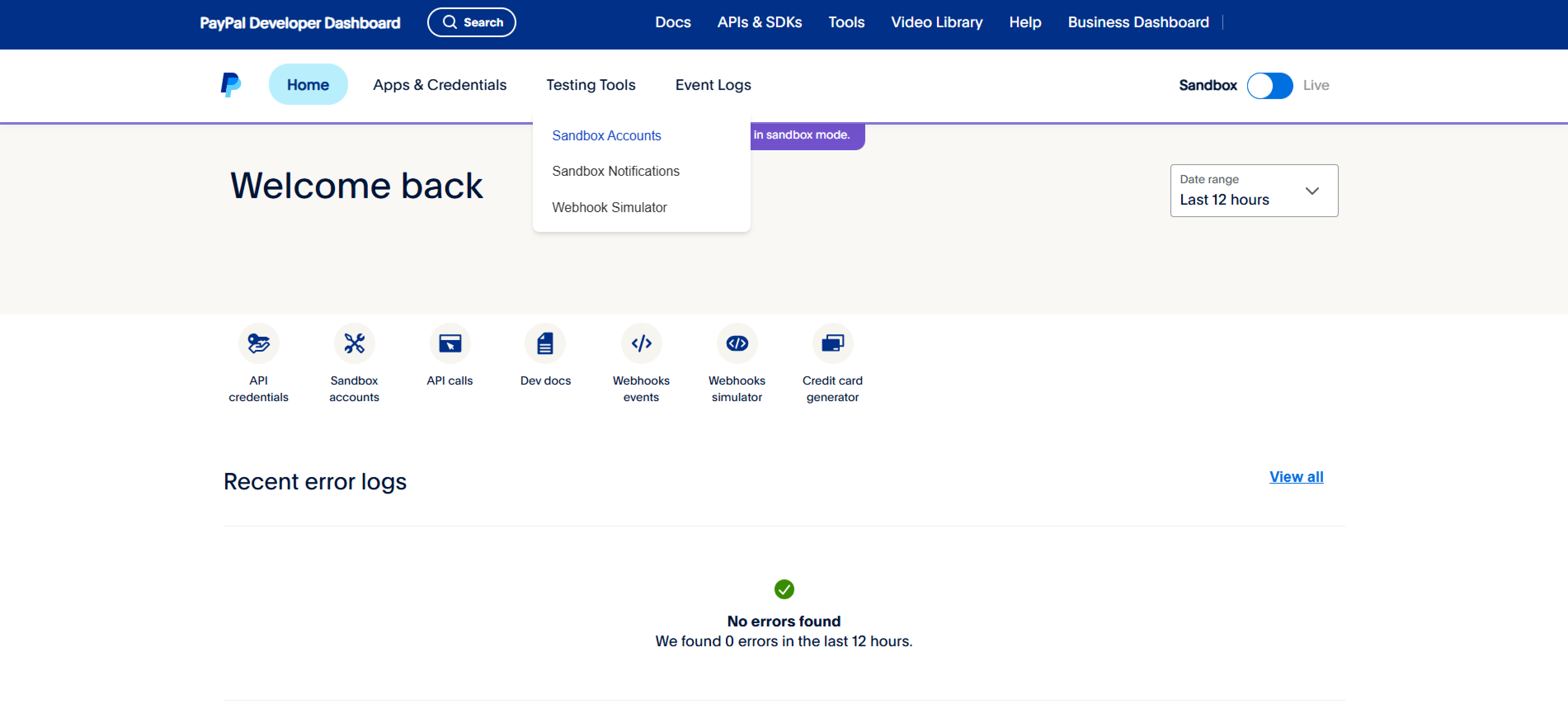
Open the PayPal Developer Dashboard.
-
Click on "Sandbox Accounts" under "Testing Tools".
-
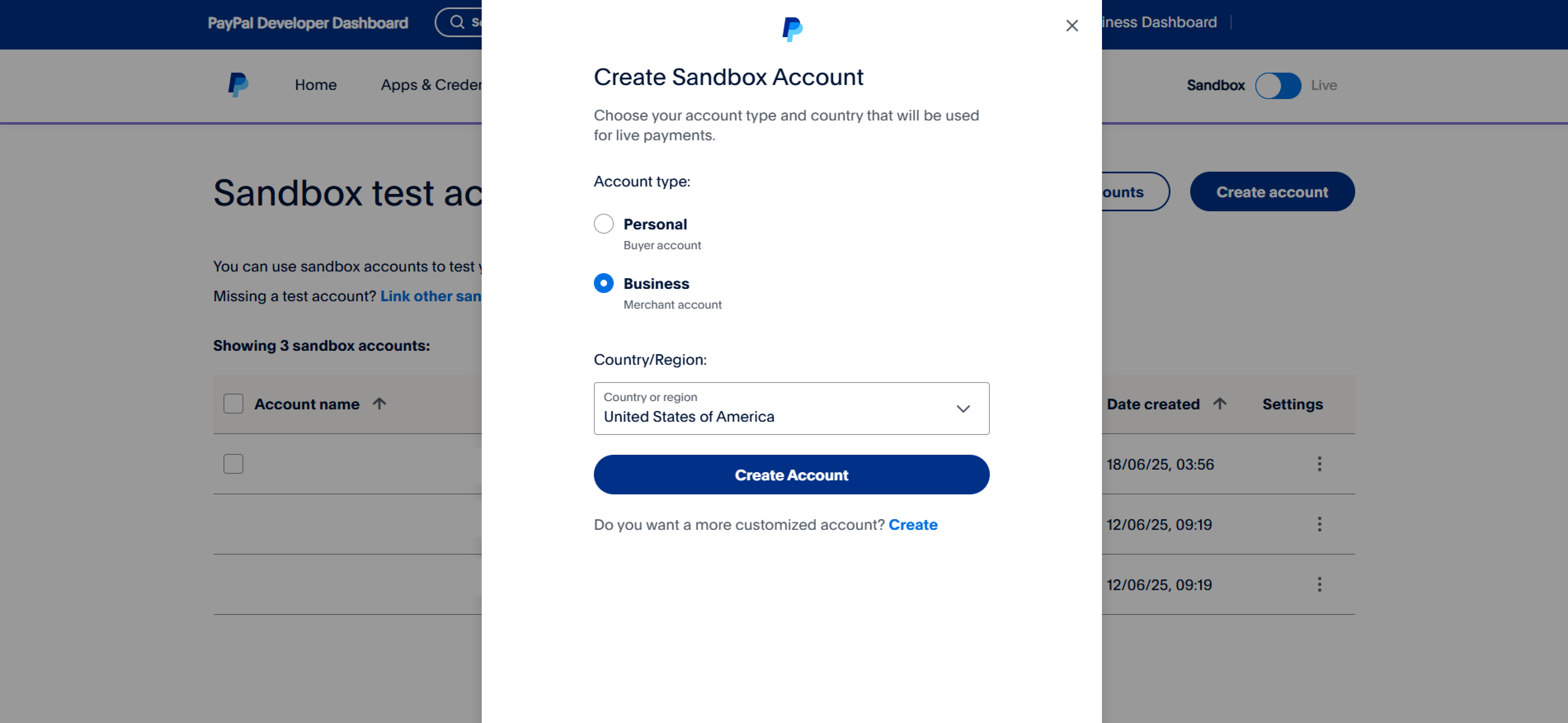
Create a Business account
Note: Some PayPal options and features may vary by region or country; check availability before creating an account.
-
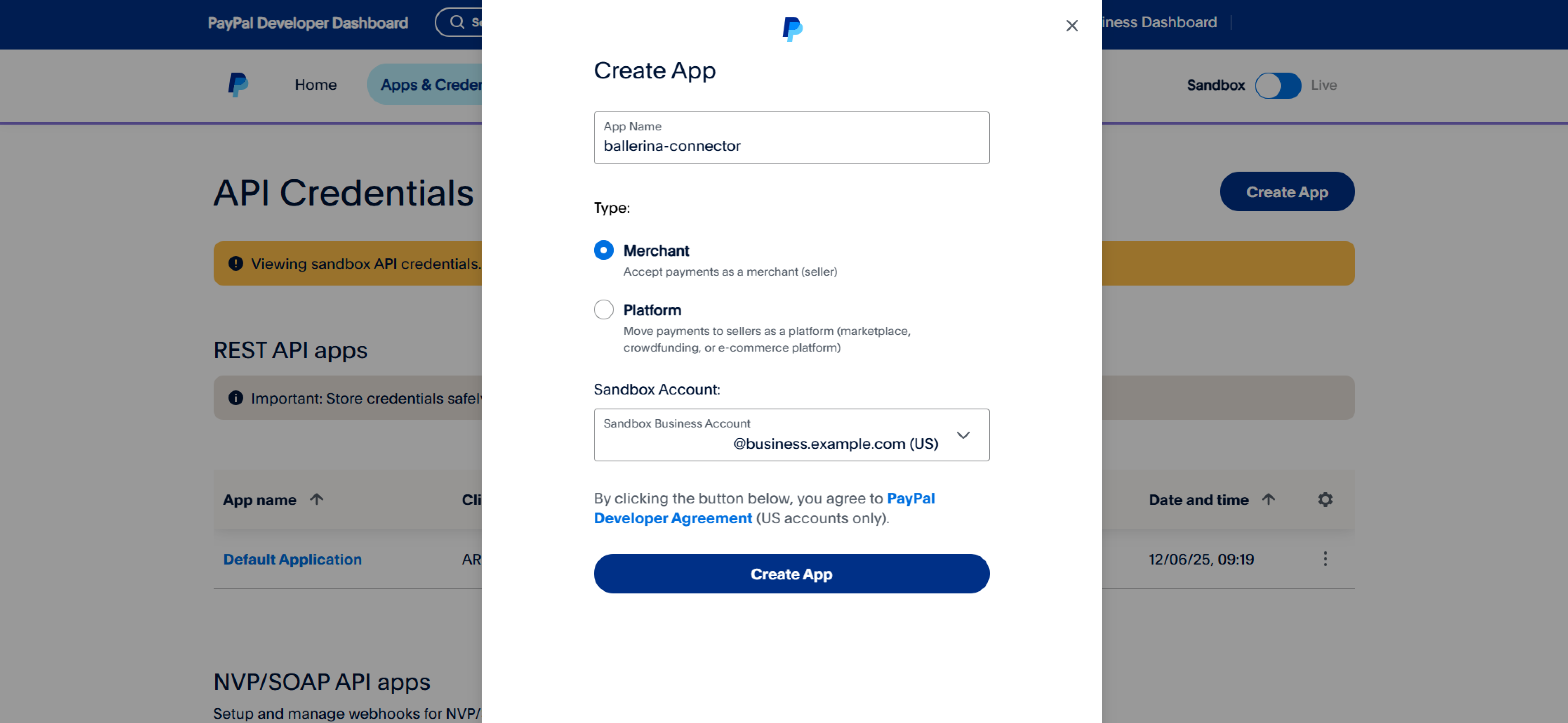
Navigate to the "Apps and Credentials" tab and create a new merchant app.
Provide a name for the application and select the Business account you created earlier.
-
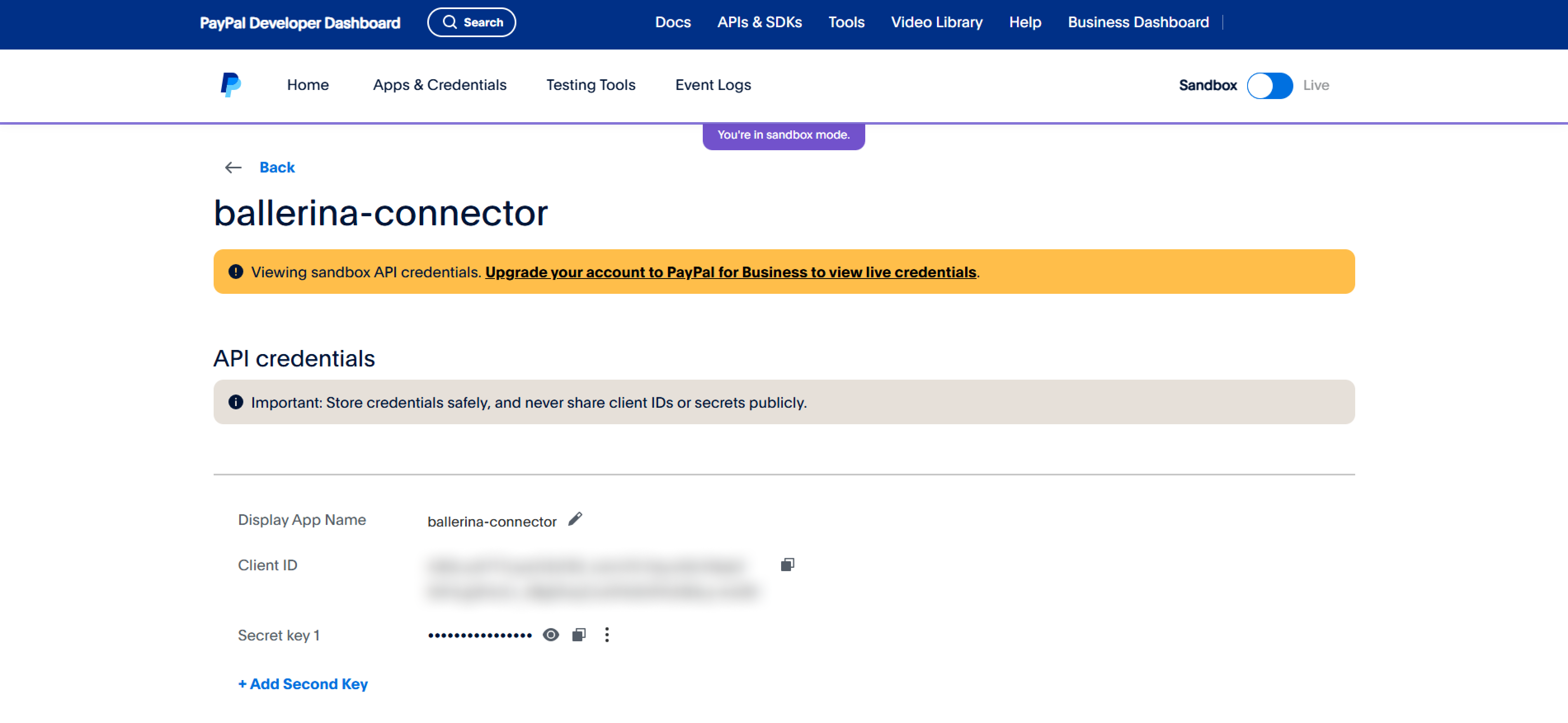
After creating your new app, you will see your Client ID and Client Secret. Make sure to copy and securely store these credentials.
To use the paypal.payments connector in your Ballerina application, update the .bal file as follows:
Import the paypal.payments module.
import ballerinax/paypal.payments as paypal;- Create a
Config.tomlfile and configure the obtained credentials in the above steps as follows:
clientId = "<test-client-id>"
clientSecret = "<test-client-secret>"
- Create a
paypal:ConnectionConfigwith the obtained credentials and initialize the connector with it.
configurable string clientId = ?;
configurable string clientSecret= ?;
final paypal:Client paypal = check new ({
    auth: {
        clientId,
        clientSecret
    }
}, serviceUrl);Now, utilize the available connector operations.
public function main() returns error? {
    paypal:CaptureRequest captureRequest = {
        amount: {
            currency_code: "USD",
            value: "100.00"
        },
        final_capture: true
    };

    paypal:Capture2 response = check paypal->/authorizations/[authorizationId]/capture.post(captureRequest);
}bal runThe PayPal Payments connector provides practical examples illustrating usage in various scenarios. Explore these examples, covering the following use cases:
-
Order creation: Process a complete product purchase from order creation through payment authorization, capture, and partial refunds.
-
Subscription management: Simulate a recurring billing flow with subscription-style orders, monthly payments, plan switching, and pro-rated refunds.
-
Download and install Java SE Development Kit (JDK) version 21. You can download it from either of the following sources:
Note: After installation, remember to set the
JAVA_HOMEenvironment variable to the directory where JDK was installed. -
Download and install Ballerina Swan Lake.
-
Download and install Docker.
Note: Ensure that the Docker daemon is running before executing any tests.
-
Export Github Personal access token with read package permissions as follows,
export packageUser=<Username>
export packagePAT=<Personal access token>
Execute the commands below to build from the source.
-
To build the package:
./gradlew clean build
-
To run the tests:
./gradlew clean test -
To build the without the tests:
./gradlew clean build -x test -
To run tests against different environments:
./gradlew clean test -Pgroups=<Comma separated groups/test cases>
-
To debug the package with a remote debugger:
./gradlew clean build -Pdebug=<port>
-
To debug with the Ballerina language:
./gradlew clean build -PbalJavaDebug=<port>
-
Publish the generated artifacts to the local Ballerina Central repository:
./gradlew clean build -PpublishToLocalCentral=true
-
Publish the generated artifacts to the Ballerina Central repository:
./gradlew clean build -PpublishToCentral=true
As an open-source project, Ballerina welcomes contributions from the community.
For more information, go to the contribution guidelines.
All the contributors are encouraged to read the Ballerina Code of Conduct.
- For more information go to the
paypal.paymentspackage. - For example demonstrations of the usage, go to Ballerina By Examples.
- Chat live with us via our Discord server.
- Post all technical questions on Stack Overflow with the #ballerina tag.