
This is a typing game built with LibGDX, generated with gdx-liftoff using OpenJDK 21.0.2.
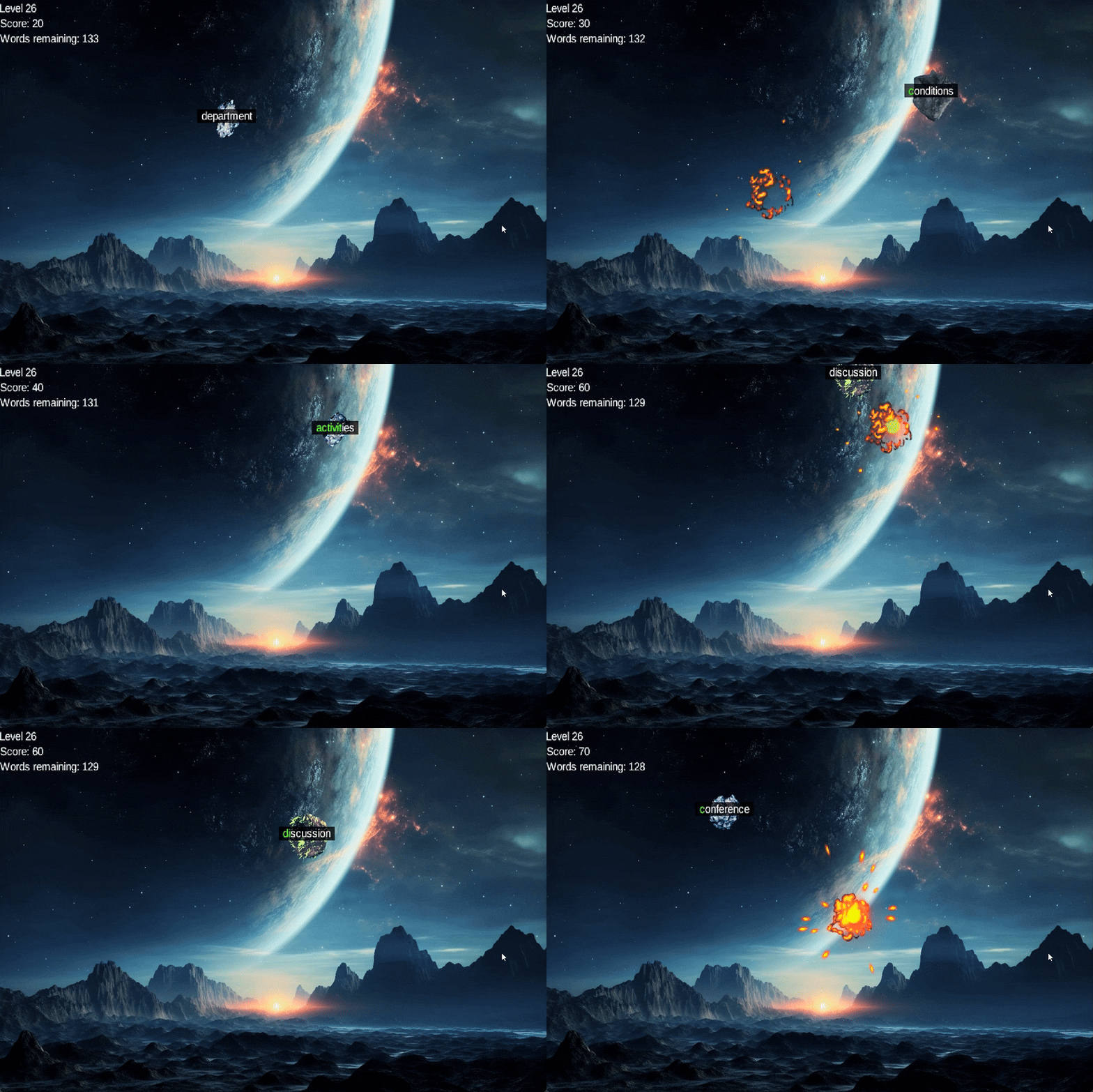
Users can play 30 levels of varying difficulty containing thousands of unique words, while competing for a spot on the leaderboard.
User, level and score data are all stored in a SQLite database.
Demo video: https://www.youtube.com/watch?v=1PN8l_tNcNQ
This project was generated with a template including simple application launchers and an ApplicationAdapter extension that draws libGDX logo.
- Install JDK 21
- Clone repository
- Open project in IntelliJ
- Run/Debug
Lwjgl3Launcher.java - Alternatively configure as an application using OpenJDK 21, classpath =
group9.lwjgl3.mainand main method =com.cs2212group9.typinggame.lwjgl3.Lwjgl3Launcher
- Most pages are configured with hot-reload: use
Ctrl + F9to recompile andCtrl + Shift + F5to reload the page - To modify level generation, Python is required
- Run
./build.shto build the project with pre-existing user data - Run
./build.sh -fto build the project with a fresh database - Alternatively, use
./build.batif bash not available - Both will build to
lwjgl3/build/libs/, run the game withtyping-game-libgdx-x.x.x.jar - using
./gradlew lwjgl3:jarwill build the project, but will not copy the database, so it will not work - Python is NOT required to build the project, but is used for level generation, Python 3.11 was used.
- Run tests by configuring
JUnitin IntelliJ to run all in packagecom.cs2212group9.typinggame
- To log in as an instructor/admin, use the username
admin. The password is the same as the username. - As an instructor, you see the same scoreboard as everyone else, but you have an additional search function.
- It allows you to search for users by username, and view their scores and number of attempts on each level.
core: Main module with the application logic shared by all platforms.lwjgl3: Primary desktop platform using LWJGL3.
This project uses Gradle to manage dependencies.
The Gradle wrapper was included, so you can run Gradle tasks using gradlew.bat or ./gradlew commands.
Useful Gradle tasks and flags:
--continue: when using this flag, errors will not stop the tasks from running.--daemon: thanks to this flag, Gradle daemon will be used to run chosen tasks.--offline: when using this flag, cached dependency archives will be used.--refresh-dependencies: this flag forces validation of all dependencies. Useful for snapshot versions.build: builds sources and archives of every project.cleanEclipse: removes Eclipse project data.cleanIdea: removes IntelliJ project data.clean: removesbuildfolders, which store compiled classes and built archives.eclipse: generates Eclipse project data.idea: generates IntelliJ project data.lwjgl3:jar: builds application's runnable jar, which can be found atlwjgl3/build/lib.lwjgl3:run: starts the application.test: runs unit tests (if any).
Note that most tasks that are not specific to a single project can be run with name: prefix, where the name should be replaced with the ID of a specific project.
For example, core:clean removes build folder only from the core project.
- Libraries used:
- libGDX 1.12.1
- sqlite-jdbc 3.45.1.0
- junit-jupiter-api 5.10.2
- slf4j-api 2.0.12
- slf4j-simple 2.0.12
- bouncycastle 1.77
- Images:
- level and score screen background freepik
- login screen freepik
- game screen freepik
- explosion(s) by Sinestesia
- asteroids by Wenrexa
- app icon from opengameart
- Audio:
- sound effects (e.g. explosion sounds) from Kenney
- main menu music by lasercheese
- game music 1: mammoth by congusbongus
- game music 2: action synth track by PetterTheSturgeon
- game music 3: deus ex tempus by Trevor Lentz
- game music 4: last knight of the cyberdeath PetterTheSturgeon
- game music 5: magic space by CodeManu
- level and score screen music: space echo by Centurion_of_war
- Misc:
- libgdx-multiplayer-authentication-flow used with permission from szsascha
- explosion animation based off of libgdx-2d-tutorial
- setup generated using gdx-liftoff
- English word list from google-10000-english
- Some additional words generated by ChatGPT, see the Python file for more details
- SQLite DB Browser
- LibGDX skins from czyzby