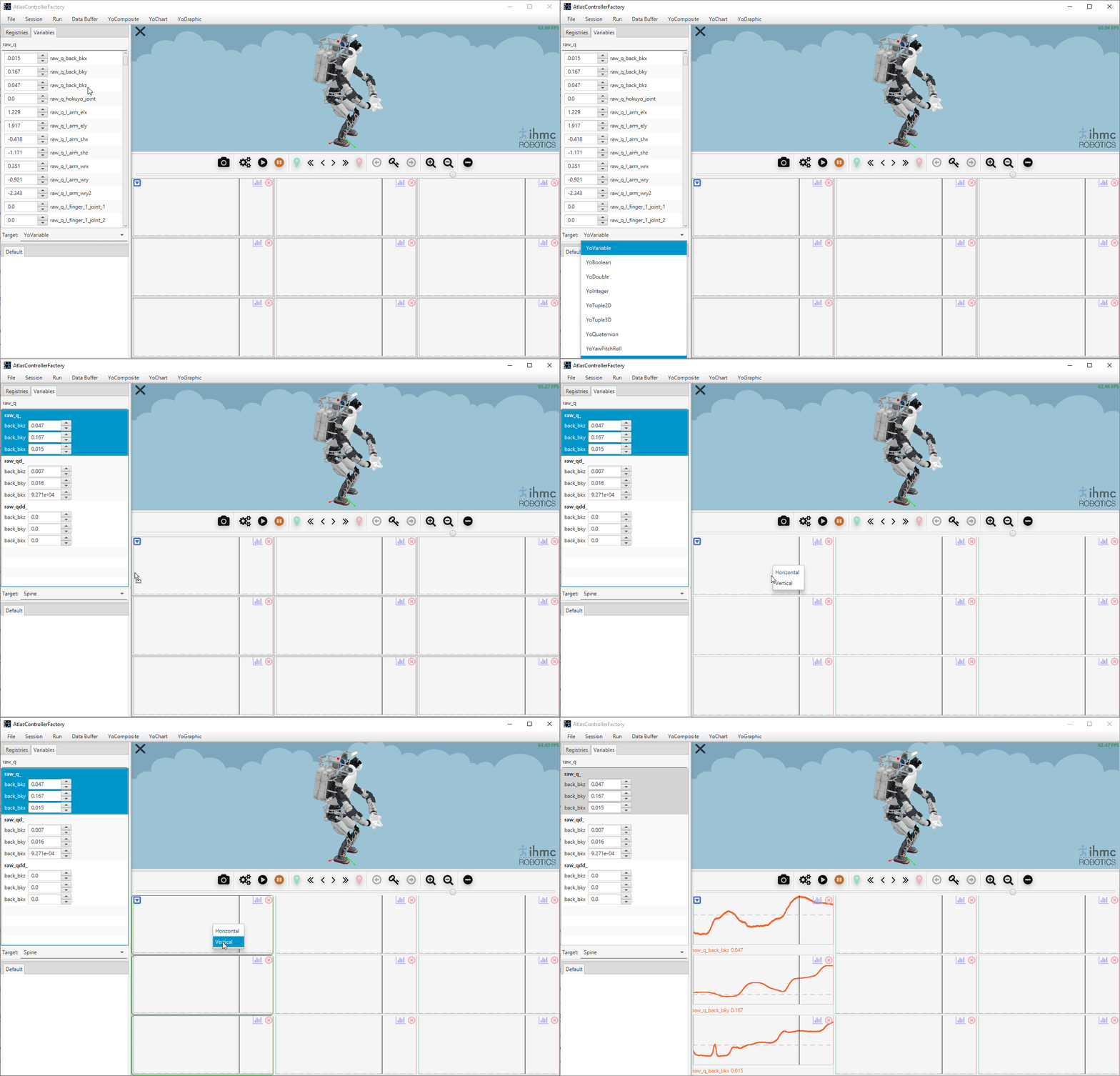
YoComposite preferred chart configurations
In addition to enable searching for composites, a pattern can also declare a preferred chart configuration that simplifies the process of plotting multiple YoVariables.
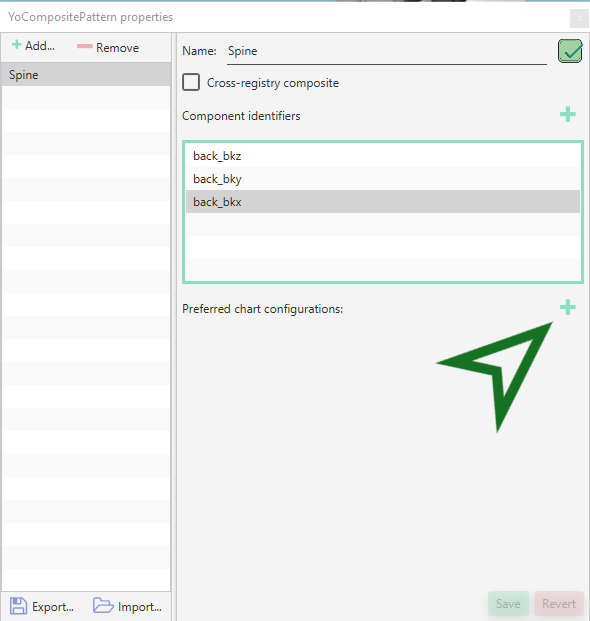
Going back to our example with the spine composite for Atlas, open the YoComposite pattern editor dialog and add a preferred chart configuration:
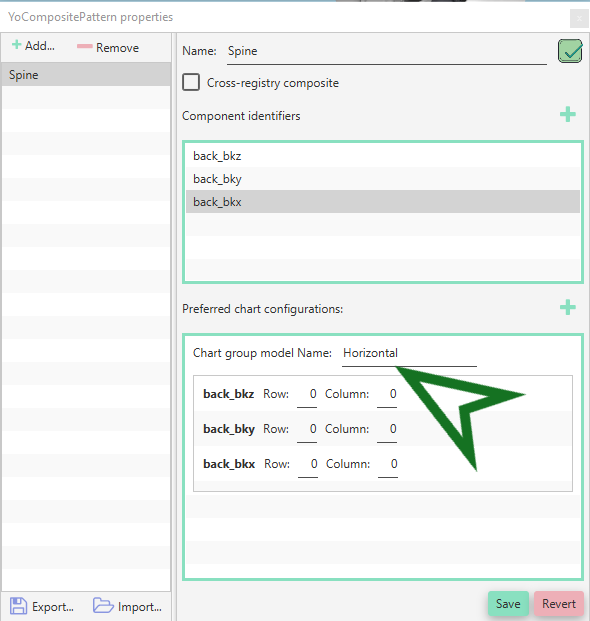
Let's name this first configuration "Horizontal":
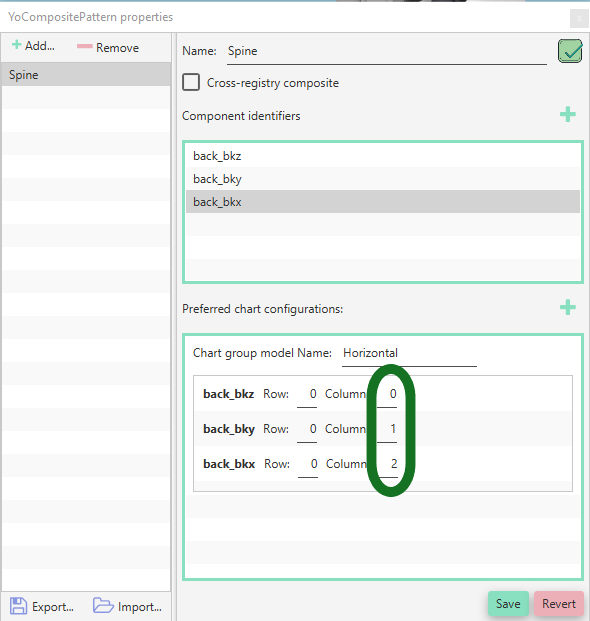
Modify the column field for each component as follows:
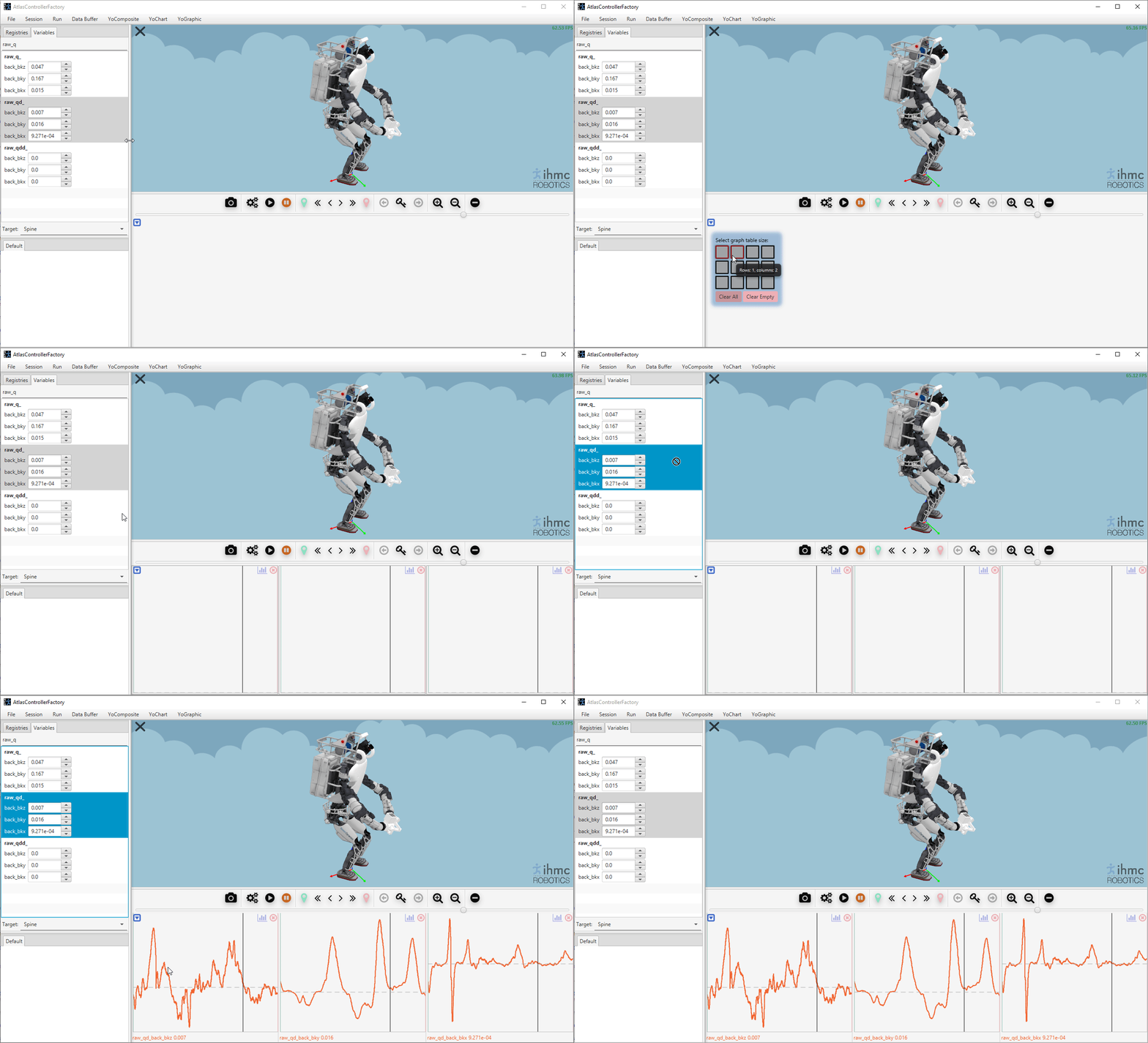
Now save the modifications and close the editor. Search for any spine composite, create 3 charts, then drag and drop a composite in the first chart:
Additional preferred configurations can be added to the same YoComposite pattern in which case when plotting the composite a popup window will request which configuration to use: