SPDX-License-Identifier: CC-BY-4.0 OR GPL-3.0-or-later
Network Pro Strategies (Network Pro™)
Last Updated: November 11, 2025
- Download Brave Browser
- Turn Off Telemetry
- Block Trackers & Ads
- Block JavaScript
- Block All Cookies
- Enable Strict Fingerprinting Mode
- Block Fingerprinting
- Turn Off Social Media
- Turn Off Usage Ping
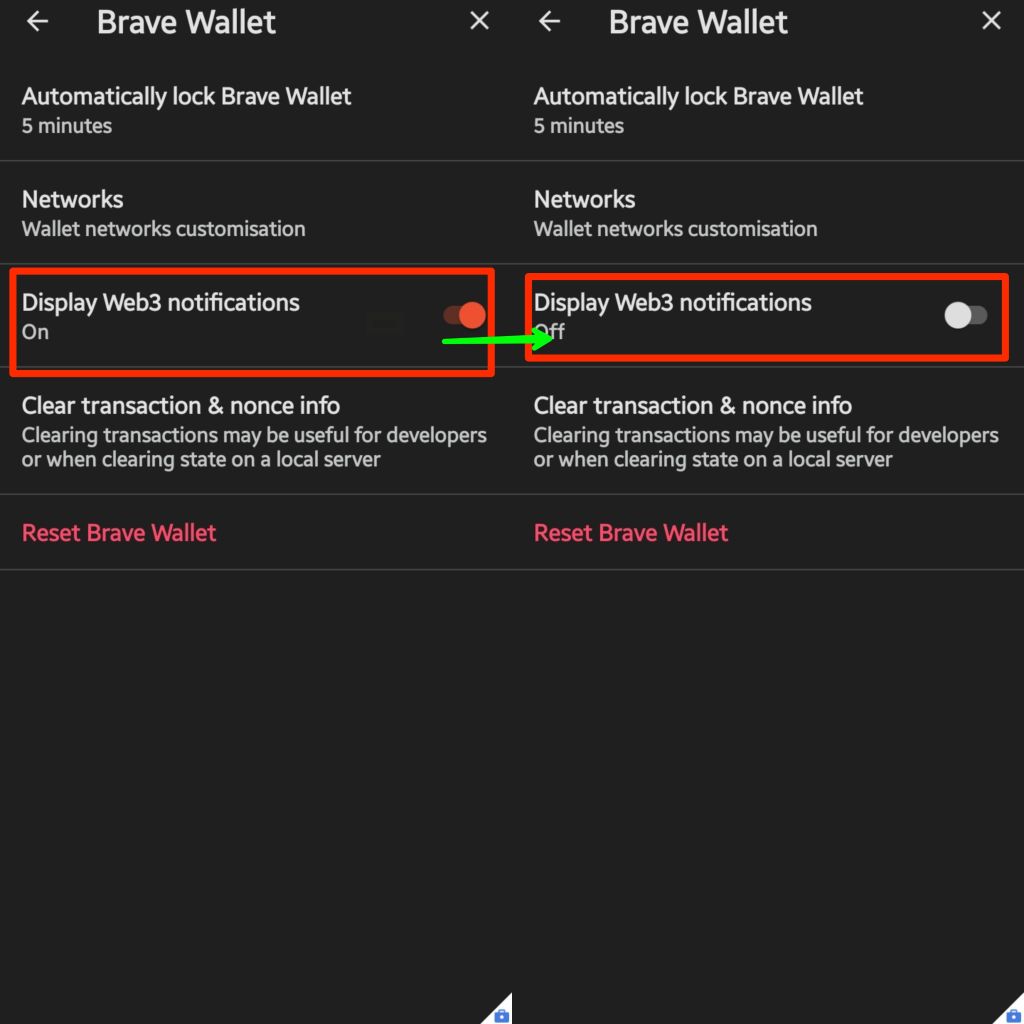
- Turn Off Web3 Notifications
- Change Search Engine
- Turn Off Save Passwords & Auto Sign-in
- Change Appearance
1. Download Brave Browser from Brave or GitHub
For managing privacy-centric browser installations and updates, we highly recommend FFUpdater:
- F-Droid: FFUpdater
- GitHub: Tobi823/ffupdater
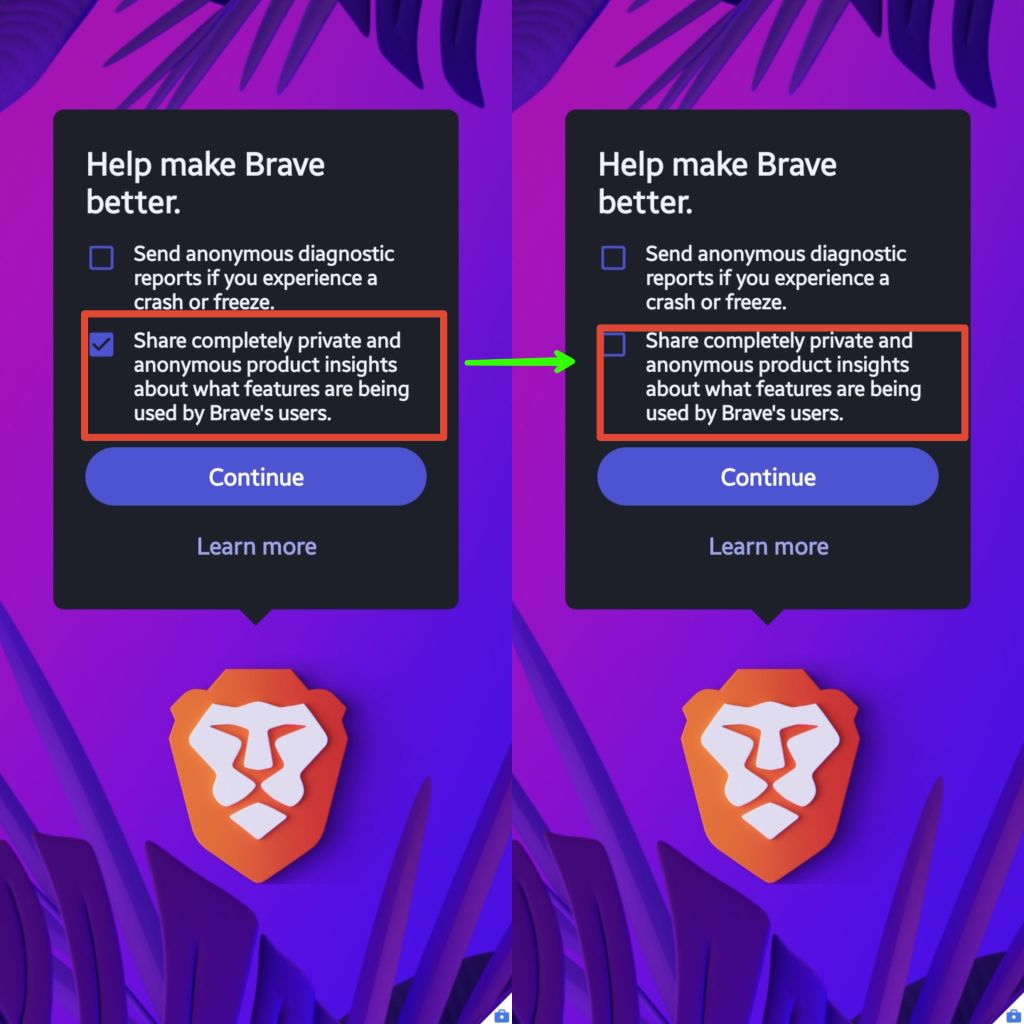

Enable JavaScript for that site only when needed for trusted sites
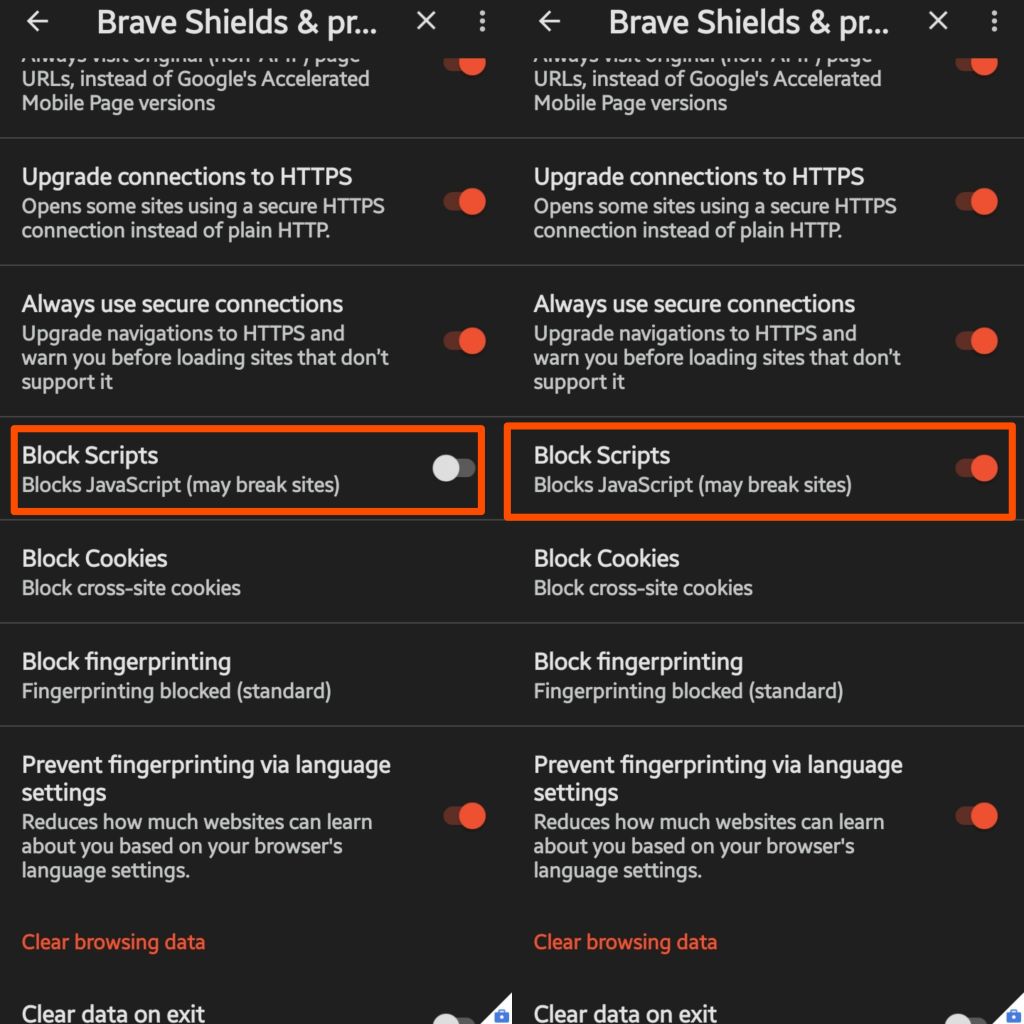
Enable cross-site cookies for only that site when needed

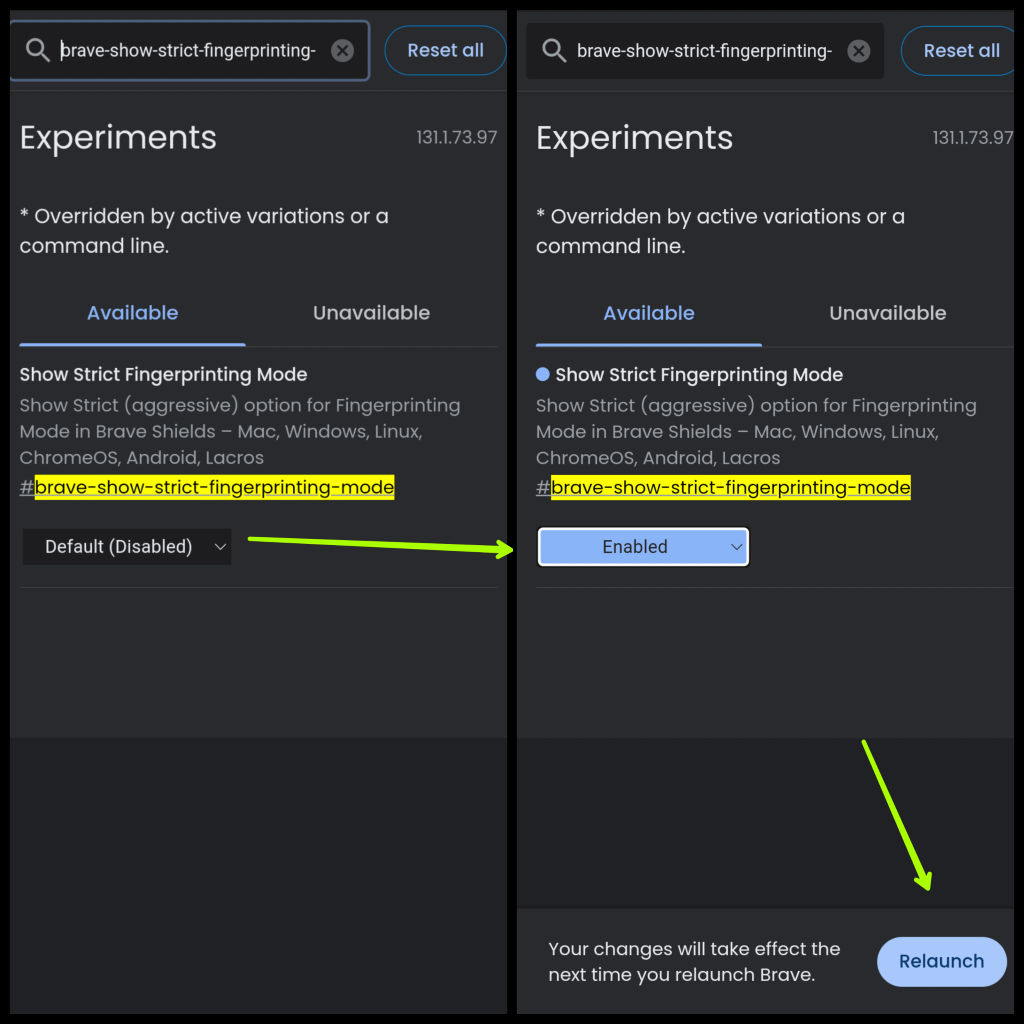
Strict fingerprinting protection is now a hidden feature
- Navigate to
brave://flagsand search forbrave-show-strict-fingerprinting-mode - Toggle the setting to
Enabledand select theRelaunchbutton
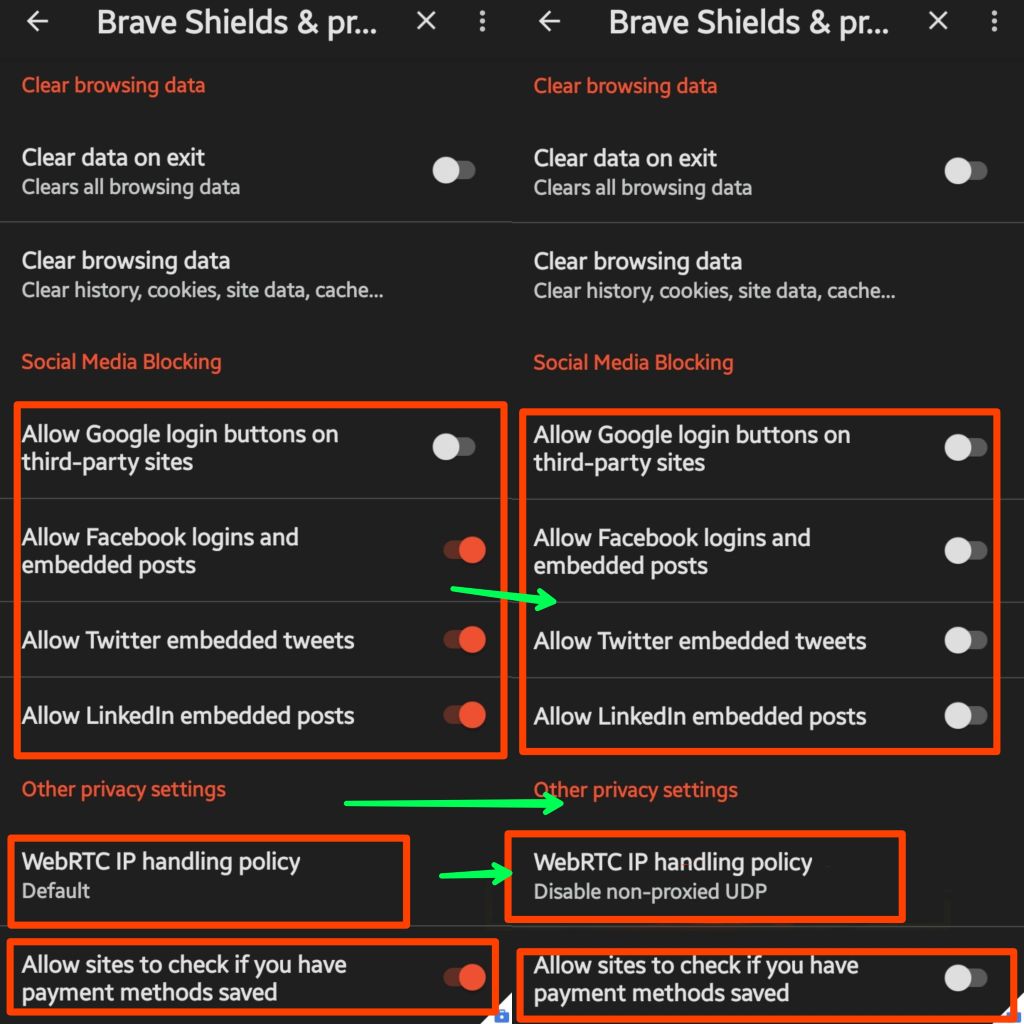
Change to 'Fingerprinting blocked (Standard)' for only that site when
needed for trusted sites



Brave Search or a self-hosted SearXNG instance is preferable. Avoid Google and Bing at all costs!
Other options, in no particular order:
Ecosia is also supposedly a very good, privacy-centric search engine. We're not as familiar with Ecosia, so we can't recommend it, but it deserves mention.
1 Kagi is a paid service. However, anecdotally we've heard the service is well worth the price.

It is a best practice to utilize a password manager rather than the built-in browser password management.
Recommended password managers:

Please provide feedback and suggestions by creating an issue or posting in Discussions. If you liked this list, please give it a STAR ⭐.
Special thanks to the original publisher of this material,
@[email protected].
Forked from
piyushkumar-prog/Hardening-Brave-Browser.
Copyright © 2025
Network Pro Strategies (Network Pro™)
Network Pro™, the shield logo, and the "Locking Down Networks™" slogan are trademarks of Network Pro Strategies.
Licensed under CC BY 4.0 and the GNU GPL, as published by the Free Software Foundation, either version 3 of the License, or (at your option) any later version.