If you plan to modify the source code and build your own version of the plugin, follow the steps in this section to set up the development environment.
Before you begin, if you modify the source code and rebuild the plugin, it is no longer signed. The signature is based on a hash of the distribution, so you will have to run it as unsigned.
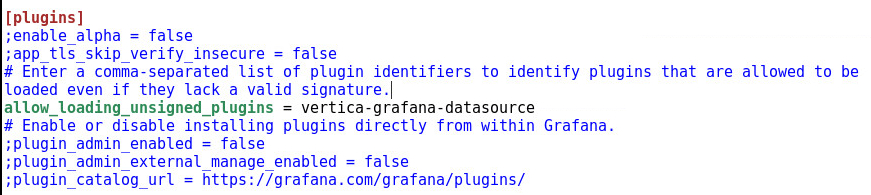
For the plugin to load, add the following configuration parameter to the /etc/grafana/grafana.ini file in the [plugins] section:
allow_loading_unsigned_plugins = vertica-grafana-datasource
Note: This plugin is tested in Linux(Ubuntu) with the following versions:
- Grafana - v10.1.2
- NodeJS - v18.18.0
- Yarn - v1.22.19
- Npm - v9.8.1
- Go - v1.21.9
Note: If you have the older version of the Vertica Grafana plugin, remove it using grafana-cli:
grafana-cli plugins remove vertica-grafana-datasource
- Clone the new Vertica Grafana data source repository into the plugins directory.
- Go to the Vertica plugin folder.
- To build the plugin
-
Install dependencies:
yarn install
-
Build plugin in production mode:
yarn build
-
Build backend plugin binaries for Linux, Windows, and Darwin:
mage -v
-
- Restart the Grafana server.